Free Volunteer Scheduling Apps Compared for UK Teams

The best free volunteer scheduling app is the one whose free limits fit your volunteer numbers and events. POINT, Timecounts, Zelos, Sling, SignUpGenius and Volunteer Shift Manager all offer free plans with real scheduling. They differ in how many volunteers, shifts and admins they allow, and in whether they track hours. Start with the comparison below, match it to your own rota, and move to a paid platform only when the free plan starts costing you time.
TL;DR
- Free plans work well for one team, one admin and a modest number of shifts. Most cap admins, active events, upcoming shifts, messages or volunteers.
- POINT and Timecounts include volunteer hour tracking. SignUpGenius is strongest for simple sign-up sheets. Sling is built for employee rotas, so it suits paid and volunteer crews mixed together.
- Check four things before you commit: the cap that will hit you first, hour reporting, data export and who owns the volunteer data.
- When volunteers are also members who pay, attend events and take training, a unified platform such as Colossus removes the double entry. Our plans start at £349 per month.
Table of Contents
- What a volunteer scheduling app actually has to do
- Free volunteer scheduling apps compared
- Which free plan fits your situation
- Five checks before you commit
- Where free plans stop and what comes next
- Our perspective
- How Colossus fits volunteer-led organisations
- See what a connected platform costs
- A simple way to run your first free rota
- FAQ
- Sources
What a volunteer scheduling app actually has to do
A rota in a spreadsheet works until the third person edits it. A scheduling app replaces that with a shared source of truth. In practice, it needs to do five jobs:
- Publish shifts or tasks so volunteers can see what is open.
- Let volunteers self-sign up, so a coordinator is not messaging forty people one by one.
- Send reminders by email, text or push notification, because no-shows are the main cost of volunteer rotas.
- Record hours for reporting, funders, references and recognition.
- Hold volunteer data safely, with export when you leave.
The usual flow is simple. An admin posts a shift, qualified and available volunteers are notified, and they claim it themselves. Some apps award the shift to the first volunteer who claims it, which is how Zelos describes its approach. Others use sign-up sheets where volunteers pick a slot without creating an account, which is how SignUpGenius works.
Charity Digital’s overview of digital tools for volunteer management lists the same core capabilities UK charities look for: scheduling and tracking, data import and export, events functionality and a mobile app. Use those as your baseline checklist.
Free volunteer scheduling apps compared
The table summarises what each provider says on its own pricing or product page. Free plans change, so confirm the current limits on the provider’s page before you build a rota around them.
| Tool | What the free plan offers | Main limit to watch | Hour tracking |
|---|---|---|---|
| POINT | Unlimited volunteers and admins, sign-ups and scheduling, automated messages and reminders | Advanced features such as check-in kiosks, waivers and recurring opportunities sit on the paid Pro plan | Yes, with reporting |
| Timecounts | Volunteer hub you can brand, volunteer directory, time logging | One admin | Yes, with total-hours reports |
| Zelos | Unlimited volunteers, volunteers claim shifts without admin assignment | Fewer reporting tools than a full management system | Check current plan |
| SignUpGenius | Sign-up sheets, reminders, fundraising and payments tools, no account needed for participants | Ads on the free plan, and customisation and higher communication limits are paid | Limited |
| Sling | Scheduling and messaging for up to 30 users | Built for employee scheduling rather than volunteer management | Time tracking features |
| Volunteer Shift Manager | Up to 50 volunteers and 30 upcoming shifts | Monthly email and SMS reminder allowances | Check current plan |
| ShiftSignup | Unlimited sign-ups and volunteers | Three active events at a time | Check current plan |
| Track it Forward | Free for groups under 25 volunteers | Focused on logging and verifying hours, not recruitment or screening | Yes, its main purpose |
| Planning Center | Free plan for up to 5 users | Small user cap | Check current plan |
POINT
POINT is the option most small organisations find first, and for good reason. Its free plan has no cap on volunteers or admins, needs no card and covers scheduling, automated reminders, time tracking and reporting. That is a wide free tier. The paid Pro plan adds application and program management, check-in kiosks, recurring opportunities, waivers, document storage and custom fields. If you run a single programme and do not need waivers or applications, the free plan may last you a long time.
Timecounts
Timecounts suits a coordinator who works alone. You get a brandable volunteer hub, a directory of volunteers and hour logging with total-hours reports. The single admin limit is the thing to plan around: if a second coordinator needs to edit the rota, you will be sharing a login or upgrading.
Zelos
Zelos leans on self-service. Volunteers claim shifts themselves, and the free plan supports unlimited volunteers. It is a sensible fit for ad hoc work such as litter picks, food bank sessions or event stewarding, where tasks appear at short notice and whoever is free picks them up.
SignUpGenius
SignUpGenius is less a volunteer management system and more a group-coordination tool. It covers sign-up sheets for volunteers, events and schedules, with automatic reminders and fundraising, tickets and online payments alongside. Participants do not need an account, which removes the biggest friction for one-off helpers. The free plan shows ads, and paid plans add customisation and higher communication limits. Payment processing fees apply separately when you collect money.
Sling
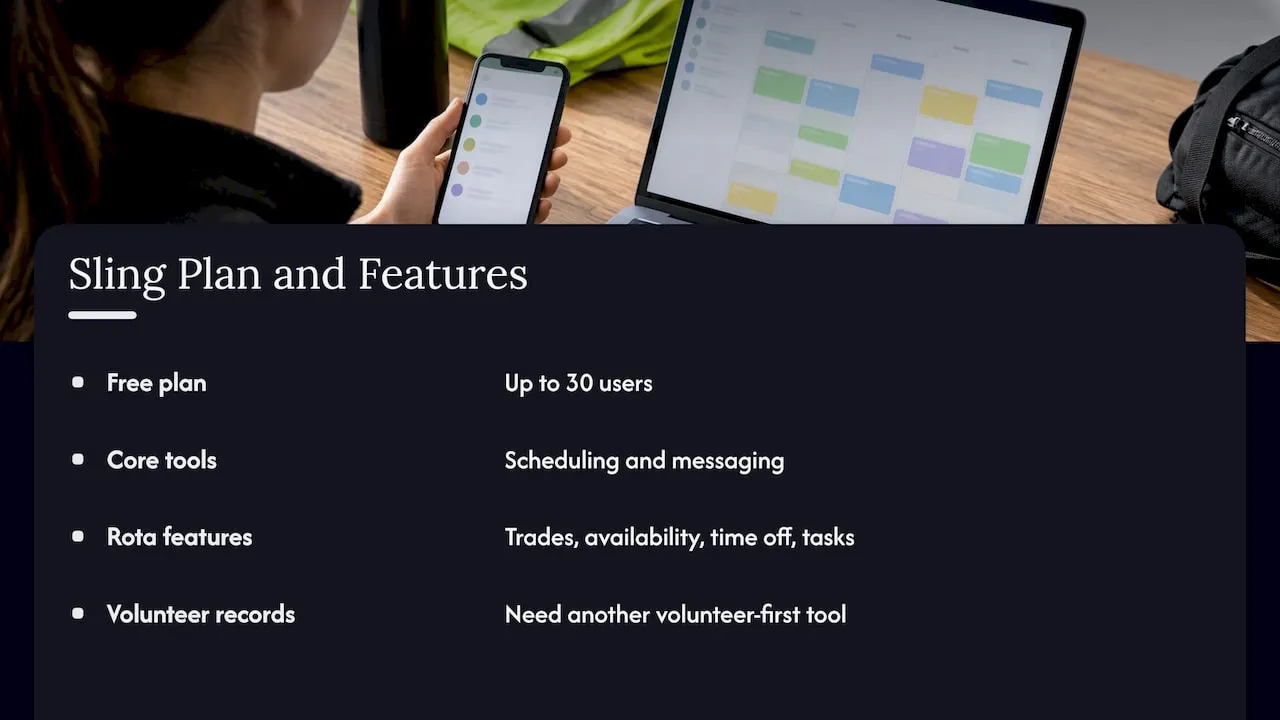
Sling’s free plan covers up to 30 users with scheduling and messaging. It was designed for employee rotas, with shift trades, availability, time-off management and tasks. That is a real advantage if your organisation runs paid and volunteer staff on the same rota, for example a museum, a community café or a leisure trust. For volunteer-specific records such as screening and impact reporting you will want a volunteer-first tool alongside it.
Volunteer Shift Manager and ShiftSignup
Volunteer Shift Manager allows up to 50 volunteers and 30 upcoming shifts, with 250 emails and 50 text reminders a month. ShiftSignup takes a different approach: no cap on sign-ups or volunteers, but only three active events at a time. Both caps are easy to work with if you know your calendar. A single annual fair is a perfect fit for ShiftSignup. A weekly rota will hit the 30-shift ceiling faster than you expect.
Track it Forward and Planning Center
Track it Forward is free for groups under 25 volunteers and concentrates on logging and verifying hours. It is a good choice if the real question is proving hours for funders, schools or Duke of Edinburgh-style records. Planning Center’s free plan supports up to five users, which suits a church team or a small ministry rather than a charity with a large volunteer base.
Which free plan fits your situation
Match the tool to the shape of your volunteering, not to the longest feature list.
- One-off event, many helpers: use a sign-up sheet tool such as SignUpGenius or ShiftSignup. Volunteers join without an account and you are done in an afternoon.
- Weekly or monthly rota with regulars: POINT or Timecounts, because the recurring volunteers and their hours matter more than the event.
- Mixed staff and volunteer rota: Sling, with a separate hours record if you need one.
- Funder reporting is the priority: an hour-tracking tool first, scheduling second.
- Fewer than 25 volunteers: almost every free plan will cope. Pick on ease of use.
If your event also needs a sign-up page for the volunteers who help families and communities, such as search or awareness days, the community search volunteer coordination playbook shows how a first-hours volunteer structure can be organised before you open sign-ups.
Five checks before you commit
1. The cap that will hit you first
Every free plan limits something: admins, active events, upcoming shifts, reminders or total users. Count your own numbers for the next twelve months, then find the limit you will reach first. A 30-shift cap is generous for a yearly fair and tight for a weekly food bank.
2. Self-scheduling and reminders
Reminders cut no-shows, and self-scheduling cuts coordinator hours. Check whether the free plan includes both and whether reminders are capped. Text reminders are often the first thing to run out.
3. Hour tracking and reports
If you report to trustees, funders or a regional body, you need exportable hours by volunteer, by role and by period. A tool that records hours but cannot export them leaves you retyping data.
4. Export, integrations and security
Ask how you get your data out. Also check whether the tool talks to your email platform, finance or membership system. In the UK, volunteer lists hold personal data, so check where the data is stored and who can see it, in line with the ICO’s guidance for charities.
5. Screening and safeguarding
If volunteers work with children or vulnerable adults, you need a clear record of DBS checks and role-specific training. Free plans rarely handle this properly. Treat it as a reason to plan for a paid tier or a system with fields you can set up for yourself.
Where free plans stop and what comes next
Free plans are designed to be outgrown, and outgrowing one is a sign that your volunteering is working. The upgrade moments are predictable:
- You need a second or third coordinator with their own login.
- Volunteers start asking for a portal, certificates or training records.
- You want to link volunteer hours to membership, donations or event tickets.
- Funders ask for reports your free tool cannot produce.
Paid volunteer tools in this space tend to price by volunteer numbers, active profiles or bookings. Published monthly prices run from about $9 for entry-level tools to several hundred dollars a month for full volunteer-management suites, so the real question is what else the money buys you. You can read our own comparison in the best free volunteer management software for UK charities and our guide to the essential tools for volunteer management.
Our perspective
Most organisations we talk to do not have a volunteer problem. They have a data problem. Volunteers are on one list, members are on another, event attendees are in a third place, and email goes out from a fourth.
A free scheduling app is a sensible first step, and we would never tell a ten-person team to buy a platform on day one. But once the same people are volunteers, members, learners and event guests, every extra tool means more re-keying, more mismatched records and more admin for you.
That is why we built Colossus as one platform: membership management, events, CRM, email marketing, virtual training, e-commerce and member portals in one place. Volunteers are simply a type of member, so their roles, events, training and communications sit in the same record as everything else. Our aim is to make managing memberships a task of the past.
If you are choosing a free tool today, choose one that exports cleanly. If you are already feeling the strain of juggling several, that is the moment to look at one connected system.
Rob
How Colossus fits volunteer-led organisations
Colossus is not a free tool, and we say so plainly. It is for organisations whose volunteering is part of a wider membership or event programme. Here is how the pieces help volunteer coordination:
- Member records and roles: keep volunteer status, interests and history in the same profile as membership. See our membership management software.
- Events and registration: build event pages, registration flows and volunteer roles for each event. See our event management software.
- CRM and email: segment volunteers and send targeted messages from the same system. See our CRM software.
- Training: host induction and refresher courses in our learning management system.
For a deeper look at managing volunteers who are also members, read how to manage volunteer members.
See what a connected platform costs
Our plans are priced per month: Core is £349, Growth is £699, Scale is £1,299 and Enterprise starts from £2,500. Contributor licences start from £29 per month. You can compare what each includes on our pricing page.

If you are still weighing up whether a free tool is enough, our article on the best free volunteer management software in 2026 is a good place to start. When you are ready to see a connected setup, visit Colossus and tell us how many volunteers, members and events you manage.
A simple way to run your first free rota
Whichever app you choose, the setup that works is the same:
- List your recurring roles and one-off tasks. Keep names short so they read well on a phone.
- Set a clear shift length and a minimum and maximum number of volunteers for each role.
- Publish shifts two to four weeks ahead, so volunteers can plan around work and family.
- Turn on reminders for the day before and the morning of each shift.
- Record hours at the end of every shift, not at the end of the month.
- Review every quarter: which shifts went unfilled, which volunteers dropped off and which caps you are close to.
That review is also when you decide whether the free plan still fits.
FAQ
Is there a completely free volunteer scheduling app?
Yes. POINT’s free plan allows unlimited volunteers and admins with no card required, and Zelos supports unlimited volunteers on its free plan. Every free plan has some limit, so check the caps on admins, shifts or reminders on the provider’s current pricing page.
Can a free app track volunteer hours?
Yes, several can. POINT includes time tracking and reporting, Timecounts logs hours with total-hours reports, and Track it Forward focuses on logging and verifying hours. If you report to funders, check that the hours can be exported by volunteer and by period.
What is the difference between volunteer scheduling and volunteer management software?
Scheduling software handles shifts, sign-ups and reminders. Management software adds applications, screening, records, communications, training and reporting across the whole volunteer lifecycle. Small teams often start with scheduling and add management as volunteer numbers and reporting demands grow.
When should we move from a free tool to a paid platform?
Move when a free limit starts to cost more in coordinator time than the upgrade would, for example when you need several admins, volunteer portals, training records or a link between volunteers, members and events. At that point a connected system such as Colossus can replace several separate tools.
Is volunteer data covered by UK data protection law?
Yes. Volunteer names, contact details and availability are personal data, so you need a lawful basis, a clear privacy notice and secure storage. The ICO’s advice for small organisations explains the basics.
Sources
- Digital tools to streamline volunteer management, Charity Digital
- Advice for small organisations, Information Commissioner’s Office
- Community search volunteer coordination playbook