Best free volunteer management software in 2026

TL;DR:
- Free volunteer management software enables organizations to coordinate sign-ups, reminders, and tracking without upfront costs. Essential features include self-signup, automated reminders, and mobile access, with advanced options like QR check-in and conflict detection offering further benefits for complex events. Choosing the right tool depends on volunteer volume, technical capacity, and automation needs, with hosted services suitable for most and open-source options requiring technical expertise.
Free volunteer management software is a category of digital coordination tools that lets nonprofits, schools, and community groups organise, schedule, and communicate with volunteers at no upfront cost. The industry term for this category is volunteer coordination software, though “volunteer management system” is equally recognised by practitioners. Platforms such as Reservio, SignUpGenius, and POINT have made it possible for organisations with limited budgets to automate sign-ups, send reminders, and track participation without paying subscription fees. This guide compares the leading free options, explains their real limitations, and gives you a clear framework for choosing the right tool in 2026.
What key features distinguish free volunteer management software?
The best free volunteer management software does far more than collect names on a spreadsheet. These platforms handle the full coordination cycle, from initial recruitment through day-of check-in, and the features below separate genuinely useful tools from basic form builders.
- Self-signup via shared links. Volunteers book their own slots through a URL you share by email or social media, removing the need for a coordinator to manually assign every shift. Reservio’s self-booking approach is a clear example of how this reduces organiser workload significantly.
- Automated reminders. Scheduled email or SMS notifications sent before a shift reduce no-shows without any manual effort. Automated reminders and conflict detection built into the sign-up flow are among the most impactful features a free tool can offer.
- Volunteer database and reporting. A searchable record of who volunteered, when, and for how long gives coordinators the data they need to recognise loyal contributors and plan future events.
- Mobile and web accessibility. Volunteers should be able to sign up from any device. Tools that require desktop-only access create unnecessary friction, particularly for younger or less tech-savvy participants.
- Day-of event functions. QR code check-in and offline scanning are features that separate event-ready platforms from purely administrative ones. Offline scanning capabilities are critical for reliable event-day check-in under variable connectivity conditions.
- Conflict detection. Some platforms, including the open-source Bénévoles project, flag scheduling overlaps automatically so volunteers are never double-booked across shifts.
Pro Tip: Before committing to any platform, test the volunteer sign-up journey yourself on a mobile device. If it takes more than three taps to confirm a slot, expect a higher drop-off rate on event day.
The combination of self-signup, automated reminders, and mobile access forms the baseline any credible free volunteer scheduling tool must meet. Features beyond that baseline, such as QR check-in and conflict detection, are genuine differentiators worth prioritising if your events are large or logistically complex.

How do top free volunteer management tools compare?
Choosing between platforms is easier when you see their free-tier capabilities side by side. The table below covers the five most widely used free options in 2026, based on their published free-plan specifications.
| Platform | Volunteer capacity | Booking or usage cap | Account required for volunteers | Key differentiator |
|---|---|---|---|---|
| Reservio | Unlimited volunteers | 40 bookings per month | No | 24/7 self-booking via shared link |
| SignUpGenius | Unlimited sign-ups | No cap, no expiry | No | Hundreds of design themes, real-time slot tracking |
| POINT | Unlimited volunteers | No published cap | Yes (organiser only) | Built-in SMS, push notifications, lifecycle reporting |
| Bénévoles | Unlimited | Self-hosted, no cap | No (unique link per volunteer) | Conflict detection, multi-tenant isolation, open-source |
| Voluntify | Unlimited | Self-hosted, no cap | No (passwordless signup) | QR code check-in, offline scanning, open-source |
Several patterns emerge from this comparison. Hosted services such as Reservio and SignUpGenius are the fastest to deploy, requiring no technical setup, but Reservio’s 40-booking monthly cap is a real constraint for organisations running frequent or large events. SignUpGenius removes that cap entirely on its free tier, making it the stronger default for high-volume coordination. POINT stands out for lifecycle management, covering recruitment through reporting with built-in SMS, which most free tools do not include.
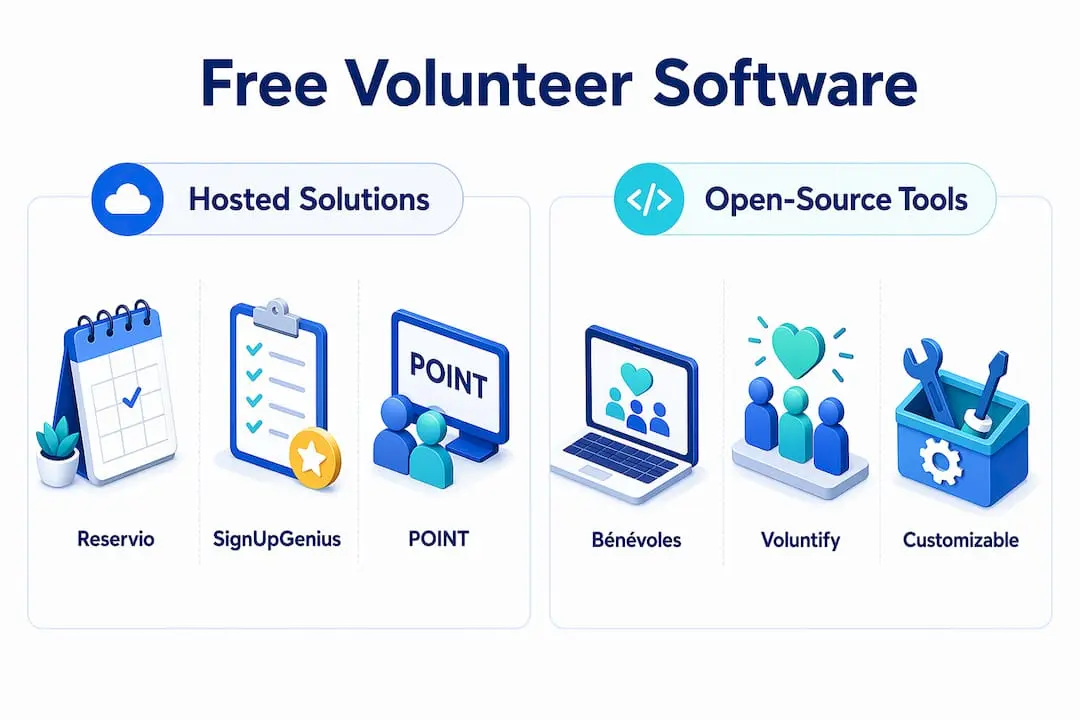
The open-source options, Bénévoles and Voluntify, offer the most feature depth and no usage restrictions, but they require your team to manage deployment, security, and infrastructure. Open-source tools like Bénévoles and Voluntify require Docker environments and web deployment pipelines, which means in-house or contracted IT support is a prerequisite.
Pro Tip: If your organisation runs fewer than 40 volunteer shifts per month and wants the simplest possible setup, Reservio’s free plan is ready in under 30 minutes. If you regularly exceed that volume, SignUpGenius or POINT will serve you better without requiring a paid upgrade.
What trade-offs come with free and open-source volunteer software?
Free tools deliver genuine value, but every platform in this category carries constraints that matter at scale. Understanding these trade-offs before you commit prevents mid-campaign disruption.
- Usage caps affect scalability. Organisations should model peak usage before selecting a capped platform. A community food bank running daily volunteer shifts will exhaust Reservio’s 40-booking limit within the first week of a busy month.
- Open-source demands technical resources. Bénévoles and Voluntify are powerful, but running them involves Docker containers, deployment pipelines, and ongoing security patching. An organisation without a technical volunteer or IT contractor will find the maintenance burden outweighs the feature benefit.
- Automation depth varies significantly. Free plans manage core coordination well, but advanced automation such as conditional reminders, waitlist management, and custom reporting typically sit behind paid tiers. The gap between free and paid is not about basic sign-up capability. It is about how much manual work coordinators must still do themselves.
- Offline and day-of readiness is not universal. Most hosted free tools assume reliable internet connectivity. Voluntify’s offline check-in design addresses this directly, but it requires self-hosting. If your events take place in venues with poor connectivity, this feature deserves serious weight in your decision.
- Data portability matters for growth. When your organisation outgrows a free tier, you need to export your volunteer database cleanly. Check whether the platform allows full CSV export before you invest time building your volunteer records in it.
The practical implication is straightforward. Hosted free tools are the right starting point for most organisations, and open-source tools are the right choice only when you have the technical capacity to run them reliably. Choosing open-source to avoid costs without that capacity often creates higher costs in staff time and system failures.
How to choose the best free volunteer management software for your needs
Selecting the right platform is a decision about fit, not just features. Work through the following criteria in order to narrow your options quickly.
- Count your volunteers and events. If you manage fewer than 50 volunteers across a handful of annual events, any hosted free tool will suffice. If you coordinate hundreds of volunteers across weekly shifts, you need a platform with no booking cap and built-in communication tools such as POINT.
- Assess volunteer friction. Removing account creation friction measurably improves participation rates. Prioritise platforms where volunteers can sign up via a link without creating a password. SignUpGenius and Voluntify both meet this standard.
- Prioritise communication automation. A platform that sends automatic reminders without coordinator intervention is worth more than one with a richer feature set that requires manual follow-up. POINT’s built-in SMS and push notifications are a genuine advantage for organisations that cannot afford to chase volunteers individually.
- Decide on hosted versus self-hosted. Be honest about your technical capacity. If no one on your team is comfortable with Docker or server management, self-hosted open-source tools will create more problems than they solve. Start with a hosted service and revisit open-source when your capacity grows.
- Plan for growth. Review the paid tiers of any platform you adopt. Understand what triggers an upgrade and whether your volunteer data can be exported if you switch. Platforms that lock your data behind proprietary formats are a long-term risk.
Pro Tip: Run a pilot with 10 to 20 volunteers before rolling out any new platform organisation-wide. A small test reveals usability issues that no feature list will show you, and it gives coordinators confidence before a high-stakes event.
For a broader view of essential volunteer management tools that complement scheduling software, Colossus has published a practical guide covering the full coordination toolkit.
What best practices maximise success with free volunteer scheduling tools?
The right software only delivers results when your team uses it consistently and correctly. These practices make the difference between a tool that sits unused and one that genuinely reduces your coordination burden.
- Share self-signup links widely and early. Publish your volunteer scheduling link across email newsletters, social media, and your website at least two weeks before an event. 24/7 self-booking via shared links is only effective if volunteers actually receive and use the link.
- Set reminders at two touchpoints. A reminder 48 hours before a shift and a second one on the morning of the event consistently reduces no-shows. Most free platforms allow you to configure this automatically.
- Integrate with your existing calendar tools. Encourage volunteers to add their shifts to Google Calendar or Apple Calendar directly from the confirmation email. This single step reduces missed shifts more than any reminder sequence.
- Train your coordinators, not just your volunteers. Coordinators who understand reporting and conflict detection features use the software far more effectively. A 30-minute internal walkthrough before each season pays dividends throughout.
- Review your volunteer data after every event. Identify who showed up reliably, which shifts were consistently understaffed, and where drop-offs occurred. This data shapes better scheduling decisions for your next event and helps you manage volunteers for long-term success.
Key takeaways
The most effective free volunteer management system for your organisation is the one that matches your volunteer volume, technical capacity, and communication needs without requiring a paid upgrade to function reliably.
| Point | Details |
|---|---|
| Match platform to volume | Reservio suits small programmes; SignUpGenius and POINT handle high-volume coordination without caps. |
| Prioritise no-account signup | Platforms like SignUpGenius and Voluntify reduce drop-off by letting volunteers sign up without creating passwords. |
| Open-source requires IT capacity | Bénévoles and Voluntify are feature-rich but demand Docker deployment and ongoing technical maintenance. |
| Automate reminders from day one | Built-in reminder sequences reduce no-shows without adding coordinator workload. |
| Plan your data exit strategy | Confirm CSV export is available before building your volunteer database on any free platform. |
What I have learned from watching organisations choose free volunteer tools
The most common mistake I see is organisations choosing a platform based on its feature list rather than its fit for their actual volunteer base. A school with 30 parent volunteers running three events a year does not need the same tool as a food bank coordinating 200 shifts a week. The mismatch creates frustration on both sides.
The second pattern I have noticed is that open-source tools are consistently underestimated in terms of their real cost. Voluntify and Bénévoles are genuinely impressive pieces of software, and the absence of a subscription fee is real. But the hours spent on deployment, updates, and troubleshooting are not free. For organisations without a dedicated technical volunteer, those hours come directly out of programme delivery time.
What I find most overlooked is offline check-in capability. Coordinators focus heavily on sign-up and reminder features during evaluation, then discover on event day that their venue has no reliable Wi-Fi. Voluntify’s offline scanning solves this problem elegantly, but it is rarely the first feature anyone asks about. If your events take place in parks, community halls, or outdoor venues, put offline capability near the top of your evaluation criteria.
The final observation is about growth planning. The organisations that get the most from free tools are the ones that treat them as a starting point, not a permanent solution. They use the free tier to build their volunteer database, test their coordination processes, and demonstrate impact to funders. When they outgrow the free tier, they have the data to justify the upgrade. That is the right way to use these tools.
— Rob
How Colossus supports your volunteer coordination

Free volunteer scheduling tools handle the coordination basics well, but growing organisations often need more than scheduling alone. Colossus brings together membership management, event planning, CRM, and communication tools in a single platform designed specifically for membership-based organisations and nonprofits. Our event management software connects volunteer registrations directly to your event workflows, so nothing falls through the gaps as your programme scales. If you are ready to move beyond spreadsheets and disconnected free tools, explore our features or contact us for a tailored demonstration of what Colossus can do for your organisation.
FAQ
What is free volunteer management software?
Free volunteer management software is a digital platform that lets organisations coordinate volunteer sign-ups, scheduling, reminders, and tracking at no cost. Tools such as SignUpGenius, Reservio, and POINT all offer functional free tiers for core coordination tasks.
Which free volunteer scheduling app requires no account for volunteers?
SignUpGenius, Reservio, and the open-source Voluntify all allow volunteers to sign up without creating an account. Passwordless volunteer signup reduces friction and consistently improves participation rates.
Does Reservio’s free plan have a booking limit?
Yes. Reservio’s free plan caps usage at 40 bookings per month. Organisations running frequent or large events should consider SignUpGenius or POINT, which have no published booking caps on their free tiers.
Is open-source volunteer tracking software truly free?
The software licence is free, but running open-source tools such as Bénévoles or Voluntify requires server infrastructure, Docker deployment, and ongoing technical maintenance. For organisations without IT capacity, the total cost of ownership is higher than a hosted free service.
Can free volunteer management systems handle large nonprofits?
POINT’s free account supports unlimited volunteers with lifecycle management, built-in SMS, and reporting, making it one of the strongest free options for larger nonprofits. Organisations with complex needs may still find value in exploring paid tiers for advanced automation and control.