What Is CRM Database? 27% Better Member Retention

Many membership managers believe CRM databases are glorified contact lists. They’re wrong. Organizations using CRM databases report a 27% improvement in member retention through personalized engagement and automated workflows. This guide explains what CRM databases truly are, how they transform membership management, and why your CRM system guide for membership groups matters more than you think.
Table of Contents
- Introduction To CRM Databases
- Core Components And Functions Of A CRM Database In Membership Context
- Benefits Of CRM Databases For Membership Organizations And Nonprofits
- Common Misconceptions About CRM Databases
- Comparison Of CRM Databases With Other Data Systems
- Practical Applications And Integration Of CRM Databases
- Choosing The Right CRM Database For Your Organization
- Streamline Your Membership Management With Colossus Systems
- Frequently Asked Questions About CRM Databases
Key Takeaways
| Point | Details |
|---|---|
| Definition | CRM databases centralize member data and automate relationship management for nonprofits. |
| Core Functions | Includes unified member profiles, workflow automation, segmentation, and analytics integration. |
| Retention Benefit | Organizations achieve 27% higher member retention through personalized, timely communications. |
| Common Myths | CRM databases far exceed simple contact lists with dynamic workflows and automation. |
| Selection Criteria | Prioritize customization, integration capabilities, security compliance, and scalability. |
Introduction to CRM Databases
A CRM database is a centralized digital system managing member data, interactions, and relationships for membership organizations and nonprofits. Think of it as your relationship command center where every member touchpoint, preference, and history lives in one accessible place.
CRM databases function as relationship hubs where data integration, communication automation, and analytics converge to support continuous member engagement cycles. This mental model helps you understand their strategic value beyond simple data storage.
Membership organizations face specific challenges without proper CRM systems:
- Fragmented member data scattered across spreadsheets, email platforms, and event tools
- Manual renewal processes leading to missed follow-ups and lapsed memberships
- Inability to segment members for targeted communications
- No visibility into member engagement patterns or preferences
- Duplicate entries creating confusion and damaging professional credibility
CRM databases solve these pain points by centralizing information and automating repetitive tasks. Your team spends less time hunting for data and more time building meaningful member relationships. The CRM system in membership growth becomes your competitive advantage.
Modern membership management demands more than contact storage. You need systems that predict member needs, trigger timely communications, and provide actionable insights. Understanding membership CRM concepts positions your organization to leverage these capabilities effectively.
For deeper context on CRM fundamentals, explore this complete CRM guide that covers enterprise applications and core principles.
Core Components and Functions of a CRM Database in Membership Context
CRM databases operate through interconnected features designed specifically for relationship management. Understanding these components helps you maximize their value.
Centralized Member Profiles
Every member gets a comprehensive digital profile containing contact details, membership tier, renewal dates, event attendance history, communication preferences, donation records, and engagement scores. This 360-degree view enables personalized interactions at scale.

Workflow Automation
CRM databases automate your membership lifecycle:
- Welcome sequences for new members with onboarding resources
- Renewal reminders sent 60, 30, and 7 days before expiration
- Event follow-ups thanking attendees and sharing recordings
- Re-engagement campaigns for inactive members
- Birthday or anniversary acknowledgments building personal connections
Automation eliminates manual tasks while ensuring no member falls through the cracks. Your membership management database guide details how to structure these workflows effectively.
Segmentation Capabilities
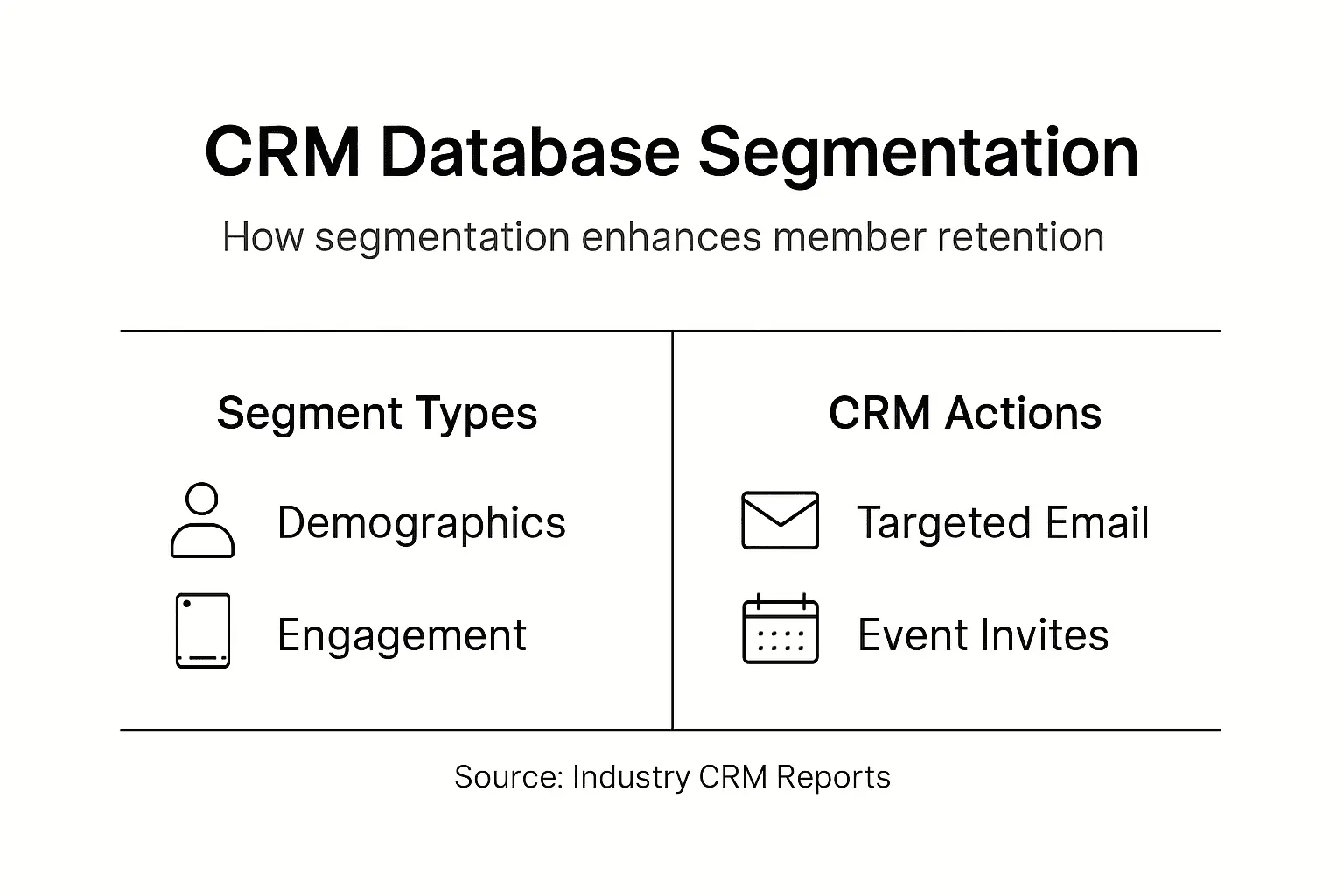
Advanced CRM databases segment members by demographics, behavior, engagement level, membership tier, or custom criteria. Send targeted messages to specific groups rather than generic broadcasts to everyone. A message about advanced professional development resonates differently with new members versus 10-year veterans.
Analytics and Reporting
Built-in dashboards track retention rates, engagement metrics, revenue trends, and campaign performance. Data-driven decisions replace guesswork.
Pro Tip: Schedule quarterly data audits to update member information. Clean data maximizes automation accuracy and segmentation effectiveness, directly impacting your retention outcomes.
The core features of membership management software expand on these capabilities with specific implementation examples. For enterprise perspectives, review this CRM essential guide covering strategic deployment.
Benefits of CRM Databases for Membership Organizations and Nonprofits
CRM databases deliver measurable improvements across operations and member satisfaction. These benefits justify investment and drive organizational growth.
Dramatic Retention Improvements
Organizations using CRM databases report a 27% improvement in member retention due to enhanced personalization and timely communications enabled by automated workflows. This single metric transforms your membership economics. Higher retention means predictable revenue, lower acquisition costs, and stronger community bonds.
Operational Efficiency Gains
- Automated workflows reduce manual administrative tasks by 40-50%
- Elimination of duplicate data entry saves staff hours weekly
- Centralized information reduces errors and miscommunications
- Self-service member portals decrease routine inquiries
Your team redirects saved time toward strategic initiatives rather than administrative firefighting.
Enhanced Event Participation
Targeted event promotions based on member interests and past attendance boost registration rates. Send webinar invitations only to members who attended similar sessions, increasing relevance and conversion.
Better Strategic Decisions
Integrated analytics reveal which member segments generate highest lifetime value, which programs drive engagement, and where retention risks concentrate. Customer service relationship management improves when you understand member needs through data patterns.
Stronger Fundraising Outcomes
Nonprofits using CRM databases segment donors effectively, personalize appeals, and track giving history for strategic stewardship. Knowing a donor’s preferred communication channel and cause interests dramatically improves campaign response rates.
Key Statistic: Organizations implementing CRM databases achieve 27% higher member retention through personalized engagement workflows and timely automated communications.
For nonprofit-specific marketing applications, explore email marketing automation for nonprofits showing how CRM integration amplifies campaign effectiveness.
Common Misconceptions About CRM Databases
Several myths prevent organizations from adopting CRM databases or using them effectively. Let’s correct these misunderstandings.
Misconception 1: CRM Databases Are Just Fancy Contact Lists
Reality: CRM databases are dynamic relationship management systems. Unlike static contact lists, they track interaction history, automate communications, predict member behavior, and integrate with marketing and event platforms. The difference resembles comparing a paper filing cabinet to an intelligent digital assistant.
Misconception 2: Only Large Organizations Benefit from CRM Databases
Reality: Small and mid-sized nonprofits often see proportionally greater gains. A 100-member organization improving retention by 27% adds 27 members without increased acquisition spending. Automation benefits smaller teams more dramatically because they lack administrative capacity for manual processes.
Misconception 3: CRM Databases and Traditional Databases Are Interchangeable
Reality: Traditional databases store information passively. CRM databases actively manage relationships through automation, segmentation, and integrated analytics. Traditional systems require manual queries and updates. CRM systems trigger actions based on member behavior and lifecycle stages.
Misconception 4: Implementation Requires Extensive Technical Expertise
Reality: Modern CRM platforms offer intuitive interfaces and guided setup processes. Many include templates for common membership workflows. While customization benefits from technical knowledge, basic implementation succeeds with standard IT capabilities.
Pro Tip: When evaluating CRM databases, test actual workflows rather than reviewing feature lists. Request demonstrations showing member onboarding, renewal automation, and segmentation to assess practical usability beyond marketing claims.
The types of CRM software article distinguishes various CRM categories and their specific applications. For concept clarity, review clarifying membership CRM concepts addressing common confusion points.
Comparison of CRM Databases with Other Data Systems
Understanding how CRM databases differ from traditional databases helps you choose appropriate solutions and set realistic expectations.
Traditional Databases
Traditional databases excel at storing structured information efficiently. They require manual queries to retrieve data, offer no built-in automation, and lack relationship management features. Updates happen through direct data entry or imports. They serve transactional needs well but don’t facilitate ongoing engagement.
CRM Databases
CRM databases combine data storage with relationship intelligence. They automatically capture interactions, trigger communications based on member behavior, segment audiences dynamically, and provide engagement analytics. The system actively supports your membership strategy rather than passively holding information.
| Feature | Traditional Database | CRM Database |
|---|---|---|
| Data Storage | Structured records | Relational member profiles |
| Automation | None | Workflow triggers and sequences |
| Segmentation | Manual queries required | Dynamic, behavior-based segments |
| Analytics | Basic reporting | Engagement metrics and predictive insights |
| Integration | Limited | Native connections to marketing, events, email |
| User Interface | Technical queries | Intuitive dashboards |
| Primary Use | Data archiving | Active relationship management |
Impact on Your Organization
Traditional databases require staff to remember follow-ups, manually send communications, and compile reports from raw data. CRM databases handle these tasks automatically while providing strategic insights. The operational difference transforms how your team works daily.
Your membership management database guide explains optimal data architecture for membership contexts, helping you structure information for maximum CRM effectiveness.
Practical Applications and Integration of CRM Databases
CRM databases achieve full potential through integration with your existing tools and workflows. Seamless connections eliminate data silos and multiply platform value.
Marketing Automation Integration
Connecting your CRM database with email marketing platforms enables sophisticated campaigns. Member segments created in your CRM automatically populate email lists. Engagement metrics flow back into member profiles, refining future segmentation. This integration reduces duplicate data entry by up to 60% while improving targeting accuracy.
Event Management Workflows
Integrated systems streamline event processes:
- Registration data automatically updates member profiles
- Attendance triggers follow-up sequences and engagement scoring
- Event preferences inform future promotional targeting
- No-show patterns identify members needing re-engagement
Your event planning and CRM integration capabilities directly impact participation rates and member satisfaction.
Payment Processing Connections
Linking membership payments and donations to CRM profiles creates complete financial histories. Renewal billing triggers automatically based on membership expiration dates. Payment failures launch recovery workflows preventing involuntary lapses.
Communication Platform Unification
Integrating phone systems, chat tools, and helpdesk software logs all member interactions in one place. Your team sees complete communication history before responding to inquiries, providing personalized service regardless of which staff member handles the interaction.
Real-World Automation Example
A new member joins your organization. The CRM automatically sends a welcome email with onboarding resources, schedules a 30-day check-in message, adds them to relevant program announcements based on stated interests, and sets a renewal reminder for 11 months later. Zero manual intervention required.
Pro Tip: Prioritize CRM platforms with robust API capabilities and pre-built integrations for your essential tools. Strong integration ecosystems future-proof your investment as you add new platforms and capabilities.
Choosing the Right CRM Database for Your Organization
Selecting the optimal CRM database requires evaluating multiple factors aligned with your specific membership context and growth plans.
Critical Selection Criteria
-
Customization Flexibility: Your membership model likely differs from generic templates. Ensure the CRM adapts to your unique workflows, membership tiers, and engagement processes rather than forcing you into rigid structures.
-
Integration Capabilities: Audit your current technology stack. The ideal CRM connects seamlessly with your email platform, event management system, payment processor, and website. Native integrations work better than custom API connections for most organizations.
-
Security and Compliance: Member data requires robust protection. Verify the CRM provides encryption, regular security audits, GDPR compliance tools, and granular access controls. Nonprofits handling sensitive donor information need enterprise-grade security regardless of organization size.
-
Scalability Considerations: Choose systems supporting growth without platform migration. Evaluate pricing models, user limits, data storage caps, and feature restrictions across tiers. Switching CRM platforms later costs significantly more than selecting appropriately from the start.
-
User Adoption Factors: The most feature-rich CRM fails if your team won’t use it. Prioritize intuitive interfaces, quality training resources, and responsive support. Request trial periods testing actual workflows with your staff.
-
Reporting and Analytics: Basic contact management suffices for some needs, but strategic membership management demands actionable insights. Verify the CRM provides retention analytics, engagement scoring, revenue forecasting, and custom report building.
Evaluation Checklist
Before committing to a CRM database:
- Map your essential workflows and confirm the platform supports them
- Test integration with your three most critical existing tools
- Review security certifications and compliance documentation
- Calculate total cost of ownership including setup, training, and ongoing fees
- Request references from similar organizations in your sector
- Conduct user acceptance testing with staff who will use the system daily
Your guide to membership management databases provides detailed selection frameworks specific to membership contexts.
Streamline Your Membership Management with Colossus Systems
Transforming your membership organization starts with the right tools. Colossus Systems delivers customizable, scalable CRM databases purpose-built for membership management and nonprofit operations.
Our platform unifies member data, automates engagement workflows, and provides actionable analytics within a single integrated system. You gain the retention improvements and operational efficiencies discussed throughout this guide.

Explore our comprehensive membership management database guide detailing implementation best practices. Discover how our CRM software solutions adapt to your unique organizational needs. Learn advanced strategies through our customer service relationship management resources.
Colossus Systems supports membership organizations and nonprofits achieving measurable growth through intelligent technology designed specifically for your sector’s challenges.
Frequently Asked Questions About CRM Databases
What are the first steps to implement a CRM database in a nonprofit?
Start by auditing your current member data sources and documenting essential workflows. Clean and consolidate existing contact information before migration. Define success metrics like retention rate improvements and staff time savings to measure implementation effectiveness.
How can CRM databases improve member communication effectiveness?
CRM databases enable precise segmentation based on interests, engagement history, and membership status, ensuring relevant messages reach appropriate audiences. Automated workflows deliver timely communications at optimal lifecycle stages. Personalization features incorporate member-specific details, dramatically improving response rates compared to generic broadcasts.
Are CRM databases suitable for small membership organizations?
Absolutely. Small organizations often benefit most from automation because limited staff lack capacity for manual relationship management. Cloud-based CRM platforms offer affordable entry points with scalable pricing. The 27% retention improvement applies regardless of organization size, making ROI achievable even for small memberships.
What security measures should I expect in a CRM database?
Reputable CRM platforms provide data encryption in transit and at rest, regular third-party security audits, role-based access controls, audit logs tracking data access, automated backups, and compliance certifications for regulations like GDPR. Verify these features during vendor evaluation to protect sensitive member information adequately.
Can CRM databases integrate with existing event management tools?
Most modern CRM databases offer native integrations or API connections with popular event platforms. These integrations sync registration data, attendance records, and engagement metrics bidirectionally. Unified systems eliminate duplicate data entry and enable sophisticated event marketing based on comprehensive member profiles and past participation patterns.
Recommended
- What Is CRM In Marketing: Unlocking Member Growth | Colossus Systems
- What Is a CRM System? Guide for Membership Groups 2025|CS
- Membership CRM | Colossus Systems
- What Is a CRM System Used For in Membership Growth|CS
- How the GoHighLevel AI Sales System Supercharges Your Sales Funnel in 2026 | AI and Digital Marketing Service by MCNM