How to use membership forms effectively in 2026

What are membership forms and how do you use them effectively?
A membership application form is the first official touchpoint between your organisation and a prospective member. Get it right, and you collect exactly the data you need while giving applicants a confident, professional first impression. Get it wrong, and qualified people abandon the process before they ever join.
At their core, membership forms capture applicant information and trigger the administrative steps that follow. Digital forms do this far more reliably than paper equivalents, improving accuracy and making responses immediately available for review, filtering, and follow-up. Every strong membership form shares five characteristics:
- Clear applicant identification — full name and at least one contact field
- Membership type selection — presented as simple, labelled options
- Essential data fields only — nothing your team will not act on within 30 days
- Guided next steps — what happens after submission, and when
- Data privacy compliance — a brief notice explaining how information is stored and used
These five elements are the foundation. Everything else is built on top of them.
Table of Contents
- How to create and customise your membership forms
- What questions should you include in a membership form?
- Best practices for getting the most from your membership forms
- How to embed, share, and put your membership forms to work
- Colossus makes membership form management straightforward
- Key takeaways
How to create and customise your membership forms
Before writing a single field, define what one form submission actually represents. Is it a new application, a renewal, or a member update? That decision shapes everything from field selection to the confirmation message.
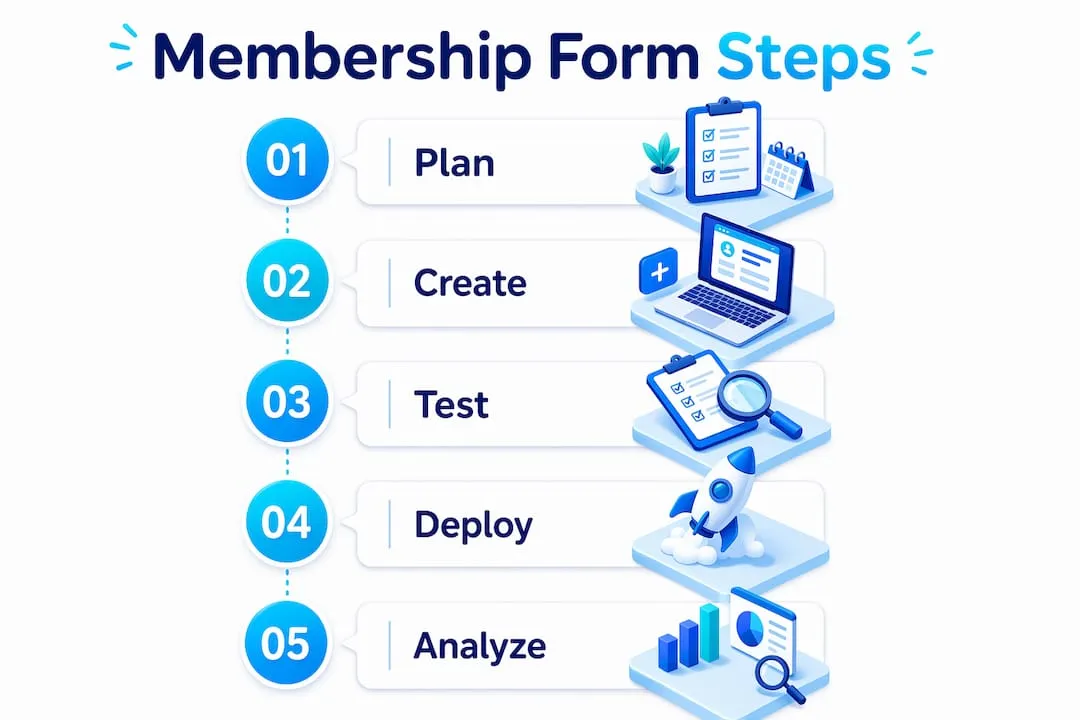
Start by listing your must-have information: typically name, one contact field, membership type, and one routing detail such as chapter preference or renewal status. Studies confirm a strong correlation between fewer questions and higher completion rates, so resist the urge to collect everything upfront. Anything that is not immediately actionable belongs in a post-registration survey or profile update, not the sign-up form itself.
Form structure depends on complexity. Single-page forms work well when you need ten or fewer fields and offer automatic approval. Multi-page forms suit professional associations or organisations with detailed approval processes, breaking the experience into logical sections: contact details, membership type, interests, and confirmation.
- Use conditional logic (sometimes called branching) to show only relevant questions based on earlier answers. A member selecting “Individual” skips company-size fields entirely; a “Team” applicant sees them. This personalises the path without building separate forms.
- Apply smart defaults based on your most popular membership options and communication preferences. Pre-selecting the most common choice reduces clicks for the majority of applicants.
- Use clear field labels rather than generic placeholders. “Full name as it should appear on your membership card” beats a bare “Name” field every time.
- Design for mobile from the start. Use large tap targets, appropriate keyboard types for each field (numeric for phone, email keyboard for email addresses), and avoid dropdown menus where checkboxes or radio buttons work better.
Pro Tip: Collect only what you need at sign-up, then use onboarding emails or profile prompts to gather richer data once members are already engaged. This phased approach consistently produces higher completion rates and better data quality over time.
Test the form with real people who match your membership profile before publishing. User testing reliably surfaces confusing labels, layout problems, and unnecessary questions that internal reviewers miss entirely.
What questions should you include in a membership form?
The right questions depend on your organisation, but most membership forms draw from five categories. Treat this as a menu, not a checklist.
1. Basic contact and identification
- Full first and last name (separate fields make your database far more useful for personalised communications)
- Email address
- Phone number, if your team will actually use it
- Mailing address, only if shipping, local eligibility, or official records require it
2. Membership selection
- Membership type (individual, family, student, corporate, supporter)
- New application or renewal
- Preferred chapter, location, or group
- Preferred start date, where relevant
3. Interests and participation
- Which programmes, events, or benefits interest you most?
- Would you like to volunteer or support activities?
- Which committees or topic areas interest you?
These segmentation questions do double duty: they feel low-friction to answer, and they feed directly into personalised onboarding and automated routing within your CRM.
4. Optional but useful follow-ups
- Preferred communication method
- Emergency contact (relevant for gyms, clubs, and youth programmes)
- How did you hear about us?
- Anything we should know to support your membership experience?
5. Consent and agreements
- Agreement to membership terms and code of conduct
- Consent to receive membership-related updates
- Acknowledgement that membership is not active until confirmation is received
Keep required fields to the minimum your team genuinely needs for review. Mark optional fields clearly so applicants do not feel obligated to complete them.

Best practices for getting the most from your membership forms
The membership application is your organisation’s first impression, and experienced organisers treat it accordingly. A shorter, clearer form consistently outperforms a longer, more thorough one at the point of sign-up.
- Minimise required fields. Every additional field creates friction. Collect enrichment data later through surveys or profile updates once members are already committed.
- Use conditional logic to hide irrelevant questions. A form that adapts to each applicant feels personal rather than bureaucratic.
- Place trust signals at the right moment. A brief note beneath your phone field (“We only use this for account alerts, never marketing calls”) addresses hesitation precisely where it arises, reducing abandonment at sensitive fields.
- Write a useful confirmation screen. A clear post-submission message that explains next steps and timelines cuts support queries and leaves applicants feeling confident rather than uncertain.
- Separate payment from application where it reduces friction. Complex payment fields increase drop-off; many organisations collect dues after approval via a clear follow-up instruction rather than embedding payment in the initial form.
- Meet accessibility standards. Design for screen readers, keyboard navigation, and mobile responsiveness to ensure no potential member is excluded. The accessibility guidance from the membership sector is clear: broad reach requires deliberate design choices, not afterthoughts.
Pro Tip: Track where applicants abandon your form using analytics. If drop-off clusters around a specific field, that is your signal to simplify the question, add a brief explanation, or make the field optional.
Good member onboarding begins with the form itself. Every friction point you remove at sign-up translates directly into a stronger start to the member relationship.

How to embed, share, and put your membership forms to work
A well-designed form only delivers value when the right people can find and complete it. Embed your form directly on your organisation’s website, ideally on a dedicated membership page with a clear call to action. Share the form link via email campaigns, social media, and any printed materials that direct people online.
- Integrate form data with your membership management software or CRM. Direct syncing eliminates manual data entry and enables automated engagement workflows the moment a submission arrives. This is where form data stops being a spreadsheet and starts driving real member communication.
- Connect responses to your review workflow. Filter by membership type, separate new applications from renewals, and flag submissions that need follow-up, all without manual sorting.
- Handle GDPR compliance from the outset. Your form must include a clear privacy notice, obtain explicit consent for data processing, and store responses securely. For UK organisations, the Information Commissioner’s Office (ICO) sets the standard. Linking your data security practices to your form design is not optional; it is a legal requirement.
- Test across devices before publishing. A form that works perfectly on desktop may break on a mobile browser. Run a full test submission on at least two device types and review how the response appears in your management system.
- Track performance over time. Monitor completion rates, identify drop-off points, and refine your form based on what the data shows. Treat your membership form as a living document, not a one-time build.
For organisations managing volunteers alongside members, structuring intake forms to capture volunteer availability and preferences at sign-up saves considerable administrative effort later.
Colossus makes membership form management straightforward
Managing membership forms across multiple channels, integrating responses with your CRM, and keeping data secure are tasks that multiply quickly as your organisation grows. Colossus brings all of it into one place.

Our membership management platform connects your application forms directly to member records, automated email workflows, and payment processing, so every submission triggers the right next step without manual intervention. You get full visibility over new applications, renewals, and member data from a single dashboard. Whether you are running a professional association, a nonprofit, or a community organisation, Colossus gives your team the tools to manage intake efficiently and engage members from day one. Visit colossus.systems/features to see how it fits your organisation’s needs.
Key takeaways
Effective membership forms collect only what your team will act on immediately, guide applicants clearly through submission, and feed directly into your member management workflow.
| Point | Details |
|---|---|
| Keep forms short | Fewer required fields produce higher completion rates; collect extra data post-registration. |
| Use conditional logic | Show only relevant questions based on earlier answers to reduce friction for each applicant. |
| Write a clear confirmation | Tell applicants exactly what happens next and when, to reduce uncertainty and support queries. |
| Integrate with your CRM | Syncing form data directly eliminates manual entry and enables automated member communication. |
| Colossus centralises intake | Colossus connects membership forms, member records, payments, and email workflows in one platform. |