What is Microsoft CRM? A guide for businesses

TL;DR:
- Microsoft CRM is part of Microsoft Dynamics 365, a cloud-based system that unifies sales, marketing, and customer service data with AI-powered features. Its modular applications, integrated AI, and ecosystem connections improve real-time decision-making and customer retention by centralizing all customer insights. Successful adoption depends on cultural shifts and focused implementation, not just technology deployment.
Microsoft CRM is the customer relationship management capability within Microsoft Dynamics 365, a cloud-based platform that centralises sales, marketing, and customer service data into a single, AI-powered system. The formal product name is Microsoft Dynamics 365 Customer Engagement, though “Microsoft CRM” remains the widely used shorthand among business professionals. Microsoft was recognised as a Leader in the 2025 Forrester Wave for CRM, reflecting its position as one of the most capable platforms in the market. For organisations evaluating their CRM options, understanding what Microsoft CRM actually does, and how its modular structure works in practice, is the right place to start.
What is Microsoft CRM and what does it actually do?
Microsoft CRM is defined as a modular, cloud-based platform that manages every stage of the customer relationship, from initial lead capture through to post-sale service and retention. It sits within the broader Microsoft Dynamics 365 suite, which combines CRM and ERP (Enterprise Resource Planning) capabilities under one roof. This matters because it means your sales data, financial records, and customer service history can all speak to each other without manual data transfers or third-party connectors.

The platform is built around a shared data architecture called Microsoft Dataverse, which synchronises updates across every department in real time. When a sales rep closes a deal, the finance team sees it. When a customer raises a support ticket, the account manager is aware. This kind of instant visibility is what separates a true CRM platform from a glorified contact database.
Companies using Microsoft Dynamics 365 CRM report 20 to 30% higher customer retention rates compared to those without an integrated CRM. That figure reflects what happens when customer data stops living in disconnected spreadsheets and starts driving consistent, informed engagement across every touchpoint.
What are the core applications within Microsoft Dynamics 365?
Microsoft CRM comprises five core applications built on a shared Customer Engagement code base: Sales, Customer Service, Customer Insights, Field Service, and Project Operations. Each application addresses a distinct business function, yet all draw from and write to the same underlying data layer. This modular design means your organisation can start with one application and add others as your needs grow, without rebuilding your data infrastructure.
| Application | Primary function |
|---|---|
| Sales | Pipeline management, lead tracking, opportunity forecasting |
| Customer Service | Case management, SLA tracking, omnichannel support |
| Customer Insights | Audience segmentation, journey orchestration, marketing analytics |
| Field Service | Work order scheduling, technician dispatch, asset management |
| Project Operations | Resource planning, project costing, delivery tracking |
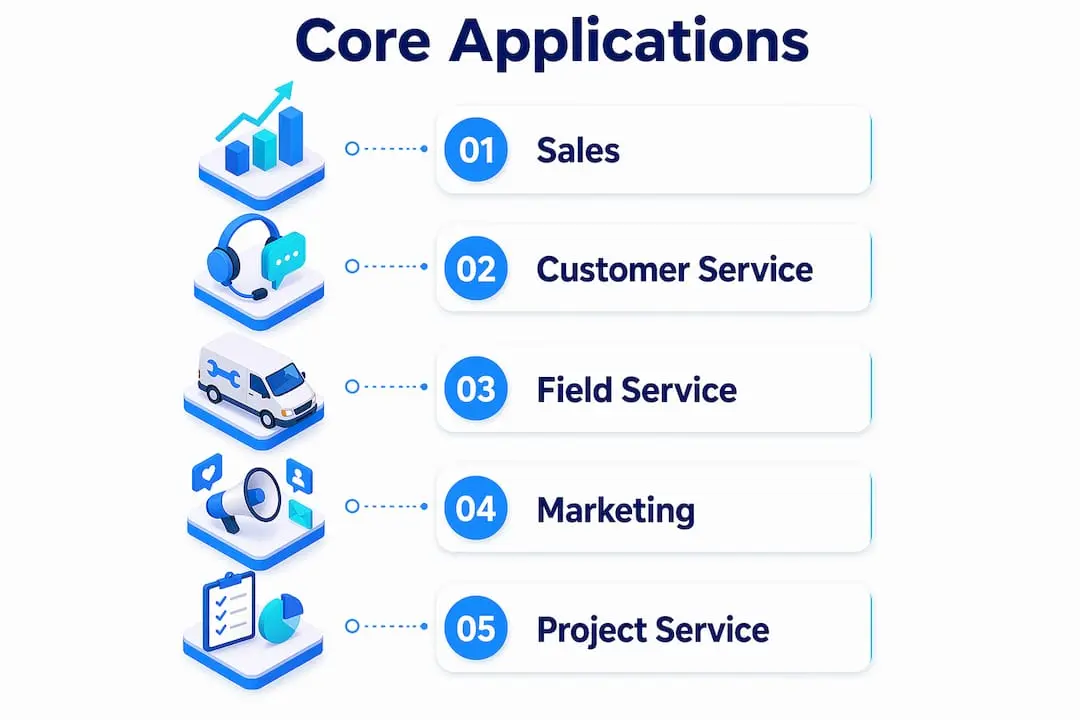
The Sales application handles everything from lead qualification to contract management, giving sales teams a single view of every prospect and customer. Customer Insights goes further than traditional marketing tools by combining transactional data, behavioural signals, and demographic information to build detailed audience profiles. Field Service is particularly valuable for organisations with on-site delivery teams, as it connects scheduling, inventory, and customer communication in one workflow.
What makes the modular structure genuinely useful is that data consistency is automatic. A customer record updated in Customer Service is immediately visible in Sales and Customer Insights. There is no lag, no manual sync, and no version conflict. For organisations where multiple teams touch the same customer, this is the feature that changes daily operations most noticeably.
Pro Tip: Start with the one or two Dynamics 365 applications that address your most pressing operational gaps, rather than deploying all five at once. A focused rollout produces faster adoption and clearer ROI measurement.
How does Microsoft CRM use AI to improve customer engagement?
AI transforms Microsoft CRM from a record-keeping tool into a predictive intelligence platform that actively guides sales and service decisions. Rather than simply storing interaction history, the platform analyses patterns across your customer data to surface the next best action for each rep or agent. This shifts the role of CRM from passive database to active decision-support system.
The AI capabilities within Microsoft Dynamics 365 include:
- Predictive lead scoring: The platform ranks leads by their likelihood to convert, based on historical deal data and engagement signals, so sales teams focus effort where it counts.
- Automated follow-up reminders: AI monitors communication gaps and prompts reps to re-engage contacts before opportunities go cold.
- Sentiment analysis: Customer Service agents receive real-time sentiment indicators during interactions, allowing them to adjust their approach mid-conversation.
- Sales forecasting: Machine learning models analyse pipeline data to produce revenue forecasts that are more accurate than manual estimates.
- Copilot Studio integration: Organisations can build custom AI agents that automate specific workflows, such as qualifying inbound enquiries or generating meeting summaries, without writing code.
Microsoft’s Copilot, embedded directly within Dynamics 365, allows users to generate email drafts, summarise customer histories, and produce call briefs from within their existing workflow. The practical effect is that sales and service reps spend less time on administrative tasks and more time on relationship-building activities that actually move the needle.
Pro Tip: Use Copilot Studio to build a custom AI agent for your highest-volume repetitive task first, whether that is lead qualification, meeting prep, or post-call notes. Demonstrating a clear time saving early builds internal confidence in the broader platform.
What are the benefits of Microsoft CRM’s integration with the Microsoft ecosystem?
Microsoft CRM’s native integration with Outlook, Teams, Excel, and Power Platform is one of its most practical advantages for organisations already using Microsoft 365. Users do not need to learn an entirely new interface. They can log emails, update records, and view customer data directly within Outlook. They can pull live CRM data into Excel for analysis without exporting files. They can join a Teams call and see the full customer context in a side panel.
The table below compares what working with and without this integration looks like in practice:
| Task | Without Microsoft ecosystem integration | With Microsoft ecosystem integration |
|---|---|---|
| Logging a customer email | Copy and paste into CRM manually | Auto-logged from Outlook with one click |
| Analysing pipeline data | Export CSV, format in Excel, re-import | Live Excel connection to Dynamics 365 data |
| Collaborating on an account | Switch between Teams and CRM separately | Customer record visible inside Teams meeting |
| Automating a workflow | Requires developer or third-party tool | Built in Power Automate, no code required |
The Power Platform integration deserves particular attention. Power Automate allows non-technical staff to build automated workflows that connect CRM events to actions in other systems. For example, when a deal closes in Dynamics 365 Sales, Power Automate can trigger a financial workflow in Dynamics 365 Finance, create a project record in Project Operations, and send a welcome email to the new client, all without human intervention. This kind of cross-application automation is what turns CRM from a contact management tool into an operational backbone.
For membership organisations and associations, this integration model is especially relevant. The ability to connect CRM data with member engagement tools, event platforms, and communication channels within a unified workflow mirrors exactly how modern membership management needs to operate.
How can businesses implement and maximise the value of Microsoft CRM?
Deploying Microsoft Dynamics 365 effectively requires more than purchasing licences and switching it on. The organisations that extract the most value follow a disciplined implementation approach from the outset. Here are the steps that consistently produce the best outcomes:
- Define your use cases before configuration. Identify the two or three business problems you need CRM to solve in the first six months. Vague goals produce over-configured systems that nobody uses.
- Engage a certified implementation partner. Certified Microsoft partners prevent configuration bloat, the common trap where organisations add fields, workflows, and custom entities until the system becomes too complex to maintain. A good partner maps your business processes first, then configures the platform to match.
- Prioritise data migration quality. Dirty data imported from legacy systems undermines trust in the new platform immediately. Invest time in cleaning and deduplicating records before go-live.
- Train by role, not by feature. Sales reps need to know how to manage their pipeline. Service agents need to know how to handle cases. Giving everyone the same generic training wastes time and reduces adoption.
- Use Power Platform from day one. The Power Platform’s automation capabilities extend CRM value well beyond contact management. Even simple automations, such as assigning leads by territory or sending renewal reminders, deliver measurable time savings quickly.
- Measure adoption, not just usage. Track whether staff are completing key activities inside the CRM, not just whether they are logging in. Low-quality usage produces low-quality data, which undermines every AI and reporting feature downstream.
For associations and membership-led organisations, the implementation principles above apply directly. A focused CRM deployment that connects member retention data to engagement workflows produces far better outcomes than a sprawling configuration that tries to do everything at once.
Key takeaways
Microsoft Dynamics 365 CRM delivers its greatest value when its modular applications, AI capabilities, and Microsoft ecosystem integrations are deployed together with a clear business objective and certified implementation support.
| Point | Details |
|---|---|
| Modular architecture | Five applications share one data layer, enabling real-time visibility across sales, service, and marketing. |
| AI-driven decisions | Predictive scoring, Copilot, and sentiment analysis shift CRM from record-keeping to active decision support. |
| Ecosystem integration | Native connectivity with Outlook, Teams, Excel, and Power Platform reduces training time and manual effort. |
| Retention impact | Organisations using integrated CRM report 20 to 30% higher customer retention rates. |
| Implementation discipline | Certified partners and focused configuration prevent the bloat that undermines adoption and data quality. |
Why Microsoft CRM adoption is about culture as much as technology
Having worked with organisations across membership, professional services, and commercial sectors, the pattern I see most often is this: the technology works, but the adoption does not. Microsoft Dynamics 365 is a genuinely capable platform. The modular structure is well thought through, the AI features are maturing rapidly, and the Microsoft ecosystem integration removes most of the friction that plagued earlier CRM deployments. But none of that matters if your sales team still manages their pipeline in a personal spreadsheet because the CRM feels like extra work rather than a genuine aid.
The organisations that succeed with Microsoft CRM treat it as a cultural shift, not a software rollout. They get leadership to use the dashboards publicly. They tie performance conversations to CRM data. They make the system the single source of truth for customer information, so that working outside it becomes the exception rather than the norm.
The AI features are where I see the most untapped potential. Most organisations I encounter are using perhaps 20% of what Copilot and predictive analytics can do. The next wave of CRM value will not come from adding more modules. It will come from organisations that learn to trust AI-generated insights and act on them consistently. That requires a different kind of change management than a typical software implementation.
— Rob
See how Colossus CRM supports your organisation’s growth

If Microsoft CRM has highlighted what a well-integrated, data-driven customer management platform can achieve, Colossus offers a purpose-built alternative for membership organisations, associations, and nonprofits. Our CRM software is designed specifically for organisations that rely on relationship management, event engagement, and member retention as their core growth drivers. You get tailored sales pipelines, automated member communications, and analytics built for the way membership organisations actually operate. Explore our full platform features to see how Colossus connects CRM with event management, email marketing, and e-commerce in one place. Contact us to arrange a personalised demonstration for your organisation.
FAQ
What is the difference between Microsoft CRM and Dynamics 365?
Microsoft CRM is the informal name for the customer relationship management applications within Microsoft Dynamics 365. Dynamics 365 is the broader suite that includes both CRM and ERP capabilities across five core customer engagement applications.
How does Microsoft CRM work with existing Microsoft tools?
Microsoft Dynamics 365 integrates natively with Outlook, Teams, Excel, and Power Platform, allowing users to log emails, view customer records, and automate workflows without leaving the applications they already use daily.
What are the main benefits of Microsoft CRM for businesses?
The primary benefits include centralised customer data, AI-powered sales and service insights, cross-departmental visibility through Microsoft Dataverse, and retention improvements of 20 to 30% compared to organisations without integrated CRM.
Does Microsoft CRM require a developer to set up automations?
Not for most use cases. Power Automate, part of the Power Platform, allows non-technical staff to build workflow automations that connect Dynamics 365 to other Microsoft and third-party applications without writing code.
Is Microsoft CRM suitable for membership organisations?
Microsoft Dynamics 365 can be configured for membership management, though it is a general-purpose enterprise platform. Membership organisations often find purpose-built CRM solutions better suited to their specific workflows around member engagement and retention.