CRM Database Systems: Boost Member Retention by 27%

Membership organizations miss crucial engagement opportunities when member data lives in scattered spreadsheets and disconnected systems. A well-maintained CRM database can boost customer retention by up to 27%, crucial for growing membership organizations. This guide explains CRM database systems and how they transform fragmented information into personalized member experiences that drive retention and revenue.
Table of Contents
- Understanding CRM Database Systems
- Key Data Elements And How They Support Membership Engagement
- CRM Database Types And Frameworks
- Benefits Of CRM Databases For Membership Organizations
- Common Misconceptions About CRM Database Systems
- Practical Considerations For Implementing CRM Database Systems
- Discover Tailored CRM Solutions For Membership Organizations
- Frequently Asked Questions About CRM Database Systems
Key Takeaways
| Point | Details |
|---|---|
| CRM databases unify and automate member data | Centralizes scattered information across departments to enable personalized engagement and eliminate duplicate work. |
| Essential data includes personal, interaction, and behavioral records | Stores contact details, communication history, event attendance, and online activity for targeted outreach. |
| Modern CRMs integrate operational, analytical, and collaborative functions | Combines daily workflow automation, data insights, and cross-team collaboration in unified platforms. |
| Benefits include higher retention, efficiency, and revenue growth | Personalization increases loyalty while automation frees staff for strategic initiatives. |
| Common misconceptions about complexity block adoption | Modern platforms are scalable, user-friendly, and designed for nonprofits and small organizations. |
Understanding CRM Database Systems
A CRM database system serves as the central digital platform that aggregates all member data for your organization. CRM databases consolidate scattered member information into a unified source, enabling streamlined workflows and data-driven decisions. Unlike static spreadsheets, these systems actively organize and update information as members interact with your organization.
The database stores diverse data types across three categories. Personal information includes names, contact details, membership tiers, and demographic data. Interaction history tracks every communication, from emails and phone calls to event registrations and support tickets. Online behavior captures website visits, portal logins, resource downloads, and payment transactions.
Automation transforms how your team works. The system triggers follow-up emails after events, alerts staff to renewal dates, and updates member records automatically. This eliminates manual data entry that consumes hours each week.
A unified member view connects departments that previously operated in silos. Your marketing team sees the same member journey as your events coordinator and finance manager. Everyone accesses real-time information instead of outdated reports. This coordination prevents duplicate outreach and ensures consistent member experiences.
Pro Tip: Start by mapping all places member data currently lives in your organization. You will likely discover 5 to 10 different systems or spreadsheets. This audit reveals why your team struggles to maintain accurate records and why members receive inconsistent communication.
Modern membership database systems integrate with your existing tools rather than replacing everything at once. The transition becomes manageable when you can connect email platforms, payment processors, and event software to your central CRM.
Key Data Elements and How They Support Membership Engagement
Accurate and up-to-date data across personal details, interaction history, and behavioral patterns empower targeted member engagement and segmentation. The foundation starts with three essential categories that unlock personalization.
Personal details and contact information form the CRM foundation:
- Full name, preferred name, and title
- Email addresses, phone numbers, and mailing addresses
- Membership tier, join date, and renewal status
- Professional role, organization, and industry sector
- Communication preferences and opt-in permissions
Interaction history creates a timeline of every touchpoint. Your system records when members open emails, which links they click, and how they respond to campaigns. Service interactions capture support tickets, feedback submissions, and complaint resolutions. This history prevents awkward situations where staff ask questions members already answered.
Behavioral data reveals what truly engages your members:
| Behavioral Category | Data Captured | Engagement Application |
|---|---|---|
| Event participation | Registration, attendance, session choices | Recommend similar events, identify super-users |
| Online activity | Portal logins, resource downloads, course completions | Tailor content recommendations |
| Purchase patterns | Transaction history, spending levels, product preferences | Suggest relevant offerings, identify upsell opportunities |
| Engagement frequency | Communication opens, website visits, community posts | Segment by activity level for targeted re-engagement |
Segmentation transforms this data into action. You can create groups based on any combination of characteristics. New members receive onboarding content while long-term members get advanced resources. Event attendees hear about upcoming programs while inactive members receive re-engagement campaigns.
Pro Tip: Clean your data quarterly by removing duplicates, updating outdated information, and standardizing formats. Accurate data directly impacts deliverability rates and personalization effectiveness. Set calendar reminders to review records systematically rather than waiting for problems.
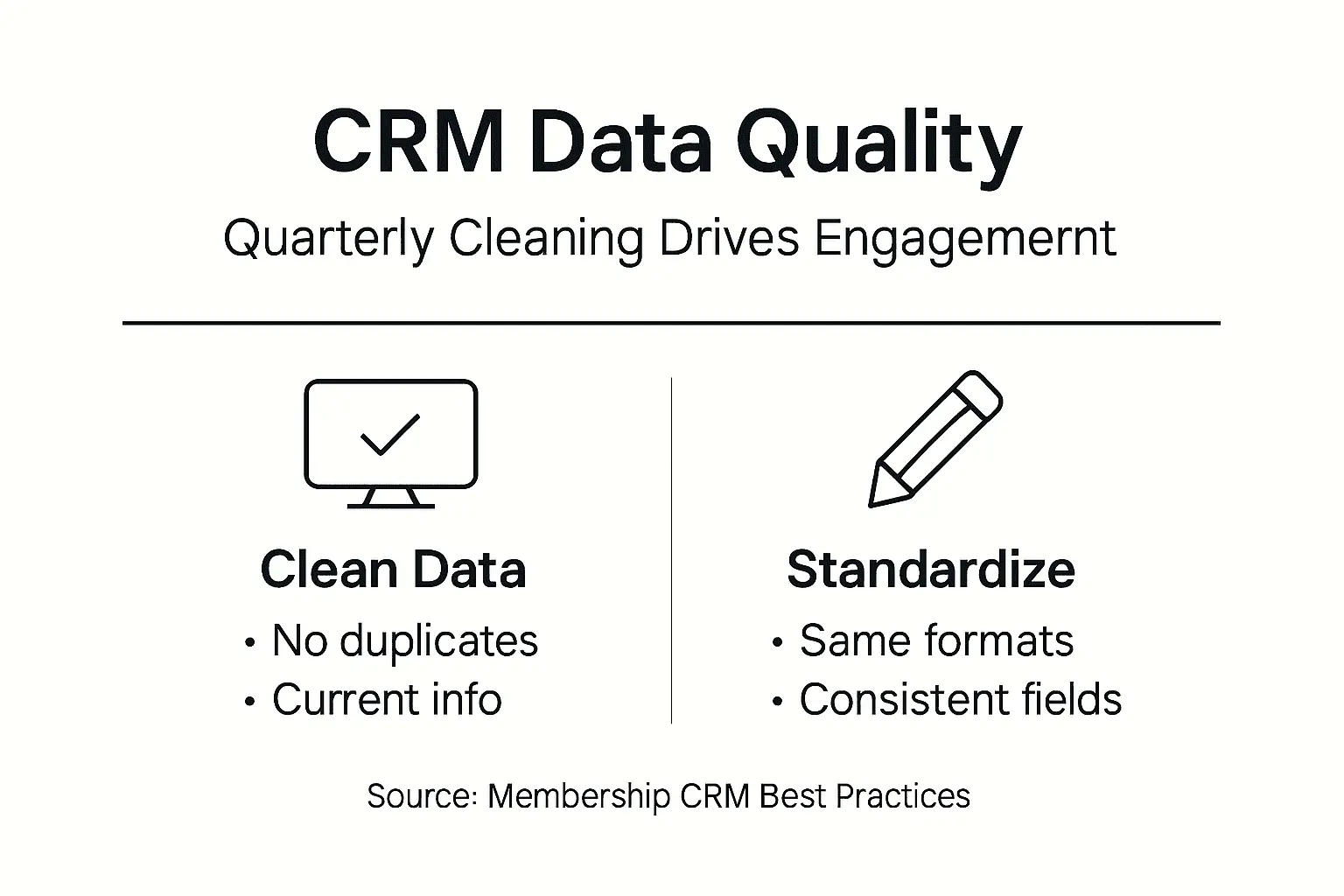
The quality of your CRM data for member engagement determines campaign success more than creative design or messaging. Complete profiles enable the specific, timely communication that members value.
CRM Database Types and Frameworks
Modern CRM platforms combine operational, analytical, and collaborative frameworks to deliver end-to-end member management and data insights. Understanding these frameworks clarifies how different CRM capabilities work together.
Operational CRM manages daily member interactions and automates workflows. This framework handles:
- Member onboarding sequences that trigger welcome emails, portal access, and first-event invitations
- Automated renewal reminders sent at optimal intervals before expiration
- Task assignments that route inquiries to appropriate staff based on rules
- Pipeline management tracking members through engagement stages
Analytical CRM provides data analysis, forecasting, and trend identification. The system processes historical data to surface patterns your team would miss manually. Predictive models identify members at risk of lapsing based on declining engagement signals. Cohort analysis compares retention rates across member segments to guide resource allocation.
You gain visibility into which marketing campaigns generate the highest lifetime value. Revenue forecasting becomes reliable when based on pipeline data rather than guesswork. Reports automatically generate insights about seasonal trends, popular events, and demographic shifts in your membership base.
Collaborative CRM facilitates information sharing across departments. Marketing sees which leads sales contacted and their outcomes. Events teams access member preferences captured by membership services. Finance tracks payment history that informs collections approaches.
The framework breaks down silos that frustrate members. When someone calls with a question, any staff member accesses their complete history. Members never repeat information or hear conflicting answers from different departments.
Unified CRM platforms integrate all three frameworks for holistic management:
| Framework | Primary Function | Key Benefit | Integration Point |
|---|---|---|---|
| Operational | Daily workflows | Efficiency through automation | Feeds interaction data to analytics |
| Analytical | Data insights | Strategic decision support | Informs collaborative priorities |
| Collaborative | Information sharing | Consistent member experience | Enriches operational records |
Separate systems for each framework create the data silos you are trying to eliminate. Unified platforms ensure operational activities feed analytical models while collaborative tools access the same real-time data.
Your choice depends on organizational maturity. Start with operational capabilities if you primarily need workflow automation. Add analytical features as your data accumulates and reporting needs grow. Collaborative tools become essential when coordinating multiple departments or remote teams.
Exploring different CRM frameworks helps identify which capabilities address your specific challenges and growth stage.
Benefits of CRM Databases for Membership Organizations
Implementing a CRM database delivers measurable improvements across retention, efficiency, and revenue. Personalization via CRM databases can boost retention rates by up to 27%, while automation can reduce manual data entry by 30 to 40%, amplifying efficiency.

Improved member retention through personalized communication starts with knowing each member’s journey. You send renewal reminders that reference their most-attended events and suggest similar upcoming programs. Birthday emails feel genuine when they include membership milestone recognition. This relevance builds emotional connection that generic blasts cannot match.
Segmented campaigns consistently outperform mass messaging. When you target new parents with family-oriented programming or send industry-specific resources to professional segments, engagement rates double or triple. Members stay longer when communication reflects their actual interests.
Greater efficiency via automation eliminating manual tasks frees your team for high-value work. CRM automation reduces administrative burdens, freeing staff to focus on strategic engagement and revenue-driving activities. Staff spend less time on data entry and more time building relationships.
Consider typical time savings:
- Automated email sequences replace hours of manual sending
- Self-updating reports eliminate weekly data compilation
- Triggered task assignments prevent inquiries falling through cracks
- Integrated payment processing removes reconciliation work
One staff member can manage communications that previously required three people. Your team handles growth without proportional headcount increases.
Enhanced collaboration and sharing between departments eliminates frustrating information gaps. Marketing knows which members events teams flagged as VIPs. Membership services see marketing’s engagement scores when handling renewals. Finance accesses complete payment histories during collections calls.
Cross-functional projects move faster when everyone works from the same data. Campaign planning meetings focus on strategy rather than reconciling conflicting spreadsheets. Remote teams stay coordinated through shared visibility.
Stronger marketing results from better data analytics transform guesswork into science. You identify which acquisition channels deliver members with highest retention rates. A/B testing reveals optimal email send times and subject lines for your specific audience. Attribution tracking connects revenue to specific campaigns and touchpoints.
Pro Tip: Calculate your current cost per member acquisition and average member lifetime value. After CRM implementation, track these metrics quarterly. Most organizations see lifetime value increase 15 to 25% within the first year through improved retention and upsell success.
The benefits of CRM for membership organizations extend beyond operational improvements to strategic advantages that compound over time. Better data enables better decisions that drive sustainable growth. Research shows personalization benefits extend across industries when implemented systematically.
Common Misconceptions About CRM Database Systems
Many mistakenly believe CRM is solely a sales tool or too complex for nonprofits, but modern platforms are versatile, scalable, and designed for diverse organizational needs. These misconceptions prevent organizations from accessing tools that would solve their biggest challenges.
CRM is not only for sales teams but integrates marketing and service functions. Membership organizations rarely have traditional sales processes, yet CRM delivers immense value. The system manages member journeys from first inquiry through renewal and upgrading. Marketing automation, event management, and member services all benefit from centralized data.
The term “customer relationship management” itself misleads membership organizations into thinking the technology does not apply to them. Replace “customer” with “member” and the value becomes obvious. Every interaction, whether onboarding a new member or coordinating volunteer programs, improves with organized data.
CRMs are user-friendly and scalable for small and nonprofit organizations. Early enterprise CRM systems were complex and expensive. Modern platforms offer intuitive interfaces that non-technical staff master quickly. Cloud-based solutions eliminate server management and IT overhead.
Pricing scales with organization size. Small nonprofits access essential features affordably while enterprise associations get advanced capabilities. You start with core functions and add modules as needs grow. This flexibility prevents paying for unused features or outgrowing your system.
Many platforms offer nonprofit discounts or specialized pricing that acknowledges budget constraints. Implementation does not require consultants or months of customization. Pre-built templates for membership organizations accelerate setup.
CRM is more than contact lists and drives automation and personalization:
- Static contact lists record names and emails without context
- CRM databases capture complete member journeys and behavioral patterns
- Lists require manual segmentation and message scheduling
- CRMs automatically segment and trigger communications based on actions
- Lists become outdated quickly without systematic maintenance
- CRMs update in real time as members interact across channels
“Thinking of CRM as a fancy contact list misses 90% of its value. The automation, insights, and personalization capabilities transform how organizations engage members at scale while maintaining individual relevance.”
Another persistent myth claims CRM implementation disrupts operations for months. Phased rollouts prevent disruption by introducing features gradually. You might start with basic contact management, add email automation next quarter, and implement advanced analytics over time. Staff adapt incrementally rather than facing overwhelming change.
Understanding these CRM misconceptions helps organizations evaluate systems based on actual capabilities rather than outdated assumptions or incomplete information.
Practical Considerations for Implementing CRM Database Systems
Successful CRM implementation requires attention to data privacy, system integration, user training, and platform customization to fit unique membership needs. These practical steps prevent common pitfalls and accelerate time to value.
Ensure compliance with data privacy laws and best practices from project start. Research regulations applicable to your region and member locations. GDPR affects European members while other jurisdictions have specific requirements. Your CRM must support consent management, data access requests, and deletion capabilities.
Document your data governance policies clearly. Define who accesses different data types, how long you retain information, and security protocols. Staff training should cover privacy obligations alongside system features. Members trust organizations that demonstrate responsible data stewardship.
Pro Tip: Appoint a data privacy champion who stays current on regulations and audits your CRM practices quarterly. This person reviews new features for compliance implications and updates policies as laws evolve. Proactive governance prevents violations that damage reputation and trigger penalties.
Integrate CRM with event, payment, and marketing systems to maximize value. Standalone systems create the silos you are trying to eliminate. Modern platforms offer APIs and pre-built connectors for common tools. Your email marketing platform should sync with CRM segments automatically. Event registrations flow into member records without manual imports.
Payment gateway integration enables financial data to update member profiles in real time. You see payment history, outstanding balances, and transaction details without switching systems. This visibility improves collections and identifies upsell opportunities.
Marketing automation connects campaign performance to member behaviors. You track which emails drive event registrations or content downloads. Attribution becomes accurate when all systems share data. Exploring how integrating CRM with analytics amplifies insights helps justify integration investments.
Invest in thorough user training and change management for sustainable adoption. Technical training covers system features and workflows. Change management addresses the human side of new processes. Explain why the organization invested in CRM and how it makes everyone’s jobs easier.
Create role-specific training that shows each team member their relevant features. Marketing staff need campaign tools while membership services focus on member records and communication history. Overwhelming people with irrelevant features reduces adoption.
Ongoing support matters as much as initial training. Designate super-users who become internal experts and help colleagues. Schedule refresher sessions quarterly to introduce new features and reinforce best practices.
Customize CRM to reflect membership workflows and growth goals rather than forcing your processes into generic templates. Configure fields that capture your specific member attributes. Design pipelines matching your actual engagement stages. Build reports answering your strategic questions.
Most platforms allow significant customization without coding. Drag-and-drop builders create custom forms, workflows, and dashboards. This flexibility means your CRM reflects how your organization actually works.
Implementing proven CRM implementation tips prevents common mistakes that delay value realization. Resources about CRM system implementation for membership organizations offer roadmaps tested across diverse associations. Following membership CRM strategies ensures your approach aligns with industry best practices.
Discover Tailored CRM Solutions for Membership Organizations
Membership organizations need specialized tools that understand their unique challenges and workflows. Generic CRM systems require extensive customization while purpose-built platforms deliver value immediately.
Colossus Systems offers membership CRM software designed specifically for associations, nonprofits, and membership-based organizations. The platform unifies member data, automates engagement workflows, and provides insights that drive strategic decisions.

Integrated membership management features connect your CRM with event planning, email marketing, online training, and e-commerce capabilities. This unified approach eliminates the data silos that frustrate members and staff. Everyone works from the same real-time information whether coordinating events, processing renewals, or analyzing trends.
Scalable solutions grow with your organization. Start with essential features and add advanced capabilities as your needs evolve. The platform supports small nonprofits through large professional associations with thousands of members.
Building an efficient membership database becomes straightforward with tools designed for how membership organizations actually operate. You gain the personalization and automation that drive retention without the complexity that overwhelms teams.
Frequently Asked Questions about CRM Database Systems
How quickly can a membership organization implement a CRM database system?
Implementation usually takes from a few weeks to a few months depending on customization and training needs. Basic configurations with standard features deploy fastest while extensive integrations and custom workflows require more time. Planning and staged rollout improve adoption speed by preventing staff overwhelm. Most organizations see meaningful value within the first 30 to 60 days.
Can a CRM database integrate with existing event and payment systems?
Most CRM systems offer integrations or APIs for seamless connection with event management and payment platforms. Pre-built connectors exist for popular tools while custom integrations handle specialized systems. Integration enhances operational efficiency and data accuracy by eliminating manual data transfers. Your team accesses complete member information without switching between multiple platforms.
Is a CRM database system suitable for small or nonprofit membership organizations?
Modern CRM platforms are highly scalable and customizable for small, nonprofit, and growing organizations. Cloud-based solutions eliminate infrastructure costs while tiered pricing ensures affordability. They offer user-friendly interfaces adapted for non-technical staff who need intuitive tools. Many vendors provide nonprofit discounts recognizing budget constraints while delivering enterprise capabilities.
How does a CRM database improve member engagement?
By centralizing member data, CRMs enable personalized communication and timely follow-ups that increase member satisfaction and loyalty. You segment audiences based on interests, behaviors, and engagement levels for targeted outreach. Automation ensures consistent engagement at scale without manual effort for each interaction. Members receive relevant content and invitations that reflect their actual preferences and history. Additional insights from membership CRM FAQs address implementation specifics and strategic approaches.