How to improve member accessibility for engagement

TL;DR:
- Accessibility involves addressing physical, digital, communication, and participation barriers to include all members.
- Regular audits, member engagement, and ongoing staff training are essential for sustaining accessible experiences.
- Prioritizing accessibility enhances member loyalty, inclusion, and organizational reputation beyond mere compliance.
Most membership organisation leaders understand that accessibility matters. Yet there is a striking gap between that understanding and what actually happens in practice. 84% of event organisers say inclusion is a priority, but fewer than four in ten have a documented accessibility plan to show for it. That disconnect quietly chips away at member engagement, satisfaction, and loyalty every single day. This guide will walk you through identifying real accessibility barriers, preparing your organisation for meaningful change, implementing accessible features across events and digital platforms, and sustaining those improvements long term.
Table of Contents
- Understanding accessibility barriers for members
- Preparing for accessible member interactions
- Implementing accessible features for events and platforms
- Verifying and sustaining accessibility improvements
- The true value of accessibility: Beyond compliance
- Take your accessibility strategy further with Colossus Systems
- Frequently asked questions
Key Takeaways
| Point | Details |
|---|---|
| Identify accessibility gaps | Recognise hidden barriers to participation and engagement within your membership organisation. |
| Prepare and audit thoroughly | Set up both manual and automated reviews, and involve diverse stakeholders for effective accessibility planning. |
| Implement inclusive features | Incorporate live captions, interpreters, accessible platforms, and diverse speakers to make interactions welcoming. |
| Maintain continuous improvement | Regularly verify, gather feedback, and adapt accessibility strategies as standards change. |
| Boost loyalty and reputation | Accessible organisations foster member satisfaction and sustainable engagement. |
Understanding accessibility barriers for members
Having introduced the challenge, let us clarify what accessibility means for your members and where obstacles most often arise. Accessibility is not a single switch to flip. It covers a wide range of physical, digital, communication, and participation barriers that can make members feel excluded, undervalued, or simply unable to take part. Recognising these barriers clearly is the first step towards removing them.
Physical barriers are often the most visible. Venues without ramp access, inadequate signage, or limited seating options immediately restrict participation for members with mobility challenges. Many organisations invest heavily in content and programming but overlook the environments where that content is delivered.
Digital barriers are equally problematic and increasingly significant as online engagement grows. Websites, member portals, and registration systems that are not screen reader compatible, lack keyboard navigation, or use insufficient colour contrast exclude members with visual or motor impairments. This is a critical area, particularly as more interactions move online.
Communication barriers arise when information is only provided in one format. Members who are deaf or hard of hearing need captions or interpreters. Members with cognitive disabilities may need plain language summaries. When organisations communicate in a single, standardised way, they inevitably leave segments of their membership behind.
Participation barriers are subtler but just as damaging. These include events scheduled at times that exclude working parents or carers, networking formats that are overwhelming for people with social anxiety, or activities that assume a baseline level of physical or cognitive ability.
Here is a snapshot of where barriers most commonly occur in membership organisations:
- Online member portals lacking screen reader compatibility
- Event venues with insufficient step-free or wheelchair access
- Communications provided only in standard written English without alternatives
- Registration processes that cannot be completed using keyboard navigation alone
- Events with no captioning, sign language interpretation, or quiet spaces
- Networking formats that do not accommodate varying communication styles or needs
“The gap between aspiration and action is where members get lost. An accessibility policy that never becomes practice is simply a document.”
The impact of these gaps extends beyond individual experiences. Poor accessibility undermines member loyalty and damages your organisation’s reputation. Understanding event engagement importance reinforces why these barriers cannot be treated as minor inconveniences. According to research, only 37% have documented accessibility plans, meaning the majority of organisations are operating without structured guidance, which compounds these problems over time. Reviewing your event planning strategies with accessibility at the centre helps close that gap between policy and practical reality.
Preparing for accessible member interactions
With barriers recognised, the next step is thorough preparation to ensure smooth accessibility implementation. Preparation is where many organisations stumble. Without a proper assessment of where you currently stand, any improvements will be patchy at best. Structured preparation involves auditing your current position, engaging the right people, and gathering the resources you will need.
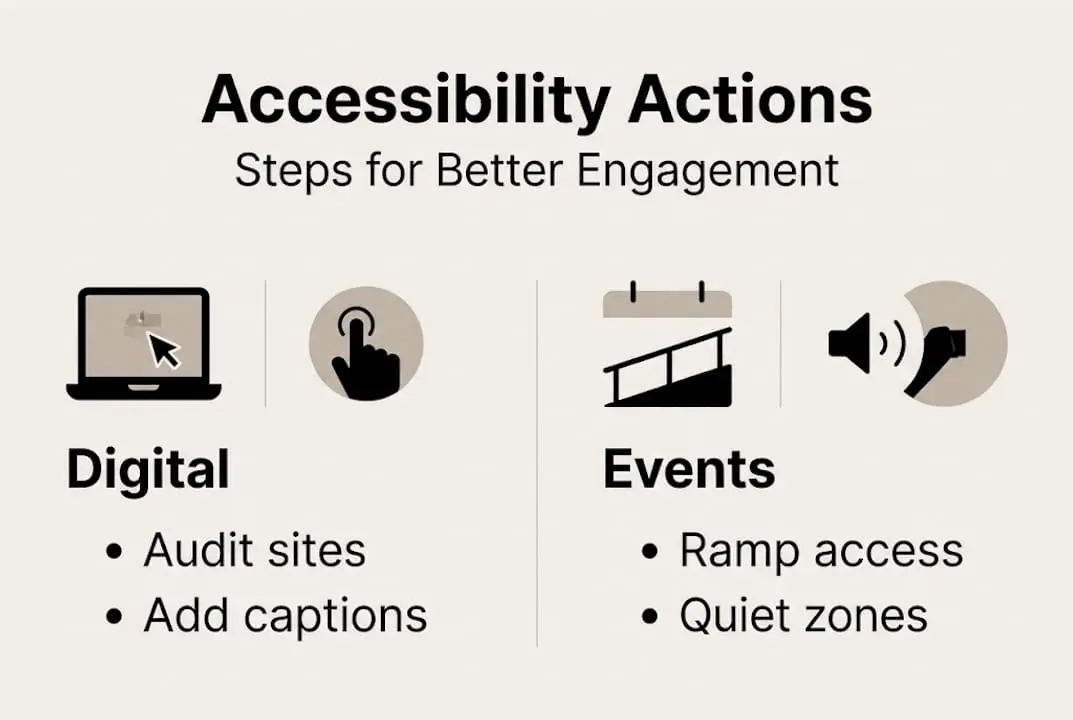
Start with an accessibility audit. This means reviewing every touchpoint your members encounter, from your website and member portal to your physical event spaces and printed communications. Automated tools, such as WAVE or Axe, are useful for identifying digital barriers quickly, but they are not enough on their own. Research confirms that automated tools catch 30-40% of accessibility issues, making manual review essential for a thorough assessment. A manual review, conducted by trained staff or an external specialist, is essential to catch what automated tools miss.
Engage your members directly. Your members with disabilities or accessibility needs are your most valuable source of insight. Conduct surveys, host focus groups, or establish an accessibility advisory panel that includes members from diverse backgrounds and ability levels. Their lived experience will highlight issues that no audit tool can detect. This engagement also sends a powerful signal that your organisation genuinely values inclusion.
Here is a simple framework to guide your preparation:
| Preparation area | Action required | Tools and resources |
|---|---|---|
| Digital platforms | Automated and manual accessibility audit | WAVE, Axe, specialist consultants |
| Physical venues | On-site access review | Venue access checklists, mobility consultants |
| Communications | Review all formats for plain language and alternatives | Style guides, translation services |
| Events | Needs assessment with diverse member input | Survey tools, advisory panels |
| Staff readiness | Accessibility training for all team members | Event planning courses |
Additionally, review the platforms and tools your organisation currently uses. Not all event registration or management systems are built with accessibility in mind. Exploring event planning websites designed for nonprofits and membership organisations can reveal platforms that already incorporate strong accessibility features, saving significant implementation effort.

Pro Tip: Involve someone with lived experience of disability in your audit process from the very start, not as an afterthought. This approach consistently surfaces practical, real-world barriers that internal teams and automated tools overlook entirely.
Implementing accessible features for events and platforms
Preparation sets the foundation; now, let us walk through actionable steps for accessible member experiences. Implementation requires both systematic action and attention to detail. The features and adjustments you make at this stage directly shape how inclusive your organisation feels to every member.
For in-person events, the range of accessibility features you implement can be considerable. Research highlights that effective accessible events should implement live captions, BSL interpreters, quiet zones, step-free access, diverse speakers, and hybrid formats using screen reader compatible platforms. Each of these features serves a specific need and collectively they signal to all members that inclusion is built into your events, not added as an afterthought.
Here is a numbered approach to implementing accessible event features:
- Confirm venue accessibility before booking. Verify step-free entrances, accessible toilets, hearing loops, and sufficient space for mobility aids.
- Book professional captioners and BSL interpreters well in advance. Quality interpretation requires lead time and precise coordination with your programme.
- Create quiet zones within your event space where members can decompress away from crowds and noise.
- Select diverse speakers who represent varied backgrounds, abilities, and communication styles. This reflects and reinforces an inclusive culture.
- Choose hybrid or virtual formats where possible, so that members who cannot attend in person can still participate meaningfully.
- Use screen reader compatible registration platforms and test them thoroughly before opening event sign-ups to members.
For digital platforms, accessibility means following the Web Content Accessibility Guidelines (WCAG), the internationally recognised standard for online accessibility. Key requirements include ensuring sufficient contrast between text and background, providing alternative text for all images, enabling full keyboard navigation, and structuring content with clear headings for screen reader users.
This comparison shows the difference between accessible and inaccessible approaches across common areas:
| Feature area | Inaccessible approach | Accessible approach |
|---|---|---|
| Event captions | No captions provided | Live and recorded captions available |
| Platform navigation | Mouse-only navigation | Full keyboard and screen reader support |
| Event format | In-person only | Hybrid with accessible virtual option |
| Communication | Single format, standard English | Multiple formats, plain language options |
| Venue access | Standard venue, no review | Verified step-free, hearing loop equipped |
For guidance on hosting hybrid events in a way that genuinely includes all members, there are structured approaches that balance in-person and virtual accessibility well. Similarly, ensuring secure event hosting that protects member data is a parallel responsibility when selecting accessible digital platforms. Broader resources on supporting accessible events across diverse communities also offer useful practical insights.
Pro Tip: Test every digital feature with actual assistive technology, such as a screen reader like NVDA or JAWS, before your events go live. Testing in a controlled environment is no substitute for real assistive technology use.
Verifying and sustaining accessibility improvements
After implementation, monitoring and sustaining accessibility keeps member experiences positive and compliant. Many organisations invest considerable effort in improving accessibility and then assume the job is done. It is not. Accessibility requires ongoing attention because standards evolve, member needs change, and new features or platforms can introduce fresh barriers.
Post-implementation auditing should follow every major event or platform update. Use a combination of automated scans, manual reviews, and direct feedback from members. Create a simple checklist to confirm that all planned accessibility features were delivered as intended during each event. Document what worked, what fell short, and what needs adjustment before the next iteration.
Collecting member feedback is essential and should be structured rather than left to chance. Include specific accessibility questions in your post-event surveys. Ask members directly whether they encountered any barriers and what would have improved their experience. Make feedback channels themselves accessible by offering options to respond via phone, email, or online form.
Here is a practical list of ongoing actions to sustain accessibility improvements:
- Schedule regular accessibility audits, at minimum annually, and after any significant platform or venue change
- Review and update your documented accessibility plan each year
- Monitor updates to WCAG standards and adjust your digital platforms accordingly
- Collect and analyse member feedback after every event and use findings to inform planning
- Train new staff and volunteers on accessibility requirements and your organisation’s specific standards
- Re-engage your accessibility advisory panel periodically to review progress and identify new needs
Pro Tip: Assign a named accessibility lead within your organisation. When responsibility is clearly owned by a specific person, audits happen on schedule, feedback is acted on, and accessibility stays visible as a genuine priority rather than fading into the background.
The broader picture is clear. Inclusive events boost loyalty and strengthen organisational reputation, effects that compound positively over time when accessibility is maintained. Partnering with virtual event companies that prioritise accessibility can also reduce the internal burden of implementation. Thinking carefully about event marketing ideas that actively communicate your accessibility features also attracts members who may have felt excluded by other organisations.
Measuring the impact of your accessibility improvements connects effort directly to outcomes. Track metrics such as event attendance rates among members with declared accessibility needs, member satisfaction scores before and after accessibility improvements, and retention rates across different member segments. These figures tell you whether your work is making a genuine difference or whether further adjustment is needed.
The true value of accessibility: Beyond compliance
With practical steps established, it is worth reflecting on accessibility’s broader purpose. Many organisations approach accessibility primarily as a compliance exercise, focused on meeting legal standards and avoiding criticism. That framing misses the real opportunity.
Accessibility is one of the most direct ways to demonstrate that your organisation genuinely values every member. When members feel that their needs were considered in the planning of an event or the design of a platform, they feel respected. Respect builds loyalty, and loyalty builds the kind of sustained membership growth that no marketing campaign alone can produce.
Organisations that treat accessibility as a one-time fix tend to see the same barriers reappear as their platforms evolve and their member base diversifies. Those that build continuous improvement into their culture, with regular audits, genuine member involvement, and leadership accountability, become trusted authorities in their space. Members notice. They tell others. And that reputation becomes one of your most valuable assets.
Understanding event management and engagement at a deeper level consistently reinforces this point. The organisations that lead in member engagement are the ones that sustain accessible, inclusive experiences over time, not just for one event or one quarter, but as an enduring commitment to every person who belongs to their community.
Take your accessibility strategy further with Colossus Systems
Improving member accessibility requires the right tools working alongside the right intentions. Colossus Systems provides membership organisations with an integrated platform designed to support accessible event management, seamless member communications, and streamlined engagement tracking.

Our membership management features allow you to customise registration processes, communications, and member portals to meet diverse accessibility needs efficiently. Our event management software supports hybrid event formats, accessible registration flows, and integrated feedback tools that make sustaining accessibility improvements far simpler. If you are ready to move from aspiration to action, we can help your organisation build the accessible, engaging member experience your community deserves.
Frequently asked questions
What are the best ways to audit accessibility in membership organisations?
Combine automated tools with manual reviews and direct feedback from diverse members for a thorough audit. Automated tools catch 30-40% of issues, so manual review and member input are essential to complete the picture.
How can I make hybrid events accessible to all members?
Include live captions, BSL interpreters, step-free access, quiet zones, and use screen reader compatible platforms to ensure all members can participate, whether attending in person or joining remotely.
Why is accessibility important for member engagement?
Accessible events and platforms demonstrate genuine inclusion, which directly improves member satisfaction and retention. Research confirms that inclusive events boost loyalty and strengthen your organisation’s reputation over time.
How often should accessibility reviews be conducted?
Reviews should be conducted regularly, at minimum once per year and after any significant change to platforms or venues. Because standards evolve continuously, ongoing review ensures your accessibility remains effective and current rather than gradually falling behind member and regulatory expectations.