Best contact management software for organisations: 2026

TL;DR:
- The best contact management software fits an organization’s workflows, compliance needs, and budget rather than brand reputation. It should include core features like centralised contact records, two-way email sync, automation, and GDPR compliance to ensure operational efficiency and trust. Proper planning, data hygiene, and user involvement are key to maximizing adoption and long-term value.
Contact management software is defined as a system that centralises contact records, tracks communications, and organises relationship data to improve team collaboration and operational efficiency. Answering what is the best contact management software depends entirely on your organisation’s workflows, not on brand recognition alone. Tools like HubSpot, Pipedrive, and BIGContacts each serve different needs, and the right CRM choice for a membership association differs sharply from what suits a sales team. This guide cuts through the noise with a practical comparison of features, pricing, compliance requirements, and adoption strategies for 2026.
What is the best contact management software for organisations?
The best contact management software, also referred to as CRM (Customer Relationship Management) software, is the one that maps directly to how your organisation manages relationships, not the one with the longest feature list. PCMag’s 2026 review identifies task automation, centralised data, improved collaboration, and targeted email marketing as the defining criteria for effective tools. These are the outcomes worth measuring, not the number of integrations listed on a pricing page.
For membership organisations and associations, the stakes are higher than for a typical sales team. Your contact records represent members, donors, event attendees, and volunteers. A missed communication or a duplicated record is not just an inconvenience. It erodes trust. The software you choose must handle that complexity reliably.
TechRadar ranks HubSpot highest in 2025 contact management comparisons, but that ranking reflects general buyer needs. Membership organisations often find that purpose-built or highly configurable platforms serve them better than general-purpose tools designed for B2B sales pipelines.
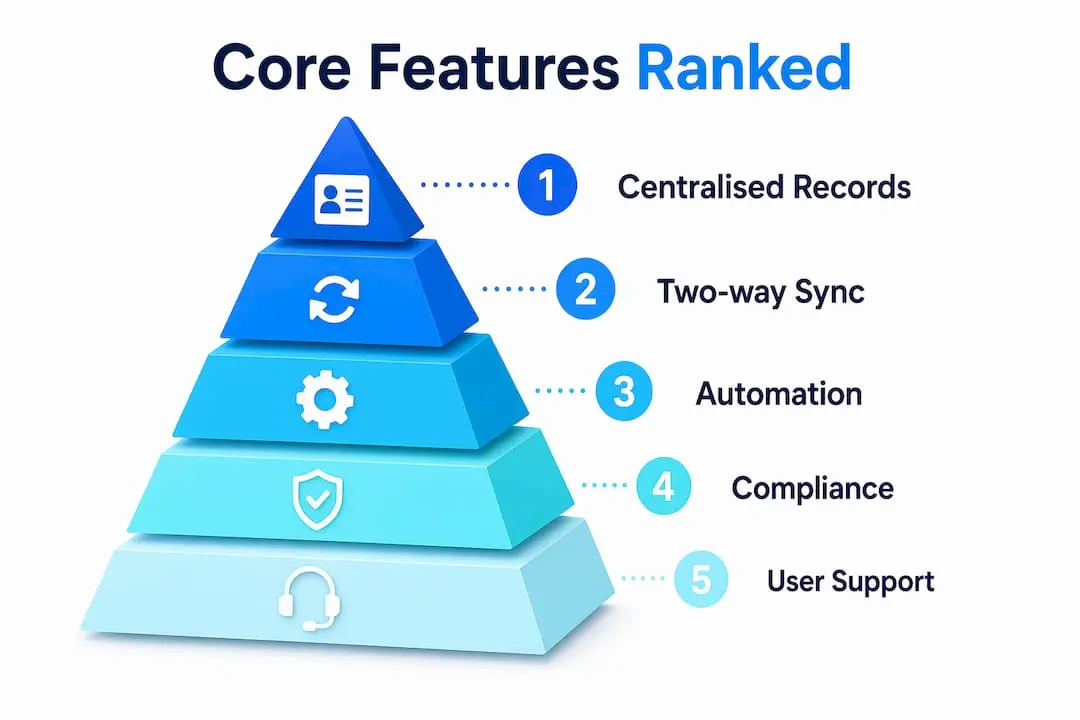
Which core features should organisations prioritise?
Pipedrive’s 2026 guide identifies centralised contact records, automatic activity tracking, deal linkage, workflow automation, and broad integrations as the non-negotiable foundation of any credible contact management system. Each of these features solves a specific operational problem.
Here are the features that matter most for organisations evaluating top contact management tools:
- Centralised contact records: Every interaction, note, and document linked to a single contact profile. No more searching across spreadsheets and inboxes.
- Automatic activity tracking: Calls, emails, and meetings logged without manual input. This keeps timelines accurate and reduces administrative burden.
- Workflow automation: Triggered follow-ups, renewal reminders, and onboarding sequences that run without staff intervention.
- Two-way Gmail and Outlook sync: Full contact history capture requires bidirectional email and calendar integration. One-way sync leaves gaps in the record.
- AI-powered enrichment and deduplication: Automatic identification of duplicate records and enrichment of incomplete profiles from verified data sources.
- GDPR consent management: Timestamped consent records, granular opt-ins, and enforceable opt-out mechanisms built into the system, not bolted on afterwards.
Pro Tip: Before evaluating any platform, map your three most common contact workflows end to end. If the software cannot automate at least two of those three without a paid add-on, it is not the right fit.
The features of contact management systems vary widely between tiers. Many vendors gate automation and GDPR tools behind higher-cost plans. Confirm which tier includes the features you actually need before committing to a trial.

How do popular contact management tools compare?
Pricing and feature availability vary considerably across the leading platforms. The table below summarises key attributes for organisations conducting a contact management software comparison in 2026.
| Platform | Starting Price | Best For | Key Strength | Notable Limitation |
|---|---|---|---|---|
| HubSpot | ~$15/user/month | SMBs and growing teams | Free tier; broad integrations | Advanced features require costly upgrades |
| Pipedrive | ~$14/user/month | Sales-focused teams | Pipeline visibility; ease of use | Limited native membership features |
| BIGContacts | ~$5/user/month | Small organisations | Affordable; simple interface | Fewer enterprise integrations |
| Salesforce | ~$165/user/month | Large enterprises | Deep customisation; ecosystem | High cost; steep learning curve |
| Colossus | Tailored pricing | Membership organisations | Unified member management and CRM | Purpose-built niche focus |
BIGContacts’ 2026 pricing overview makes clear that HubSpot starts around $15 per user per month while Salesforce begins at $165. That gap is significant, but the starting price rarely reflects what you will actually spend.
Real cost evaluation must include minimum seat requirements, feature tier gating, contact record limits, and integration add-ons. A platform advertised at $15 per user can quickly reach $80 per user once you add automation, reporting, and compliance modules.
Key considerations when comparing best CRM software options:
- Scalability: Can the platform grow with your membership base without forcing a full migration?
- Total cost of ownership: Model your actual usage across 12 months, not just the entry-level tier.
- Integration depth: Does the platform connect natively with your email provider, event management tool, and payment gateway?
- Support quality: What level of onboarding and ongoing support is included at your chosen tier?
For membership associations and nonprofits, the CRM features that drive growth differ from those that serve a commercial sales team. Prioritise platforms that treat member records, event attendance, and renewal cycles as first-class data objects.
What compliance and operational nuances affect implementation?
GDPR compliance is not a checkbox. Vantage Point’s 2026 guide defines it as the operational enforcement of consent, including timestamped records, granular opt-ins, and system-level mechanisms that prevent non-compliant contacts from receiving marketing communications. Policy language in a privacy notice does not satisfy this requirement.
Most organisations discover compliance gaps only after a campaign has already been sent to contacts who had previously opted out. That failure typically traces back to scattered consent data stored across multiple systems with no single source of truth. Consistent opt-out enforcement requires the CRM to be the authoritative record for consent state, not a secondary system that syncs intermittently.
Deduplication presents a separate but equally serious challenge. Introhive identifies deduplication and identity resolution as a major implementation bottleneck for membership organisations, particularly those that import records from event registrations, legacy databases, and third-party lists. A member who registers for three events as three slightly different email addresses becomes three separate records unless the system applies intelligent matching rules.
Pro Tip: Audit your existing contact database before migrating to any new platform. Remove duplicates, standardise name formats, and confirm consent status for every record. A clean migration takes longer upfront but prevents months of data quality issues afterwards.
The following operational pitfalls are the most common causes of failed implementations:
- One-way email sync: Logs only sent emails, missing all inbound replies and leaving the contact timeline incomplete.
- Manual consent updates: Relying on staff to update opt-out status manually creates lag and compliance risk.
- Unvalidated imports: Bulk imports from spreadsheets without deduplication rules create record fragmentation immediately.
- Ignored audit trails: Systems that store consent records but do not surface them in the contact profile make audits unnecessarily difficult.
True two-way sync logs both sent and received communications to the correct contact record. This distinction matters because a contact’s response to an email is often the most important data point in their relationship history.
How can organisations maximise adoption and practical benefits?
Software that staff do not use delivers no value. Pipedrive’s research confirms that many users abandon CRM platforms with steep learning curves, making ease of use a critical selection criterion alongside features. The most capable platform in the market is worthless if your team reverts to spreadsheets within six weeks.
Follow these steps to drive consistent adoption across your organisation:
- Involve end users in selection. The people who will use the system daily know which workflows are most painful. Their input prevents you from buying a platform that solves the wrong problems.
- Customise before you launch. Configure pipelines, contact fields, and automation rules to match your actual workflows before asking staff to log in. A generic out-of-the-box setup creates friction.
- Run structured onboarding. Allocate dedicated training time. Short, role-specific sessions outperform a single all-hands demonstration.
- Automate the repetitive tasks first. Start with the workflows that consume the most manual time, such as renewal reminders or event follow-ups. Early wins build confidence in the system.
- Schedule quarterly data reviews. Assign responsibility for data hygiene. Check for duplicates, incomplete records, and outdated consent status every three months.
- Measure outcomes, not activity. Track whether the software is reducing response times, improving renewal rates, or increasing event attendance. These metrics justify continued investment and identify where further configuration is needed.
The types of CRM software available in 2026 range from operational platforms focused on contact tracking to analytical systems built around reporting. Matching the type to your organisation’s primary need is as important as matching the feature set.
Key takeaways
The best contact management software is the platform that fits your organisation’s specific workflows, compliance requirements, and budget, not simply the highest-ranked tool in a general comparison.
| Point | Details |
|---|---|
| Fit over brand | Match software to your workflows and member data needs before evaluating brand reputation. |
| True cost modelling | Calculate total spend including seat minimums, feature tiers, and add-ons, not just the starting price. |
| GDPR must be operational | Consent enforcement must be system-level, with timestamped records and enforceable opt-outs. |
| Two-way sync is non-negotiable | Bidirectional email and calendar sync is required for complete and accurate contact timelines. |
| Adoption requires preparation | Clean data, role-specific training, and early automation wins determine whether staff actually use the system. |
Why brand name is the wrong starting point
After reviewing dozens of CRM and contact management implementations across membership organisations, the pattern is consistent. Organisations that start with a brand name in mind, whether HubSpot, Salesforce, or anything else, tend to over-buy on features they never use and under-invest in the configuration that would make the platform genuinely useful.
The two features I see most consistently overlooked are two-way email sync and GDPR enforcement. Both are treated as technical details during procurement, then become urgent problems six months into the contract. A platform that logs only outbound emails gives you half a relationship history. A platform that stores consent records but does not enforce them at the point of send is a liability, not an asset.
Cost modelling is the other area where organisations routinely get it wrong. The advertised starting price is almost never the price you pay once you account for the seats, tiers, and integrations your actual workflows require. I would always recommend building a 12-month cost model based on your real usage before signing anything.
Finally, treat your software selection as a periodic decision, not a permanent one. Your organisation will grow, your compliance obligations will evolve, and the platform that serves you well today may not serve you well in three years. Build a review cycle into your operations from the start.
— Rob
How Colossus supports membership contact management

Colossus is built specifically for membership organisations that need more than a generic CRM. Our CRM software combines contact management with member records, event registration, email marketing, and payment processing in a single platform. You get a full view of every member relationship without stitching together separate tools. Consent management, activity tracking, and renewal workflows are built into the core system, not available only on premium tiers. If your organisation is ready to move beyond spreadsheets and disconnected tools, explore the full range of platform features to see how Colossus handles the operational complexity that generic CRM platforms leave to you.
FAQ
What is contact management software?
Contact management software is a system that centralises contact records, tracks communications, and organises relationship data in one place. It is the foundation of any CRM strategy and is used to improve team collaboration and reduce manual administration.
How does contact management software differ from CRM software?
Contact management software focuses on storing and organising contact information, while CRM software adds sales pipeline management, reporting, and automation on top of that foundation. Most modern platforms combine both functions under the CRM label.
What features of contact management systems matter most for membership organisations?
The most critical features are centralised member records, two-way email sync, workflow automation for renewals and follow-ups, and GDPR-compliant consent management with enforceable opt-outs and audit trails.
How much does contact management software cost?
Pricing ranges from around $5 per user per month for entry-level tools like BIGContacts to $165 per user per month for enterprise platforms like Salesforce. The actual cost depends on seat minimums, feature tiers, and integration requirements, not just the advertised starting price.
How do i choose contact management software for my organisation?
Start by mapping your three most critical contact workflows, then evaluate platforms against those specific requirements. Factor in total cost of ownership, GDPR compliance capabilities, ease of use, and whether the platform can scale with your membership base over time.