What makes a good CRM for membership organisations in 2026

Many membership organisations mistakenly believe that all CRM systems deliver the same results. This misconception leads to poor choices that fail to drive member engagement or streamline operations. A truly effective CRM transforms how you connect with members, automate workflows, and grow your organisation. In 2026, the right platform combines intuitive design, powerful automation, seamless integration, and robust analytics tailored specifically for membership needs. This guide reveals the essential features and evaluation criteria that separate exceptional CRMs from mediocre ones, helping you make an informed decision that accelerates your organisational success.
Table of Contents
- Understanding The Core Features Of An Effective CRM
- How To Evaluate CRM Options For Membership Organisations
- The Impact Of CRM On Member Engagement And Operational Efficiency
- Integrating CRM With Other Membership Management Tools
- Explore Colossus Systems CRM And Membership Management Solutions
- FAQ
Key takeaways
| Point | Details |
|---|---|
| Core features matter | Essential capabilities include contact management, automated communication, reporting tools, and integration with other platforms. |
| Evaluation criteria | Assess usability, scalability, vendor support, and value alignment with your organisation’s specific needs. |
| Engagement impact | The right CRM enhances member relationships through targeted messaging and data-driven personalisation. |
| Integration amplifies results | Connecting your CRM with email marketing and event platforms creates unified workflows and richer member insights. |
Understanding the core features of an effective CRM
A robust CRM foundation starts with comprehensive contact and member data management. This centralises every interaction, preference, and transaction in one accessible location. You can instantly view member history, engagement patterns, and communication preferences without juggling multiple spreadsheets or databases. This accessibility transforms how your team responds to enquiries and personalises outreach.
Automation of communications represents another critical capability. Modern CRM software enables you to schedule welcome sequences, renewal reminders, and event invitations without manual intervention. Automation means sending the right message at precisely the right moment based on member behaviour or lifecycle stage. Your team saves countless hours whilst members receive timely, relevant communications that strengthen their connection to your organisation.
Robust reporting tools provide insights into member behaviour and organisational performance. These analytics reveal which programmes attract the most engagement, where members drop off in their journey, and what communication strategies yield the best results. You can track renewal rates, event attendance trends, and revenue patterns to make evidence-based decisions rather than relying on intuition.
Integration with other nonprofit tools creates seamless workflows across your technology ecosystem. When your CRM connects with accounting software, email platforms, and event management systems, data flows automatically between applications. This eliminates duplicate data entry, reduces errors, and ensures every team member works from the same accurate information.
Pro Tip: Start by mapping your current member journey from initial contact through renewal. Identify pain points where manual processes slow you down or where data gets lost between systems. These gaps reveal which CRM features will deliver the most immediate value for your organisation.
Key features to prioritise include:
- Customisable member profiles that capture your organisation’s unique data points
- Automated workflows triggered by specific member actions or dates
- Dashboard visualisations that surface critical metrics at a glance
- Mobile accessibility for staff working remotely or at events
- Permission-based access controls to protect sensitive member information
How to evaluate CRM options for membership organisations
User-friendly interface design dramatically affects adoption rates across your team. If staff find the system confusing or cumbersome, they will resist using it consistently. Look for intuitive navigation, clear labelling, and logical workflows that mirror how your team actually works. Request demonstrations where your staff can test common tasks like adding new members, generating reports, or setting up automated campaigns. Their feedback reveals whether the platform truly fits your operational reality.

Scalability ensures the CRM grows alongside your membership base and evolving needs. A system that works brilliantly for 500 members might buckle under 5,000. Examine how pricing structures change with growth, whether the platform can handle increased data volume without performance degradation, and if advanced features become available as you expand. Choosing the best CRM for membership organisations requires thinking beyond your current state to where you aim to be in three to five years.
Strong vendor support and ongoing updates prove vital for long-term success. Technology evolves rapidly, and your CRM must keep pace with security threats, regulatory changes, and new capabilities. Investigate the vendor’s update frequency, customer support responsiveness, and training resources. Read reviews focusing on how vendors handle problems when they arise, not just how they sell during the evaluation phase.
Price versus value considerations prevent both overspending and false economy. The cheapest option often lacks critical features, forcing you to supplement with additional tools that increase total cost. Conversely, enterprise platforms may include capabilities you will never use. Calculate total cost of ownership including implementation, training, ongoing subscriptions, and potential integration expenses. Compare this against the time savings, increased retention, and operational efficiencies each platform enables.
| Feature Category | Basic CRM | Advanced CRM | Membership-Specific CRM | | — | — | — | | Contact Management | Standard fields | Custom fields | Member lifecycle tracking | | Automation | Email sequences | Multi-channel workflows | Renewal and engagement triggers | | Reporting | Pre-built templates | Custom dashboards | Member analytics and retention metrics | | Integration | Limited APIs | Extensive integrations | Purpose-built nonprofit connections | | Support | Email only | Phone and email | Dedicated success manager |
Pro Tip: Create a weighted scoring matrix for your evaluation. Assign importance ratings to each feature based on your organisation’s priorities, then score each CRM candidate. This structured approach prevents flashy demonstrations from overshadowing the capabilities you genuinely need.
Essential evaluation criteria include:
- Trial period length and limitations to test thoroughly before committing
- Data migration support to transfer existing member records accurately
- Compliance with data protection regulations relevant to your region
- Customisation flexibility without requiring extensive technical expertise
- Community and peer reviews from similar organisations
The impact of CRM on member engagement and operational efficiency
Targeted communications build stronger relationships with diverse member groups. Generic mass emails generate poor response rates because they fail to acknowledge individual interests and needs. A quality CRM segments your membership based on demographics, engagement history, programme participation, or any custom criteria you define. You can craft messages that resonate with specific subgroups, dramatically improving open rates, click-through rates, and conversion rates. Members feel understood rather than treated as interchangeable contacts.
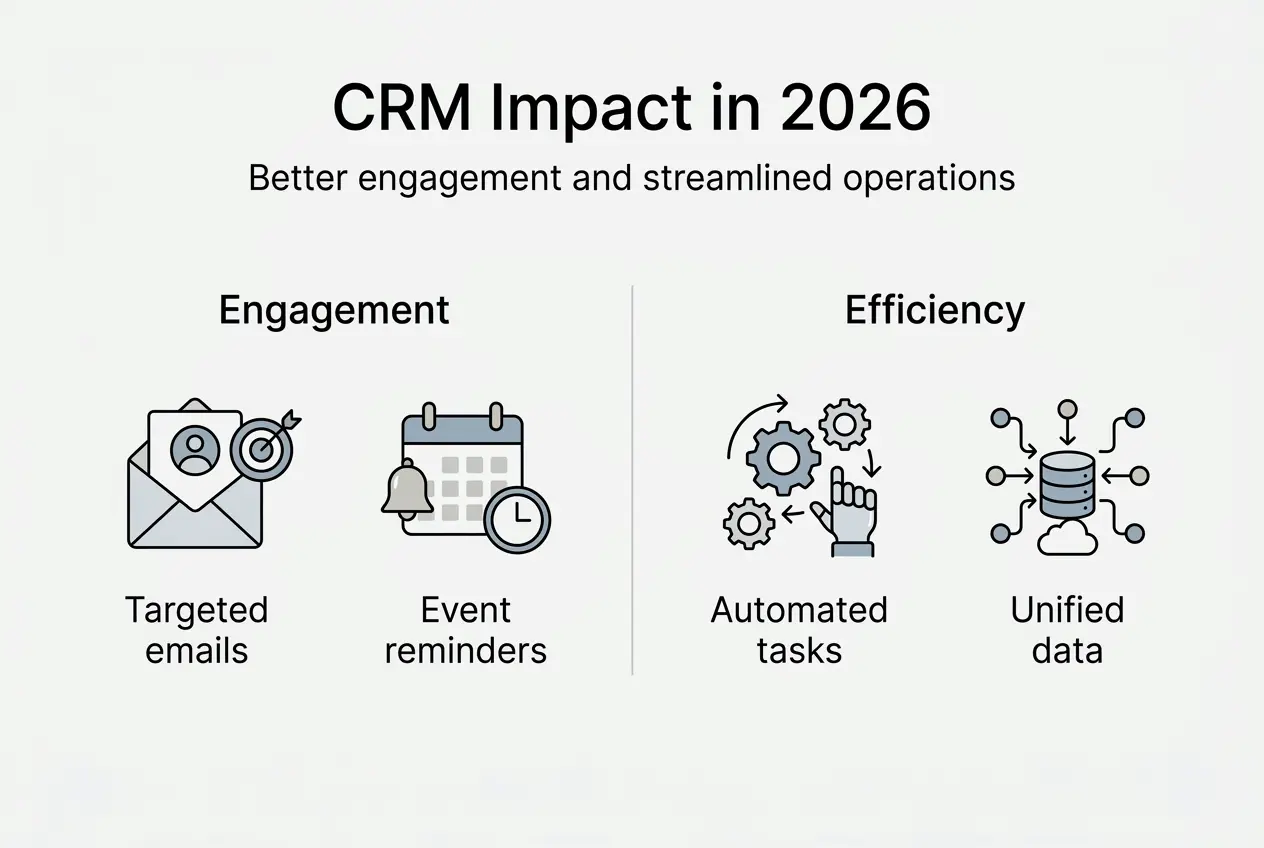
Event management integration supports successful member events and fosters community. When your CRM system connects with event platforms, registration data flows automatically into member profiles. You can track attendance patterns, follow up with personalised thank-you messages, and identify your most engaged members for leadership opportunities. Post-event surveys integrate seamlessly, capturing feedback whilst the experience remains fresh.
Automation frees staff to focus on strategic initiatives rather than repetitive tasks. Consider the hours spent manually sending renewal reminders, updating spreadsheets after events, or compiling monthly reports. A robust CRM handles these automatically, allowing your team to concentrate on programme development, relationship building, and growth strategies. This efficiency gain often justifies the entire CRM investment within the first year.
Member data insights enable personalised experiences and increased retention. Analytics reveal which members are highly engaged, at risk of lapsing, or ready for premium offerings. You can proactively reach out to at-risk members with targeted retention campaigns before they decide not to renew. High-engagement members receive invitations to exclusive events or leadership roles that deepen their commitment.
“The right CRM transforms member data from static records into dynamic insights that guide every interaction. Organisations that leverage these capabilities see retention rates improve by 15 to 25 percent within the first year of implementation.”
Practical benefits include:
- Reduced administrative burden through workflow automation
- Improved member satisfaction from personalised, timely communications
- Higher renewal rates driven by proactive engagement strategies
- Better resource allocation based on data-driven programme performance insights
- Enhanced collaboration across teams working from shared, accurate member information
Integrating CRM with other membership management tools
Integration creates unified member profiles combining communication, attendance, and giving data. When your CRM connects with email marketing platforms, every campaign interaction updates the member record automatically. Add event management software integration, and attendance history appears alongside communication preferences and donation records. This complete view enables sophisticated segmentation and personalisation impossible with disconnected systems.
Data synchronisation reduces duplication and errors that plague organisations using multiple standalone tools. Manual data entry between systems introduces mistakes, creates conflicting records, and wastes staff time. Integrated systems maintain a single source of truth, automatically updating information across all connected platforms. When a member updates their email address through your member portal, that change propagates to your email platform, event system, and accounting software simultaneously.
Enhanced automation possibilities create more personalised member journeys. Imagine a new member joins through your website. The CRM automatically adds them to a welcome email sequence, registers them for an upcoming orientation webinar, and assigns a staff member to follow up personally. After they attend their first event, the system triggers a feedback survey and suggests relevant programmes based on their interests. These sophisticated workflows require seamless integration between your CRM and other tools.
| Software Category | Integration Capability | Benefit to Membership Organisations |
|---|---|---|
| Email Marketing | Bi-directional sync of contacts and engagement data | Targeted campaigns based on complete member history |
| Event Management | Automatic registration and attendance tracking | Unified view of member participation patterns |
| Accounting Software | Payment and donation record synchronisation | Accurate financial profiles without duplicate entry |
| Member Portals | Real-time profile updates and self-service options | Reduced administrative burden and improved member experience |
| Survey Tools | Automated feedback collection and response tracking | Data-driven insights into member satisfaction and needs |
Integration advantages include:
- Streamlined workflows that eliminate redundant data entry
- Comprehensive member intelligence from combined data sources
- Faster response times enabled by complete information access
- Reduced software costs by avoiding redundant functionality across platforms
- Improved data accuracy through automated synchronisation
Explore Colossus Systems CRM and membership management solutions
Colossus Systems delivers CRM and engagement tools designed specifically for membership organisations facing the challenges you have just explored. Our platform combines contact management, automated communications, event integration, and analytics in one unified system. You gain the core capabilities covered in this guide without juggling multiple vendors or struggling with complex integrations.

Explore our comprehensive membership management software features to see how customisable pipelines, member portals, and advanced reporting address your specific needs. Our CRM software integrates seamlessly with our event management software, creating the unified workflows that drive engagement and efficiency. Schedule a demonstration to see how Colossus Systems can transform your member relationships and operational effectiveness.
Pro Tip: Leverage Colossus Systems’ implementation support team during onboarding. Their experience with hundreds of membership organisations means they can configure your system to match proven best practices whilst accommodating your unique requirements, dramatically reducing time to value.
FAQ
What makes a CRM suitable for membership organisations?
A suitable CRM offers features tailored to membership lifecycles, including renewal tracking, engagement scoring, and member segmentation capabilities. It should provide intuitive interfaces that non-technical staff can master quickly, robust integration with email and event platforms, and vendor support from teams experienced with membership organisation challenges. Choosing the best CRM means prioritising these membership-specific capabilities over generic business CRM features.
How does CRM improve member engagement and retention?
CRMs enable targeted communication based on member interests, behaviour, and lifecycle stage rather than generic mass messaging. Automated workflows ensure timely touchpoints like welcome sequences, renewal reminders, and re-engagement campaigns reach members at optimal moments. Analytics identify at-risk members before they lapse, allowing proactive retention efforts. This personalisation and timing dramatically strengthens member connections and loyalty, as detailed in our guide on CRM use for membership growth.
What are the key integration benefits of a good CRM?
Integration unifies member data from email platforms, event systems, and other tools into complete profiles that inform every interaction. Automated data synchronisation eliminates duplicate entry, reduces errors, and ensures all teams work from accurate information. Connected systems enable sophisticated automation like triggering event invitations based on member interests or sending surveys after programme participation. These capabilities amplify the value of each individual tool whilst reducing administrative burden, particularly when integrating with email marketing platforms.
How do I start implementing a CRM in my organisation?
Begin by documenting your current member journey, identifying pain points, and defining success metrics for your CRM investment. Involve staff from different departments in evaluating options to ensure the chosen platform meets diverse needs. Plan data migration carefully, cleaning existing records before transfer to start with accurate information. Invest in thorough training and phase implementation gradually rather than switching everything overnight. Contact Colossus Systems for expert guidance tailored to your organisation’s specific situation and goals.