Best CRM for membership organisations: your complete guide

TL;DR:
- A membership-first CRM that consolidates member data, payments, events, and engagement is ideal for UK associations and nonprofits.
- Proper evaluation involves testing real renewal scenarios, considering long-term sustainability, and ensuring UK compliance requirements are met.
For UK membership organisations, associations and nonprofits, the best CRM is a membership-first platform that handles member records, events, payments and engagement in one place. A general sales CRM built around lead pipelines will not serve you well. The right choice is a purpose-built membership management CRM, and Colossus Systems maps directly to that requirement.
Why a membership-first CRM is the right starting point:
- Manages the full member lifecycle, from onboarding and renewals to lapsed-member recovery, within a single platform
- Handles recurring payments, event registration and member portals without requiring separate tools
- Supports UK compliance requirements, including data protection obligations and payment security
Your immediate next step: request a demo with your renewal scenario and a sample data export ready. That single test will tell you more than any feature checklist.
Table of Contents
- How does a membership CRM differ from a general small-business CRM?
- What features must a membership organisation require?
- How do you choose the right membership CRM?
- What does implementation cost and how long does it take?
- What compliance checks must UK organisations carry out?
- Why does vendor stability matter as much as features?
- How does Colossus Systems map to the membership CRM checklist?
- Key takeaways
- Why a membership-first CRM is the only sensible starting point
- Ready to evaluate vendors? Colossus can help
- Useful sources and further reading
How does a membership CRM differ from a general small-business CRM?
Most small-business CRM software is designed around sales pipelines: leads, opportunities, deals. That model works well for a consultancy chasing contracts. It fits a membership organisation poorly.

A membership management CRM tracks a fundamentally different journey. Your “customer” is a member who renews annually, attends events, accesses a portal, and whose engagement level determines whether they stay or lapse. The workflows that matter are renewals, failed payment handling, event attendance tracking, and tiered communications based on membership grade. A sales CRM has none of those built in.
Quattro’s guidance on membership CRMs confirms that membership-specific needs include subscription tracking, personalised automation, lifecycle management, integrations and security. These are structurally different from sales pipeline features, not just cosmetically different.
MemberWise cautions that the most common procurement mistake is treating all CRMs as equivalent because initial feature lists look similar. Platforms behave differently in structure, reliability and sustainability — and testing for process fit before procurement is what separates successful implementations from expensive restarts.
Source: MemberWise, Where should you start your CRM search?
The practical implication: when you evaluate CRM options for your membership organisation, always test against a real renewal scenario, not a demo dataset built to impress.
What features must a membership organisation require?
The table below maps each core feature to its membership-specific purpose. Use it to separate mandatory requirements from optional additions in your RFP.
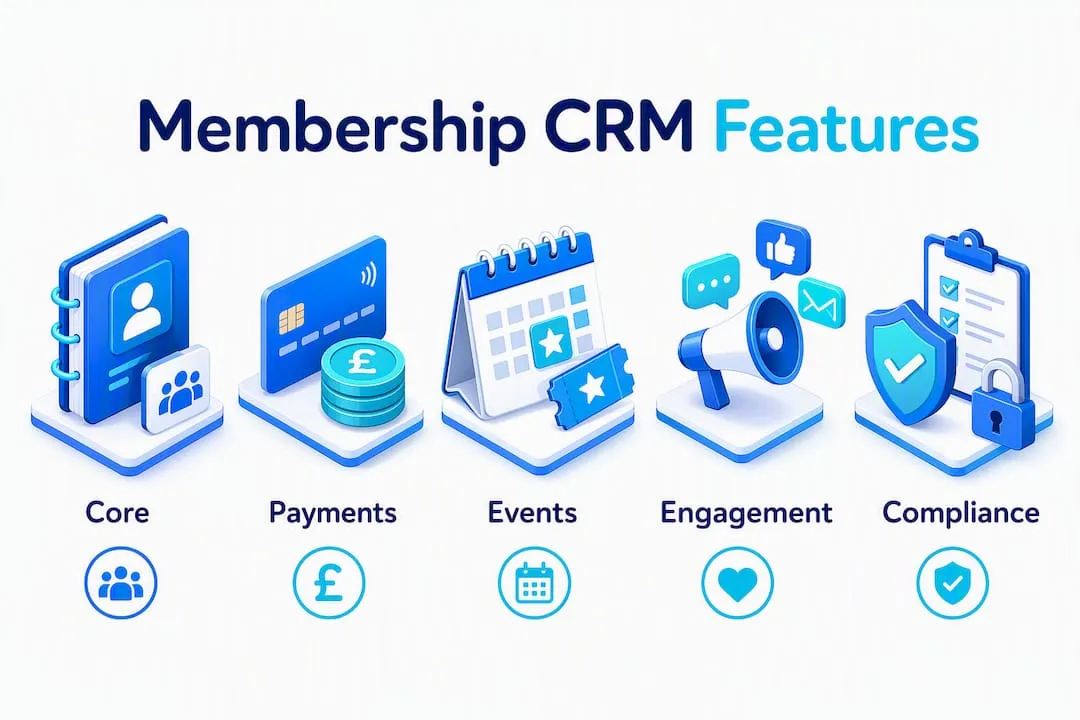
| Feature | Priority | Why it matters for membership workflows |
|---|---|---|
| Member database with lifecycle fields | Must | Tracks join date, tier, renewal status and engagement history in one record |
| Event registration and ticketing | Must | Links attendance data directly to member records for engagement scoring |
| Recurring payments and gateway integration | Must | Automates subscription billing, handles failed payments and sends renewal reminders |
| Member portal and self-service login | Must | Reduces admin overhead; members update their own details and access resources |
| Segmented email and SMS communications | High importance | Enables targeted campaigns by tier, lapse risk or event attendance |
| Automation and workflows | High importance | Triggers renewal reminders, lapsed-member sequences and welcome journeys without manual effort |
| Reporting and dashboards | High importance | Tracks retention rates, revenue and engagement trends across the membership |
| Accounting and website integrations | Optional | Connects to tools like Xero or QuickBooks and your existing website or e-commerce setup |
Proprietary cloud platforms reduce infrastructure burden compared with open-source alternatives, which can carry hidden maintenance costs as your organisation grows. For most small membership teams, a hosted SaaS platform is the lower-risk choice.
How do you choose the right membership CRM?
Use a structured checklist. Balancing product fit, data migration, support quality and total cost of ownership is what separates a good procurement decision from one you revisit in twelve months. MemberWise’s Digital Excellence Report found that Around 22% of organisations expect to replace their CRM within twelve months, which points directly to inadequate evaluation at the point of purchase.
Step-by-step vendor selection process:
- Document your current processes and data quality before approaching any vendor
- Define your must-have features using the table above as a starting point
- Shortlist platforms by integration fit with your accounting software and website
- Pilot with a real sample of your member data, not a vendor-supplied demo dataset
- Test payment flows and a renewal scenario end-to-end before signing
- Verify reporting covers the metrics your board actually needs
- Confirm data export formats and exit terms in writing
- Validate support response times and training resources before committing
Questions to ask vendors during demos:
- How does your data model handle membership tiers and lifecycle stages?
- Show me an automated renewal sequence, including failed payment handling
- How does payment reconciliation work with our accounting software?
- What does your API cover, and what does it not cover?
- What training is included, and what does additional training cost?
- Can you provide references from membership organisations of our size?
Red flags to watch for:
- No membership organisation references or case studies
- Vague or absent data export documentation
- Unclear support SLAs or support only available via a ticket queue with no named contact
- Pricing that changes significantly once you add payments or events
Negotiation tips for smaller budgets: ask for a phased rollout scope (core membership and payments first, events second), request that training hours are included in the initial contract, and negotiate staged payment terms aligned to your go-live milestones.
What does implementation cost and how long does it take?
A realistic timeline for a small membership organisation, assuming discovery is complete, runs 8–16 weeks from configuration start to live launch. The phases are: discovery and data audit, configuration, data migration, user training, and phased go-live.
Cost factors to include in your budget:
- Platform licence fees (monthly or annual)
- Onboarding and configuration services
- Data migration and cleansing
- Custom integrations with accounting or website tools
- Training for staff and volunteers
- Ongoing support tier
- Payment gateway transaction fees
- A contingency allowance for process decisions that surface during implementation
A phased rollout reduces both risk and upfront cost. Start with core member records and recurring payments, add event management in phase two, and introduce advanced automations in phase three once your team is confident with the platform.
What compliance checks must UK organisations carry out?
Before any pilot, confirm that your vendor can demonstrate UK-appropriate data protection and payment security. This is not a box-ticking exercise. Membership organisations hold personal data on every member, and payment data on those who pay by card.
Compliance checklist for procurement:
- Data residency: confirm where member data is stored and processed
- Data Processing Agreement (DPA): request the vendor’s standard DPA template before signing
- Subject access request support: verify the platform can produce a member’s full data record on request
- Right to erasure: confirm the process for deleting a member record completely
- Encryption at rest and in transit: ask for written confirmation
- Role-based access controls: verify that staff see only the data their role requires
- PCI DSS compliance: confirm the payment gateway is PCI DSS compliant and ask about scope reduction options
- Security testing: ask for evidence of regular penetration testing or third-party security audits
For authoritative guidance, consult the Information Commissioner’s Office (ICO) on UK GDPR and the Data Protection Act 2018, and the PCI Security Standards Council for payment security requirements. Both publish free guidance directly relevant to small organisations.
Practical note: ask your vendor for their ICO registration number and verify it on the ICO public register. It takes two minutes and confirms they take their own obligations seriously.
Why does vendor stability matter as much as features?
Choosing a vendor with a clear product roadmap, transparent pricing and demonstrable membership implementations protects your organisation from a costly re-platform in three years. Features matter at the point of purchase. Vendor health matters every day after that.
Evaluation checklist for long-term sustainability:
- Company longevity and ownership structure
- Customer references from membership organisations, not just generic SMBs
- Update cadence: how frequently does the product release new features?
- API maturity: can you connect to future tools without rebuilding integrations?
- Data export and portability: can you leave without losing your data?
- Contract exit terms: what notice period and migration support is provided?
Pro Tip: Validate vendor health by checking their third-party integration marketplace and partner ecosystem. A vendor with active integrations with Xero, Stripe and Mailchimp is maintaining live relationships with other platforms. A vendor whose integrations page lists tools that no longer exist is a warning sign that product investment has slowed.
MemberWise’s procurement guidance reinforces that many organisations assume all CRMs are equal, but implementations and long-term sustainability differ markedly between platforms.
How does Colossus Systems map to the membership CRM checklist?
Colossus maps directly to the priority checklist items identified above. The platform integrates member data, event management, payments and communications within one system, which reduces fragmentation and lowers total cost of ownership for small membership teams.
| Checklist requirement | Colossus capability |
|---|---|
| Member database with lifecycle fields | Integrated member records with engagement tracking and pipeline management |
| Event registration and ticketing | Built-in event management with registration and attendance linked to member records |
| Recurring payments and gateway integration | Payment gateway integration supporting subscription billing and e-commerce |
| Member portal and self-service login | Member portal functionality for self-service access and profile management |
| Segmented communications | Email marketing with segmentation and campaign management |
| Automation and workflows | Configurable workflows for renewals, onboarding and lapsed-member sequences |
| Reporting and dashboards | Analytics and reporting dashboards covering engagement and revenue |
| Integrations | API integration capabilities connecting to accounting, website and third-party tools |
For full capability details, the Colossus features page maps each module to membership use cases. Case studies and client references are available on request via the Colossus contact page. To see the platform against your own renewal scenario, request a demo with your sample data prepared.
Key takeaways
A membership-first CRM that handles member records, events, payments and engagement in one platform is the right choice for UK associations, nonprofits and membership organisations of any size.
| Point | Details |
|---|---|
| Prioritise process mapping first | Document your renewal workflows and data quality before approaching any vendor. |
| Require data exportability | Confirm data export formats and exit terms in writing before signing a contract. |
| Pilot renewals and payments | Test a real renewal scenario end-to-end; a demo dataset will not reveal integration gaps. |
| Budget beyond the licence fee | Include migration, configuration, training and internal project time in your total cost estimate. |
| Colossus Systems as a practical fit | Colossus maps member records, events, payments, portals and automation to the priority checklist for UK membership organisations. |
Why a membership-first CRM is the only sensible starting point
The conventional wisdom says “pick a CRM with a good reputation and configure it to fit.” That advice works for a sales team. For a membership organisation, it tends to produce a system that handles contacts well and handles members poorly.
Where membership-first design avoids common failures is in the details that general CRMs treat as edge cases: a failed direct debit that should trigger a specific communication sequence, not just a task; an event registration that should update a member’s engagement score, not just log a transaction. When those workflows are built into the platform’s data model rather than bolted on through workarounds, the system stays maintainable as your organisation grows.
The Colossus blog on CRM selection for nonprofits covers these distinctions in detail for UK membership organisations. If you want a technical conversation about your specific requirements, the contact page is the right place to start.
Ready to evaluate vendors? Colossus can help
Colossus gives UK membership organisations a single platform for member records, events, payments and engagement, without the fragmentation of stitching together separate tools. Where other routes require you to integrate a CRM, a payment processor, an event tool and an email platform independently, Colossus delivers those capabilities together, reducing both setup time and ongoing administration.

To prepare for a productive demo, bring the following:
- A sample export of your current member data
- Your renewal scenario, including failed payment handling
- One event use case with registration and attendance requirements
- Your reporting needs (what your board asks for quarterly)
- A list of tools you currently use that the CRM must connect to
Explore the full Colossus feature set to see how each module maps to your requirements, then book a discovery call to walk through your specific use case with the team.
Useful sources and further reading
- MemberWise: Where should you start your CRM search? — practical guidance on process fit and readiness before procurement
- MemberWise: Are you ready to change your membership CRM? — readiness checklist and the case for structured evaluation
- Quattro: CRM for membership organisations — overview of membership-specific CRM requirements and platform types
- ICO: UK GDPR guidance — authoritative source for data protection obligations under the Data Protection Act 2018
- PCI Security Standards Council — official PCI DSS guidance for organisations handling card payments
- Colossus Systems: CRM Software — product page covering integrated member management, pipeline and communications
- Colossus Systems: Features — full feature set for membership management, events and payments
This article provides general information for UK membership organisations evaluating CRM software. It is not legal, financial or compliance advice. Confirm your specific data protection and payment security obligations with the ICO, a qualified data protection officer, or a regulated adviser.