What is a CRM for membership organisations?

TL;DR:
- A membership CRM consolidates member data, payments, and communications into one platform centered on the member lifecycle. It improves retention, automates administrative tasks, and provides real-time analytics for strategic decision-making. Choosing the right system requires clear strategy, proper testing, and prioritizing features like integrations and data security.
A membership CRM (Customer Relationship Management system) is a single, member-centred platform that consolidates member records, event registration, payments, communications and reporting so your team can run membership services, marketing and events from one place. Unlike a generic CRM built for sales pipelines, a membership-focused system is designed around the member lifecycle: joining, renewing, attending events, and engaging with your organisation over years. The industry term is membership management software, though CRM is the phrase most procurement teams reach for first.
Here is what a well-chosen membership CRM delivers:
- A unified member profile consolidating records, interactions and engagement history
- Automated renewals, welcome messages and event reminders
- Integrated payment processing for subscriptions, event tickets and donations
- Email and SMS communications with segmentation and workflow automation
- Real-time dashboards and analytics for trustees and operational teams
Table of Contents
- What features should a membership CRM actually include?
- Which UK organisations benefit most from a membership CRM?
- What are the real benefits for membership organisations?
- How do you choose the right CRM for your organisation?
- How do you implement a membership CRM successfully?
- What does a membership CRM cost in the UK?
- What data protection and payment security obligations apply in the UK?
- How do you measure whether your CRM is working?
- How Colossus Systems addresses membership CRM needs
- Key takeaways
- Why strategy matters more than software in CRM projects
- Colossus is built for membership organisations like yours
- Useful sources and further reading
What features should a membership CRM actually include?
A generic CRM tracks leads and deals. A membership CRM tracks people, their relationship with your organisation, and the money and events attached to that relationship. The distinction matters when you are evaluating platforms.
| Feature area | What to expect | Why it matters |
|---|---|---|
| Member profiles | 360° record: contact details, membership tier, payment history, event attendance | Staff see the full picture without switching systems |
| Event and registration management | Ticketing, session capacity, waitlists, CPD tracking | Removes manual spreadsheets from event admin |
| Payments and subscriptions | Direct debit, card payments, PCI-aware gateway integration | Automates renewals and reduces failed payments |
| Communications | Email, SMS, automated workflows, segmentation | Personalised, targeted communication at scale |
| Reporting and analytics | Dashboards for retention, revenue, event attendance | Gives boards real data, not gut feel |
| Integrations | Website, payment gateways, accounting tools | Connects your existing technology stack |
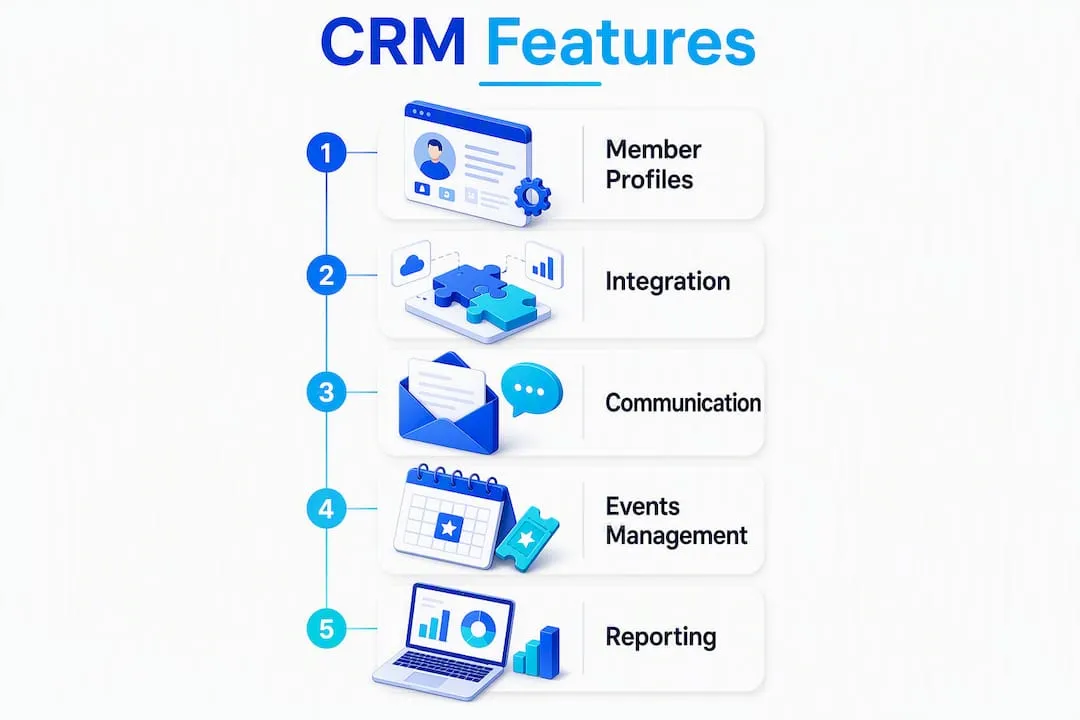
Most platforms integrate with existing technology stacks including payment gateways and websites, so you are not forced to replace every tool you already use. The key is confirming which integrations are native and which require custom development before you sign a contract.
Which UK organisations benefit most from a membership CRM?
Professional institutes, trade associations, learned societies, membership charities and alumni bodies all share the same operational challenge: managing relationships with hundreds or thousands of members across multiple touchpoints. If your team is reconciling renewals in spreadsheets, chasing payments manually, or sending the same event confirmation email by hand, a CRM is the right investment.
Common use cases include:
- Renewals and subscription billing: automated reminders sent at 60, 30 and 7 days before expiry, with direct payment links
- Event registration and CPD tracking: members self-register, pay online and receive certificates automatically
- Tiered memberships and access control: different content, pricing and communications for Fellow, Associate and Student grades
- Donation and fundraising workflows: digital fundraising integrated with member records so gift history is visible alongside membership data
Pro Tip: Before evaluating any platform, map your three most time-consuming manual processes. If a CRM cannot automate at least two of them, it is not the right fit for your organisation.
What are the real benefits for membership organisations?
Retention rates across membership sectors typically sit between 70% and 80%, and even a 5% increase in retention can boost profits by 25–95%. That single figure justifies most CRM budgets on its own.
Beyond retention, the operational gains are equally significant:
- Reduced admin: automating renewals, welcome messages and event reminders frees staff for higher-value work
- Better event ROI: integrated registration and payment reconciliation removes post-event accounting headaches
- Improved board reporting: real-time analytics on demographics, engagement and financial performance replace quarterly spreadsheet exports
- Marketing efficiency: targeted campaigns based on member behaviour drive higher open rates and conversion on renewals
Investing in a membership CRM generates cost savings through automation and better-targeted marketing, which in turn supports both acquisition and retention. The organisations that see the fastest payback are those that commit to data quality from day one.
How do you choose the right CRM for your organisation?
Start with a selection checklist, then pressure-test shortlisted vendors with direct questions.
Selection checklist:
- Core features: member profiles, event management, payments, communications, reporting
- Scalability: can it handle your projected member growth over three to five years?
- Customisation: can you configure membership tiers, pipelines and forms without a developer?
- Integrations: does it connect natively with your website, accounting software and payment gateway?
- Support: what are the SLA commitments and support hours?
- Total cost of ownership: include implementation, training and annual licence fees
Questions to ask vendors:
- Who owns the data if we leave, and in what format can we export it?
- Where is data hosted, and what is your uptime guarantee?
- How are backups handled, and what is the recovery time objective?
- Which payment gateways do you support, and are there transaction fees on top of the licence?
Red flags: locked data formats, pricing that changes significantly at renewal, and vendors who cannot provide references from organisations of your size and type.
Pro Tip: Run a short proof of concept using a sample of your real member data. A platform that looks good in a demo can behave very differently when it encounters your actual data structure.
For a deeper look at selecting a CRM for nonprofits, Colossus has published practical guidance tailored to UK membership bodies.
How do you implement a membership CRM successfully?
Implementation is where most CRM projects succeed or fail. The software is rarely the problem; governance and adoption usually are.

| Phase | Key activities | Typical duration |
|---|---|---|
| Discovery | Requirements gathering, data audit, stakeholder sign-off | Several weeks |
| Configuration | System setup, custom fields, workflows, payment integration | Several weeks |
| Data migration | Cleanse, deduplicate, map and import member records | Several weeks |
| Testing | UAT with real scenarios, payment testing, comms testing | Short period |
| Launch | Phased go-live, parallel processing, helpdesk on standby | Short period |
| Optimisation | Review KPIs, refine workflows, expand usage | Ongoing |
Data migration checklist: confirm which fields are mandatory, resolve duplicate records before import, and preserve historical transaction data so renewal histories remain intact.
Training plan: operational staff need hands-on sessions covering daily workflows; trustees need a shorter session focused on dashboards and reporting. Appoint user champions in each team to handle day-to-day questions after go-live.
Pro Tip: Run your old system and the new CRM in parallel for at least two weeks after launch. It adds short-term effort but eliminates the risk of losing a renewal or missing an event registration during cutover.
What does a membership CRM cost in the UK?
Pricing varies widely, but the structure is usually one of three models:
| Pricing model | How it works | Best suited to |
|---|---|---|
| Per-user SaaS licence | Monthly or annual fee per staff user | Suitable for smaller teams with stable headcount |
| Per-member tier | Fee scales with total member count | Suitable for growing organisations with large memberships |
| Transaction-based | Platform fee plus a percentage per payment | Suitable for organisations with high event or donation volumes |
Cost drivers to budget for:
- Number of members and staff users
- Event volumes and ticketing requirements
- Payment gateway fees vary depending on provider and transaction volume.
- Custom integrations or API development
- Implementation, data migration and training (often a one-off project fee)
- Ongoing support and account management
Automation and better-targeted marketing generate cost savings that offset licence fees over time. When forecasting ROI, model the staff hours saved on renewals and event admin against the annual platform cost.
What data protection and payment security obligations apply in the UK?
Member data is personal data under the UK GDPR and the Data Protection Act 2018. Your CRM is a data processor, which means you need a Data Processing Agreement (DPA) with your vendor, clear retention policies, and documented lawful bases for holding and using member information.
Security checklist:
- Encryption at rest and in transit (TLS 1.2 or higher)
- Role-based access controls so staff see only the data they need
- Regular penetration testing and vulnerability assessments
- Data residency: confirm whether data is stored in the UK or EEA
For payments, your CRM or its integrated gateway must comply with PCI DSS (Payment Card Industry Data Security Standard). Most reputable SaaS platforms handle PCI compliance at the gateway level, but you must confirm this in writing before processing member payments.
Pro Tip: Where possible, keep payment card data entirely within the gateway and out of your CRM records. Tokenisation means your CRM stores a reference, not the card number, which reduces your PCI scope considerably.
Numbered obligations to confirm before go-live:
- Signed DPA with your CRM vendor
- Lawful basis documented for each category of member data
- Retention and deletion schedules configured in the system
- PCI DSS compliance confirmed for all payment flows
- Breach notification process agreed and tested
This article provides general information, not legal advice. Consult a qualified data protection professional or the ICO’s guidance for your specific circumstances.
How do you measure whether your CRM is working?
A CRM that nobody measures is a CRM that nobody improves. Set KPIs before go-live so you have a baseline.
Core membership KPIs:
- Renewal rate: percentage of members who renew on time
- Churn rate: members lost in a period as a percentage of total membership
- Member lifetime value: average revenue per member over their full membership
- Event attendance rate: registered attendees versus actual attendance
- Average revenue per member: total revenue divided by active member count
Operational KPIs:
- Time saved on admin tasks per month (measure before and after)
- Number of automated workflows active and running
- Average response time to member enquiries
Real-time reporting and analytics enable data-driven decisions and strategic planning at board level. Build a trustee dashboard that shows renewal rate, churn and revenue at a glance, and run monthly operational reports for your team. Attribution matters too: link specific email campaigns and events to renewal outcomes so you can see which activities actually drive retention.
How Colossus Systems addresses membership CRM needs
Colossus is a SaaS platform built specifically for membership organisations, associations and nonprofits. It brings member management, event registration, email marketing, payments and analytics into a single platform, which means your team is not stitching together separate tools.
Key capabilities aligned to the features covered in this article:
- Member profiles and portals: members self-serve, update their details and access gated content through a branded portal
- Event management: event registration, ticketing and session management with integrated payment collection
- CRM and pipeline tools: customisable CRM workflows for acquisition, renewal and engagement tracking
- Email marketing and automation: segmented campaigns and automated workflows for renewals, event reminders and onboarding
- Analytics and reporting: dashboards covering member engagement, event performance and revenue
The Drapers’ Company, a historic livery company, centralised member records using a membership CRM to improve operational efficiency and personal engagement, demonstrating that even long-established organisations with complex membership structures can benefit from consolidating data into one system.
Pro Tip: When booking a demo with Colossus, prepare a list of your current manual processes and your top three reporting gaps. The discovery call is most productive when you arrive with specific problems, not a general brief.
For a full view of platform features and capabilities, the Colossus features page covers member management, communications, events and payments in detail.
Key takeaways
A membership CRM is the operational backbone of any membership organisation that wants to grow retention, reduce admin and make evidence-based decisions.
| Point | Details |
|---|---|
| Retention drives ROI | A 5% retention increase can boost profits by 25–95%, making CRM investment straightforward to justify. |
| Features beyond generic CRM | Prioritise member profiles, event management, subscription billing and UK GDPR-compliant data handling. |
| Implementation is strategy first | Governance, data quality and user adoption matter more than feature count; run a proof of concept before committing. |
| Measure from day one | Set renewal rate, churn and member lifetime value as baseline KPIs before go-live so improvement is visible. |
| Colossus for UK membership bodies | Colossus combines member management, events, payments and analytics in one platform built for associations and nonprofits. |
Why strategy matters more than software in CRM projects
The most common reason CRM projects underdeliver is not a bad platform choice. It is the absence of a clear strategy before the software is selected. Organisations that invest time in mapping their member journey, agreeing on data governance, and appointing internal champions consistently outperform those that treat implementation as an IT project. The 360° view of the member journey that a good CRM enables is only as useful as the quality of the data you put into it and the processes you build around it. Feature wishlists are easy to compile; the harder, more valuable work is deciding what your organisation will actually do differently once the system is live. Start there, and the platform choice becomes much clearer.
Colossus is built for membership organisations like yours
Membership bodies that manage renewals, events and communications across separate tools spend more time on administration than on member value. Colossus brings all of it together: member records, event registration, payment processing, email marketing and analytics in one place, so your team focuses on engagement rather than data entry.

Book a discovery call with the Colossus team to see the platform in action. Prepare your current member count, your top manual processes and your biggest reporting gap, and the session will be tailored to your organisation’s specific needs. Visit the Colossus CRM software page to explore capabilities, or go straight to the full features overview to see how member management, events and payments connect in a single platform.
Useful sources and further reading
- Benefits of a Membership CRM System — Pragmatiq: the primary research source for retention statistics and feature benchmarks used in this article; useful for procurement teams building a business case
- CRM software for membership organisations — Colossus: product detail for teams evaluating CRM capabilities and integration options
- Membership management features — Colossus: full platform overview covering member management, events, payments and analytics
- How to boost member engagement — Colossus: strategic guidance for engagement leads and marketing teams
- CRM programmes: a practical guide for membership leaders — Colossus: step-by-step implementation guidance for project leads
For jurisdictional questions on UK GDPR, data residency and PCI DSS obligations, consult a qualified legal or data protection professional and refer to the ICO’s published guidance.