Membership.Ninja Alternatives: 8 Platforms to Compare

If you are weighing up alternatives to Membership.Ninja, the shortlist is shorter than it looks. Capterra’s guide to association software for nonprofits names Glue Up, GrowthZone, MemberLeap, Neon CRM, Novi AMS, Raklet and WildApricot as established options. We build Colossus Systems, so we add ourselves as the eighth. This guide shows how to compare them on the things that decide whether a switch pays off: scope, fit, cost, migration and support.
TL;DR
- The main alternatives are Colossus Systems, Glue Up, GrowthZone, MemberLeap, Neon CRM, Novi AMS, Raklet and WildApricot.
- Choose on scope first: do you need membership records only, or events, CRM, email, e-commerce and learning in one place?
- Colossus Systems publishes four plans, from £349 to £1299 per month, plus Enterprise from £2500 per month.
- Before switching, check data migration, payment gateways, regional requirements and who answers the phone when something breaks.
- Test any shortlisted platform on a small group of members before committing the whole database.
Table of Contents
- Why organisations look beyond Membership.Ninja
- The shortlist at a glance
- Colossus Systems: the all-in-one option
- How the other options differ
- A scorecard for comparing alternatives
- Before you switch: migration and regional checks
- Our perspective
- Ready to see how Colossus compares?
- FAQ
- Sources
Why organisations look beyond Membership.Ninja
Nobody replaces a membership system for fun. A switch is usually triggered by one of a few pressures:
- Tool sprawl. Membership records sit in one system, events in another, email in a third, and someone reconciles them by spreadsheet.
- Growth. A tool that suited 300 members feels tight at 3,000, especially around renewals, tiers and reporting.
- Events and learning. Committees want paid events, virtual training and member-only content without bolting on more subscriptions.
- Reporting. Trustees and boards ask for retention, revenue and engagement figures that take hours to assemble.
- Support and control. You want a team that responds, and workflows you can change without a developer.
Name your own trigger before you read a single vendor page. It becomes the first line of your scorecard.
The shortlist at a glance
The table below gives each option’s positioning in broad terms. Features and prices change often, so confirm current details on each vendor’s own site before you decide. We have not listed competitor prices here for that reason.
| Platform | Typical fit | What to verify on their site |
|---|---|---|
| Colossus Systems | Associations, nonprofits, educational institutions wanting one unified platform | Plan limits, event volumes, contributor licences |
| Glue Up | Associations and chambers wanting engagement tools | Pricing model, event and email allowances |
| GrowthZone | Chambers and associations | Included modules, onboarding costs |
| MemberLeap | Smaller membership organisations | Plan limits, payment options |
| Neon CRM | Nonprofits wanting memberships alongside donor management | Record limits, add-on modules |
| Novi AMS | Associations on a website-led setup | Website requirements, customisation limits |
| Raklet | Clubs, communities and smaller associations | Fees per transaction, member caps |
| WildApricot | Small to mid-sized organisations | Contact-based pricing tiers, support channels |
The “typical fit” column is a starting hypothesis, not a verdict. Your own demo is what confirms or overturns it.
Colossus Systems: the all-in-one option
Colossus Systems is a subscription platform for membership organisations, associations, nonprofits and educational institutions. Instead of connecting separate tools, we bring the whole member lifecycle into one system:
- Membership management: applications, tiers, renewals and member records. See our membership management software.
- Events and virtual training: registration, ticketing and online learning. See our event management software.
- CRM: customisable sales pipelines for recruitment, sponsors and partners. See our CRM software.
- Email marketing: targeted communication to the segments you define.
- E-commerce and payments: integration with online payment gateways for secure transactions.
- Member and learner portals: member-only areas for content, resources and self-service.
- Analytics and reporting: one set of figures instead of several exports.
The case for this approach is simple. When records, events, payments and communication share one database, you stop reconciling and start acting on what you see. The full list is on our features page.
What Colossus costs
We publish our prices on the pricing page:
| Plan | Price |
|---|---|
| Core | £349 per month |
| Growth | £699 per month |
| Scale | £1299 per month |
| Enterprise | from £2500 per month |
| Contributor licence | from £29 per month |
This is a higher entry point than lightweight club tools, and we say so plainly. It suits organisations whose members, events and revenue justify one comprehensive platform rather than several cheaper ones that need stitching together.
How the other options differ
We will not describe competitors’ features from memory, because feature sets change and an out-of-date claim does you no good. What we can say is where to look.
- Association-focused systems such as GrowthZone and Novi AMS are built around the traditional association model of dues, committees, directories and events. Ask how much of that is configurable without paid services.
- Nonprofit-first systems such as Neon CRM start from donors and fundraising. If donations are a bigger share of your income than subscriptions, that orientation helps. If you want to link membership with fundraising data, a good email platform for nonprofits matters as much as the membership system itself.
- Engagement and community platforms such as Glue Up and Raklet lean towards member communication and community features. Ask what happens when you need complex pricing, multiple chapters or detailed reporting.
- Simpler small-organisation tools such as MemberLeap and WildApricot are commonly considered when budgets are tight. Ask what happens to cost and workflow when you double in size.
That last question is the one most buyers skip. A tool that is cheap today but forces a second migration in two years is not cheap.
A scorecard for comparing alternatives
Score each platform from 1 to 5 on the criteria below, weighted by what hurt most in your current setup.
1. Scope of the platform
List the jobs you do every quarter: joining, renewals, invoicing, events, email, learning, reporting, shop sales. Count how many each platform handles natively and how many need an add-on or integration. Native is nearly always smoother than connected.
2. Fit for your type of organisation
A professional body with accredited training, a charity with volunteers and a trade group with sponsors have different needs. Ask each vendor for a customer of your type and size, and speak to them. Our own guides cover membership software for professional associations and membership software for non-profits and charities.
3. Customisation and ease of use
Can an administrator, not a developer, change a joining form, a renewal reminder or a pipeline stage? Ask to do it live in the demo. If the vendor does it for you, you have learned how much you will depend on them.
4. Integrations and payments
Check your payment gateway is supported, whether you can use your existing merchant account, and whether transaction fees apply on top of the subscription. Also check accounting exports and the vendor’s API if you need your own tools to connect.
5. Total cost
Subscription price is only the start. Ask about:
- onboarding and data import fees;
- limits on members, contacts, emails or events, and the price of exceeding them;
- extra charges for admin users or contributor accounts;
- payment processing fees;
- the price rise at renewal and the notice period.
Put every answer in one spreadsheet and compare three-year costs, not monthly headlines.
6. Support and onboarding
Find out whether support is by phone, chat or ticket, who handles your migration, and what training your committee gets. Support quality shows most in the first 90 days.
Before you switch: migration and regional checks
Moving platforms is the riskiest part, so plan it as a project.
- Export everything you can. Member records, payment history, event attendance, notes, tags and documents. Ask your current vendor in writing what formats they provide.
- Clean before you move. Merge duplicates, remove lapsed contacts you no longer have grounds to hold, and standardise fields such as membership level.
- Map fields. Agree with the new vendor exactly where each old field lands, especially tiers, renewal dates and balances.
- Pilot with a small group. Move a small slice of members first and test a renewal, an event booking and a payment. Our guide to membership renewal software explains why testing on 5 to 10% first reduces risk.
- Time the cut-over. Avoid your renewal peak and any major conference.
- Tell members. A short note explaining new login steps prevents a flood of support emails.
If you serve members in several countries, also check where data is hosted, which currencies and payment methods are supported, how tax is handled on dues and tickets, and what data-protection rules apply. Rules differ by country, so confirm them with the vendor and, where needed, your own adviser.
If your group is still forming and has not settled its legal structure, take that decision first. A resource on forming an unincorporated association explains one route for associations in the United States, and the structure you choose can affect how you collect dues and hold records.
Our perspective
We talk to membership teams who have outgrown a tool, and the pattern is consistent. They rarely leave because a single feature is missing. They leave because the work around the software has grown: exports, copy-paste, reconciling one system against another. Every extra tool adds a task that someone must remember.
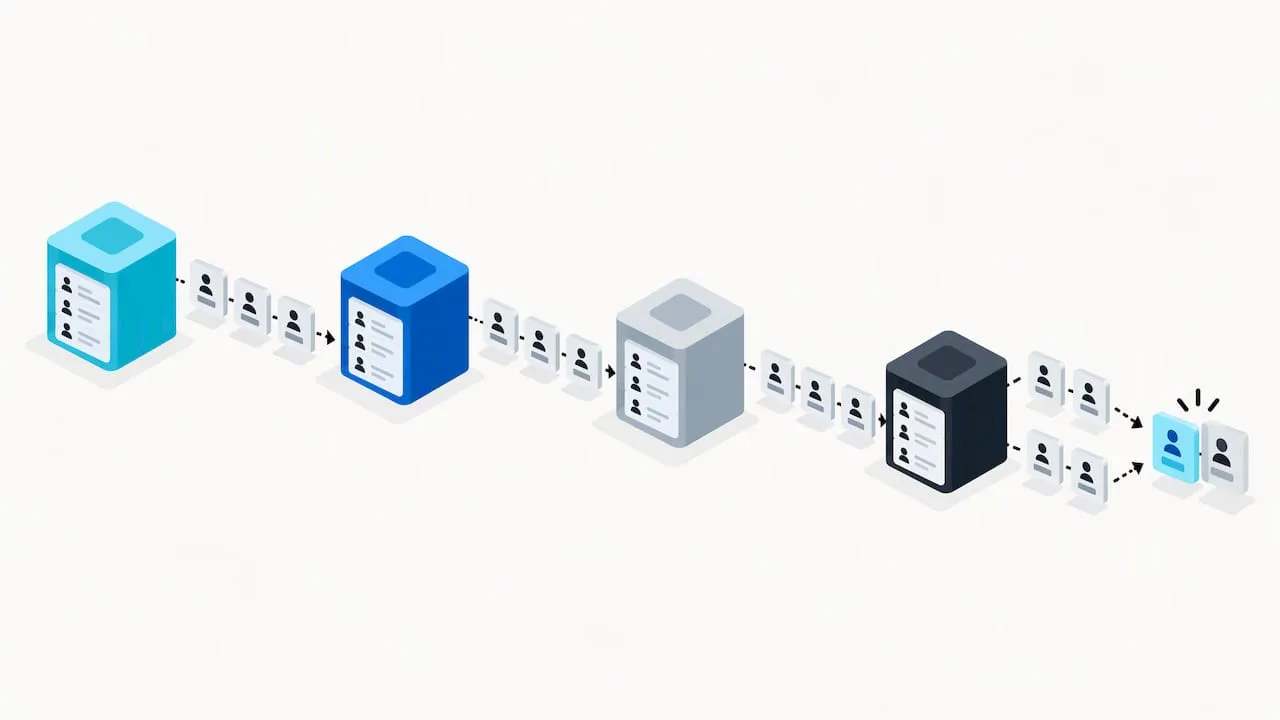
That is why we built Colossus as one platform. Members, events, CRM, email, payments and reporting share data, so a renewal reminder can reflect event attendance and a sponsor pipeline sits beside the member record. We think organisations should choose the tool that removes the most recurring manual work, not the one with the longest feature list.
We also think you should be sceptical of any vendor, ourselves included. Ask for a real demo using your own scenarios, speak to a customer like you, and read the contract terms about data export. If a platform is right for you, it will stand up to that.
— Rob
Ready to see how Colossus compares?
If an all-in-one platform sounds like the right direction, start with our pricing page to see which plan fits your membership size, then look at how our features work together. When you are comparing several vendors, our association membership software comparison offers a wider view.
FAQ
What is the best alternative to Membership.Ninja?
There is no single best option, because it depends on your size and needs. Organisations that want membership, events, CRM, email and payments in one system should look at all-in-one platforms such as Colossus Systems. Smaller groups with simple needs may find a lighter tool adequate.
Are there free membership management alternatives?
Some vendors offer free trials or entry plans, but terms change often, so check each vendor’s current page. Free plans commonly limit members, features or payment options. Compare the limits against your actual numbers before relying on one.
How long does it take to switch membership software?
It depends on data quality, the number of members and how many integrations you use. A clean export and a small pilot group make the process faster and safer. Avoid scheduling the cut-over near renewals or a major event.
What should I ask a vendor before signing?
Ask for the full cost over three years, including onboarding, payment fees and usage limits. Ask how you export your data if you leave, what support you get, and which customers of your type and size use the platform. Get the answers in writing.