CRM tools to transform your membership engagement

TL;DR:
- Modern CRMs offer a connected ecosystem of communication, automation, event tracking, and analytics.
- Using multiple CRM toolkit components enhances member retention and engagement effectiveness.
- Ongoing, strategic CRM use is essential, not just initial setup, for long-term organizational growth.
Most membership organisations think of a CRM as a glorified spreadsheet. A place to store names, email addresses, and renewal dates. That assumption is costing them members, revenue, and influence. Modern CRM tools have evolved far beyond contact storage, offering a connected ecosystem of communication, automation, event management, and analytics. For nonprofits and membership associations in particular, this broader toolkit is what separates organisations that grow from those that struggle to retain the members they already have. This guide explains what CRM tools actually cover, how they work together, and how your organisation can apply them to drive meaningful, lasting engagement.
Table of Contents
- What makes up a CRM toolkit?
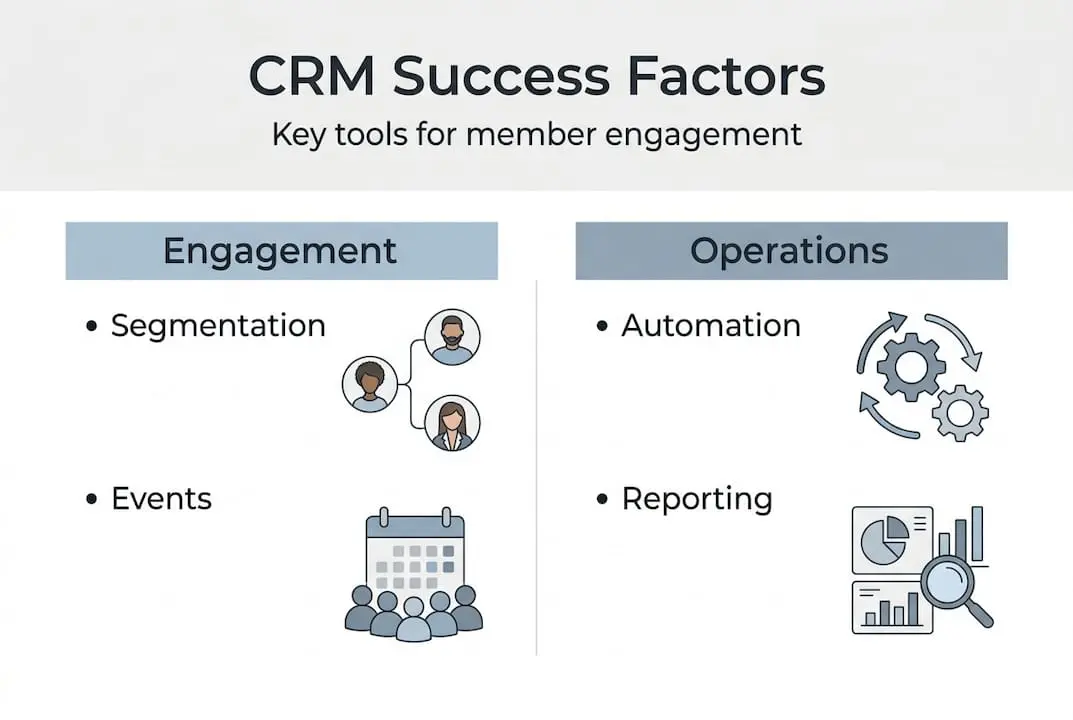
- Key CRM tools for member engagement
- CRM automation, reporting, and process tracking
- Choosing and integrating CRM communication tools
- Why most membership organisations underestimate CRM tools
- Explore CRM solutions tailored for member engagement
- Frequently asked questions
Key Takeaways
| Point | Details |
|---|---|
| CRM tools go beyond contacts | Membership CRMs also cover engagement, events and volunteer tracking. |
| Integrated features boost engagement | Combining communication and event tools helps drive member participation. |
| Automation saves time | Automated reminders and workflows support more efficient operations. |
| Beware contact fragmentation | Using separate email or membership platforms risks sync errors and missed engagement. |
What makes up a CRM toolkit?
CRM stands for Customer Relationship Management, though for membership organisations and nonprofits the word “customer” is better replaced with “member,” “donor,” or “supporter.” The core principle remains the same: a CRM is a system that helps your organisation manage, track, and improve relationships over time. What has changed is the scope of what that management now includes.
Early CRM systems were largely passive, storing contact details and little else. Today, CRM software for nonprofits is expected to do far more, connecting every touchpoint your organisation has with its members into a single, coherent picture.
A modern CRM toolkit typically includes the following components:
- Contact and member database: The foundation. Stores profiles, preferences, communication history, membership tier, and renewal status.
- Process and pipeline tracking: Visualises where each member or prospect is in their relationship with your organisation, from initial enquiry through to long-term engagement.
- Communication tools: Email, SMS, and sometimes social media messaging, either built into the CRM or integrated with third-party platforms.
- Event and activity tracking: Logs attendance at events, participation in training, and volunteer activity, connecting behaviour to the member record.
- Automation workflows: Scheduled communications, renewal reminders, follow-up sequences, and onboarding journeys that run without manual input.
- Reporting and analytics: Dashboards that surface trends, flag at-risk members, and measure campaign performance.
As top CRM software research confirms, effective CRM systems include pipeline and process tracking alongside integrated communication, and nonprofit CRMs specifically go beyond donation history to connect events, engagement, and volunteer activity into one unified record.
Understanding membership CRM system usage helps clarify which of these components your organisation currently uses and which are missing. Many associations invest in a CRM but only activate a fraction of its capabilities. The result is a tool that feels like an expensive address book rather than the strategic engine it was designed to be.
Quick insight: Organisations that use four or more CRM tool categories, such as communication, automation, event tracking, and reporting, consistently report stronger member retention than those using only contact management features.
The takeaway here is that CRM effectiveness is not about which platform you choose. It is about how many of the toolkit components you actually put to work.
Key CRM tools for member engagement
With the toolkit outlined, let us explore the engagement tools in greater detail. Member engagement is not a single action. It is an ongoing series of interactions, and the right CRM features make those interactions feel timely, relevant, and personal.
Segmentation and personalisation
Segmentation means dividing your member base into meaningful groups so that your communications are relevant rather than generic. A well-configured CRM allows you to segment by membership tier, location, event attendance history, renewal status, interests, and even engagement score. Once segments are in place, personalisation follows naturally. A member who attended three events last year should receive different communications from someone who has not engaged in six months.
Integrated communication tools
As nonprofit CRM research highlights, effective nonprofit CRMs connect events, giving, engagement, and communications to build stronger relationships. This means your CRM communication tools should not operate in isolation. Whether you are sending a renewal reminder, promoting an upcoming workshop, or thanking a volunteer, that communication should be logged against the member record automatically.
Here is a comparison of native CRM communication tools versus external integrations:
| Feature | Native CRM communication | External integration |
|---|---|---|
| Data sync | Automatic, real-time | Requires setup and maintenance |
| Contact accuracy | Consistently high | Risk of duplication or lag |
| Reporting | Unified in dashboard | Split across platforms |
| Cost | Included in CRM licence | Additional subscription fees |
| Setup complexity | Low | Moderate to high |
Event and volunteer tracking
Events are one of the highest-value engagement touchpoints for membership organisations. Your CRM should record not just who attended, but how they interacted before, during, and after the event. Linking event management software directly to your CRM means that attendance data, ticket purchases, session preferences, and post-event feedback all flow into the member record automatically.

Similarly, volunteer management tools integrated with your CRM allow you to track volunteer hours, skills, availability, and history. This creates a richer member profile and opens up targeted recognition and communication opportunities.
Pro Tip: Use event attendance data as a trigger for automated follow-up sequences. A member who attends a training session could automatically receive a related resource three days later. This keeps your organisation present in their mind without requiring manual effort.
Useful resources such as event planning websites for nonprofits can also help your team identify which event formats generate the strongest engagement before you invest in promotion.
The right combination of segmentation, integrated communication, and event tracking transforms your CRM from a record-keeping tool into a proactive engagement engine. Each feature reinforces the others, which is why activating them together delivers results that individual tools simply cannot replicate.
CRM automation, reporting, and process tracking
To maximise engagement, organisations must also streamline operations. Automation, reporting, and pipeline tracking are the three mechanisms that allow you to operate efficiently at scale, without losing the personal touch that members expect.
Automation: working smarter, not harder
CRM automation means configuring workflows that trigger specific actions based on member behaviour or time intervals. These are some of the most impactful automation workflows for membership organisations:
- Welcome sequence: New members receive a series of emails over their first two weeks, introducing key benefits, resources, and upcoming events.
- Renewal reminders: Automated messages sent 90, 60, and 30 days before a membership expires, with a direct renewal link embedded.
- Re-engagement campaign: Members who have not opened an email or attended an event in three months are automatically added to a re-engagement sequence.
- Event follow-up: Attendees receive a thank-you message within 24 hours, along with relevant resources or a recording of the session.
- Birthday or milestone recognition: Automated messages on membership anniversaries or personal milestones strengthen emotional connection with your organisation.
As CRM systems research notes, CRM systems track relationship stages and automate communications, though the precise mix of automation varies by sector. For membership organisations, the priority is consistency: ensuring that no member falls through the cracks simply because your team is busy.
Reporting: knowing what is working
Reporting tools turn raw CRM data into actionable insight. Effective reporting for membership organisations should cover the following metrics:
| Metric | What it tells you |
|---|---|
| Member retention rate | Percentage of members who renewed in a given period |
| Event attendance rate | Proportion of members attending events each quarter |
| Email open and click rate | Effectiveness of communication campaigns |
| Engagement score | Composite measure of member activity across all channels |
| New member acquisition | Volume and source of new memberships |
Integrating your website with your CRM is one of the most effective ways to enrich your reporting data. When web behaviour, form submissions, and event registrations feed directly into your CRM, your reports reflect the full picture of member engagement rather than isolated snapshots.
Process tracking: managing relationships at every stage
Process tracking in a CRM means mapping the stages of a member’s journey with your organisation. This might include stages such as Prospect, New Member, Active Member, At-Risk, and Lapsed. Each stage triggers different actions and communications. A visual pipeline view allows your team to see at a glance where attention is needed, preventing reactive management in favour of proactive relationship building.
Membership software for nonprofits and charities often includes pre-built pipeline templates that can be adapted to your specific membership structure, significantly reducing setup time.
Pro Tip: Review your CRM pipeline stages at least quarterly. As your organisation grows and member behaviours shift, the stages that made sense at the start may no longer reflect the real journey your members are taking.
Choosing and integrating CRM communication tools
After understanding automation and reporting, it is vital to address one of the most common pitfalls in CRM implementation: communication tool fragmentation. Many organisations build their member communications around a separate email marketing platform, a standalone event tool, and a third-party SMS service, all loosely connected to their CRM. This approach creates significant risks.
Native communication tools versus external integrations
Some CRM platforms include native communication features, meaning email, SMS, and messaging are built directly into the system. Others rely on integrations with external tools. Both approaches can work, but they carry different risks.
When your email marketing platform sits outside your CRM, contact data must be synchronised between the two systems. As one practitioner discussion on nonprofit CRM highlights, using separate email platforms can cause contact-sync fragmentation, making CRM integration capabilities a critical factor in platform selection. Duplicate records, outdated segments, and missed communications are all consequences of poorly integrated tools.
“Integration is not a nice-to-have. For membership organisations handling hundreds or thousands of member records, fragmented data is the single biggest barrier to consistent, personalised communication.”
Here is a checklist to guide your evaluation of CRM communication integration:
- Does the CRM offer native email and SMS functionality, or does it rely on third-party integrations?
- How frequently does data sync between the CRM and any external communication tools?
- Are unsubscribes and bounces reflected in real time across all systems?
- Can you create segments in the CRM and use them directly in your email campaigns?
- Is communication history visible in the individual member record?
Understanding the best email marketing service for nonprofits is an important step before committing to any CRM platform. The comparison between native and integrated options can significantly affect your operational workload and data reliability.
Maintaining clean data
Data hygiene is the unglamorous but essential work that keeps your CRM effective. Poor data quality undermines automation, skews reporting, and leads to irrelevant communications. Here are the most important steps to maintain clean CRM data:
- Set mandatory fields during member registration to ensure complete records from the start.
- Schedule quarterly data audits to identify duplicate records, missing information, and outdated entries.
- Use automated validation rules to flag incomplete or inconsistent data at the point of entry.
- Train all staff who access the CRM on consistent data entry standards.
Resources on understanding email marketing for nonprofits and best email marketing practices provide further guidance on how to align your email strategy with a well-maintained CRM, ensuring that every campaign you send is based on accurate, current information.
Pro Tip: Treat your CRM data as a living asset. Assign a named team member as the CRM data owner, responsible for maintaining standards and reviewing data quality on a regular schedule. This one step prevents the gradual data decay that quietly undermines CRM effectiveness in most organisations.
Why most membership organisations underestimate CRM tools
Here is the uncomfortable reality: most membership organisations adopt a CRM with ambition and then use it like a filing cabinet. The initial setup focuses on importing contacts and configuring a few email templates. Weeks later, the automation is still unconfigured, the pipeline stages are unused, and reporting dashboards are checked once a quarter at best.
This is not a technology problem. It is a strategy problem. Organisations underestimate CRM tools because they approach implementation as a one-time project rather than an ongoing operational commitment. The organisations that genuinely benefit from CRM are those that treat it as a living platform, regularly reviewing their workflows, updating their segments, and connecting new data sources as they emerge.
We have seen time and again that CRM for membership growth produces the strongest results when the entire team understands not just how to use the system, but why each feature matters. Automation only works if someone owns the workflow logic. Reporting only drives decisions if someone reads and acts on the data. Integration only adds value if the data stays clean.
The organisations pulling ahead are not necessarily using more expensive platforms. They are using their existing tools more intentionally, connecting the dots between member behaviour, communication, and strategy in ways that their competitors are not.
Explore CRM solutions tailored for member engagement
Your organisation deserves a CRM that works as hard as you do. Understanding the full scope of what CRM tools can achieve is the first step. Putting them into practice with a platform designed for membership organisations is the next.

At Colossus Systems, we build our CRM software solutions specifically for the needs of membership organisations, associations, and nonprofits. From automated renewal workflows to integrated event registration, every feature is designed to strengthen member relationships and streamline your operations. Explore our full range of membership management features, including our event management software, and discover how a unified platform can replace the fragmented tools that are holding your organisation back. Book a demonstration today and see the difference a purpose-built solution makes.
Frequently asked questions
What are the essential CRM tools for nonprofits?
The essential CRM tools for nonprofits include member database management, communication modules, event tracking, and volunteer coordination features, all working together within a single system to support relationship building at scale.
How does CRM automation help member organisations?
CRM automation streamlines operations by scheduling communications, event reminders, and data tracking automatically, freeing up staff time and ensuring consistent member engagement without relying on manual processes.
What is the risk of using separate email tools with a CRM?
Contact data can become fragmented across systems, leading to duplicate records, outdated segments, and missed communications that undermine the accuracy and effectiveness of your member engagement efforts.
How do CRM reporting tools benefit nonprofits?
CRM reporting tools provide insight into engagement and attendance, enabling nonprofit leaders to identify trends, measure campaign success, and make data-informed decisions that improve member retention and organisational growth over time.