Key benefits of cloud-based management for membership groups

TL;DR:
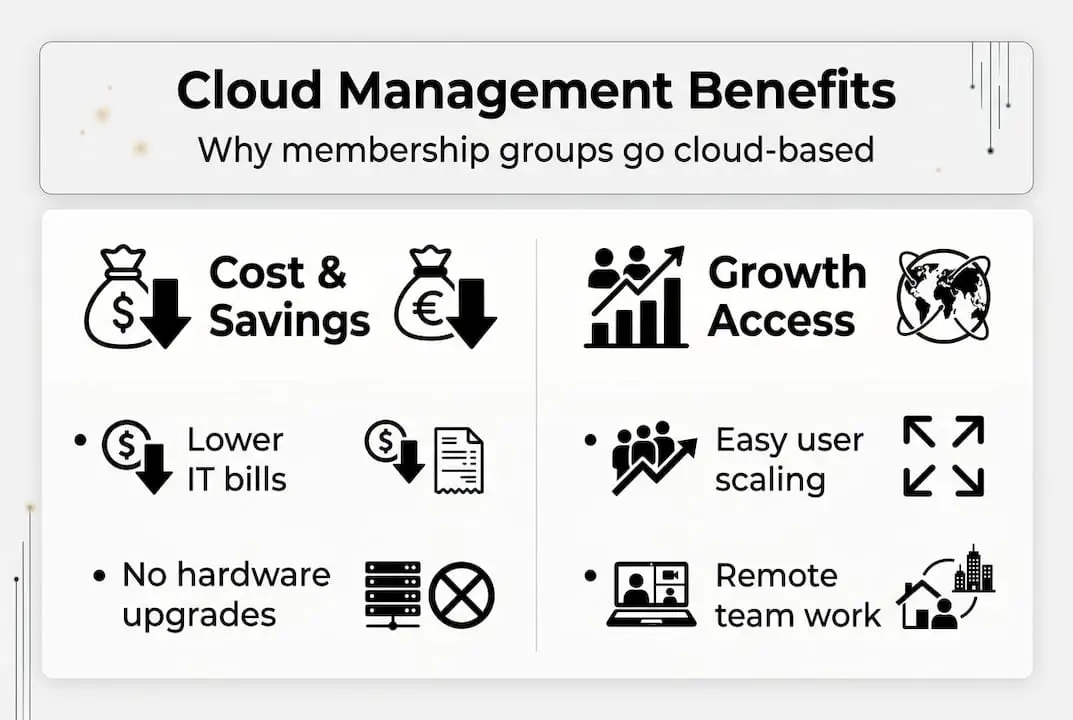
- Cloud-based management saves costs and reallocates resources toward member engagement.
- It provides scalability and flexibility for rapid growth and shifting membership demands.
- Cloud tools enhance remote collaboration, data insights, and member retention strategies.
Traditional on-premise systems quietly drain resources from membership organisations. Ageing servers, expensive IT contracts, and siloed data leave staff firefighting instead of engaging members. Meanwhile, cloud adoption enables resource reallocation and better donor and member engagement, shifting the focus back to mission-critical work. This guide breaks down the most significant benefits of cloud-based management for associations, professional bodies, and nonprofits. You will find practical evidence, honest considerations, and actionable takeaways to help your leadership team make a confident, well-informed decision about modernising your operations.
Table of Contents
- Cost savings and resource reallocation
- Scalability and operational flexibility
- Collaboration, productivity, and remote access
- Data-driven insights and member/donor retention
- Addressing limitations and real-world considerations
- A fresh perspective: Balancing cloud’s promise with practical realities
- Explore cloud-based solutions for your organisation
- Frequently asked questions
Key Takeaways
| Point | Details |
|---|---|
| Save on IT costs | Cloud platforms eliminate large upfront investments and reduce ongoing expenses for member organisations. |
| Scale with ease | Cloud solutions adapt to growing or shrinking membership without costly system upgrades. |
| Boost engagement | Real-time collaboration and data analytics help improve productivity and retain more members. |
| Prepare for challenges | Plan for risks like connectivity and data regulations when migrating to the cloud. |
Cost savings and resource reallocation
For most membership organisations, the biggest barrier to adopting new technology is cost. The good news is that cloud-based platforms fundamentally change the financial model. Rather than committing to large upfront capital expenditure on servers, licences, and on-site IT support, you move to a predictable subscription structure. Association management software delivered via the cloud eliminates upfront hardware investments entirely, shifting your organisation to pay-as-you-go models that are far easier to budget across financial years.
This shift has a direct knock-on effect on how your organisation allocates resources. Funds that previously disappeared into server maintenance, IT callouts, and software upgrades can be redirected towards member programmes, events, and engagement campaigns. That is a meaningful change for any nonprofit operating with tight margins.
Here is a straightforward comparison of typical costs for nonprofits:
| Cost category | On-premise | Cloud-based |
|---|---|---|
| Initial setup | £5,000 to £25,000+ | £0 to £500 |
| Annual IT maintenance | £3,000 to £10,000 | Included in subscription |
| Software upgrades | Manual, additional cost | Automatic, included |
| Staff IT training | Regular, ongoing | Minimal, vendor-managed |
| Disaster recovery | Expensive, complex | Built-in, vendor-managed |
The financial advantages extend beyond the obvious line items. Consider these often-overlooked savings:
- No physical infrastructure to insure, cool, or physically secure
- Reduced IT headcount or agency retainers for system upkeep
- Lower compliance costs as vendors handle many security updates
- Predictable monthly outgoings that simplify board-level financial planning
Pro Tip: Before signing any cloud contract, ask vendors specifically about data export fees, support tier limitations, and annual price escalation clauses. These hidden costs can significantly erode savings over a three to five year contract period.
Scalability and operational flexibility
Cost savings create headroom. But the real strategic advantage of cloud-based management is what your organisation can do with that headroom. Scalability and flexibility allow organisations to adjust resources dynamically to fluctuating membership demands without costly IT overhauls. Whether your membership doubles following a successful campaign or shrinks during an economic downturn, a cloud platform adjusts accordingly.

On-premise systems are rigid by nature. Adding new users or launching a new programme typically requires hardware procurement, which can take weeks or months. Cloud environments provision new capacity within hours. This agility matters enormously when you need to launch an emergency fundraising campaign or spin up a new event series at short notice.
Comparing the two models makes the difference clear:
| Capability | On-premise | Cloud-based |
|---|---|---|
| Add new users | Days to weeks | Minutes to hours |
| Launch new modules | Weeks, manual install | Instant, vendor-activated |
| Handle membership spikes | Requires pre-provisioning | Automatic scaling |
| Geographic expansion | Complex, costly | Simple, same platform |
Scaling your cloud environment effectively involves a clear process. Follow these steps to manage growth confidently:
- Audit current usage to understand your actual baseline before upgrading tiers
- Identify growth triggers such as annual membership drives or conference seasons
- Speak with your vendor about auto-scaling options and notification thresholds
- Test new modules in a staging environment before rolling out to all members
- Review your plan tier annually to ensure you are not over-paying for unused capacity
Operational flexibility also means launching new initiatives without lengthy IT procurement cycles. A new virtual training programme, a fundraising portal, or a member survey tool can be activated and tested within days rather than months.
Collaboration, productivity, and remote access
Once your organisation has the financial footing and scalable infrastructure in place, the next gain is in how your teams actually work together. Cloud-based management tools support real-time collaboration through file editing, shared calendars, and centralised member records, boosting productivity for distributed teams across associations.
This matters more than ever. Association staff, volunteers, and committee members are rarely all in the same office. Cloud platforms allow everyone to access the same up-to-date information simultaneously, whether they are at headquarters or working remotely from another city. Guidance on improving team collaboration consistently highlights shared access to live data as one of the most practical ways to reduce miscommunication and duplicated effort.
“Organisations that enable remote, real-time access to management tools report measurable improvements in staff productivity and volunteer satisfaction, particularly in associations with geographically distributed memberships.”
Practical use cases where cloud collaboration delivers immediate value include:
- Membership renewals: Staff across locations process renewals against a single live database, avoiding duplicate records
- Event management: Event coordinators, speakers, and volunteers collaborate on registrations and schedules in real time
- Donor tracking: Development teams log interactions instantly, giving leadership a live view of fundraising progress
- Board communications: Board members access governance documents and vote on resolutions without requiring in-person attendance
- Volunteer scheduling: Coordinators assign and update volunteer roles with automatic notifications
For teams exploring remote work productivity tips tailored to membership organisations, cloud-based platforms provide the infrastructure backbone that makes distributed working genuinely effective rather than merely possible.
Data-driven insights and member/donor retention
With collaboration sorted, the next powerful capability is what cloud platforms reveal about your members and donors. Real-time data and analytics enable data-driven decisions, improving operational efficiency and member retention strategies in ways that manual reporting simply cannot match.
Cloud dashboards give leadership teams an always-current view of organisational health. Instead of waiting for a monthly spreadsheet compiled by one person, boards and managers can view live renewal rates, attendance figures, and campaign performance at any moment. This speed transforms decision-making from reactive to proactive.
The retention impact is significant. Cloud CRM adopters achieve up to 20% higher member and donor retention compared to standard benchmarks of around 45%, a gap that compounds meaningfully over time. Better retention reduces recruitment costs and stabilises revenue.
Key metrics your cloud platform should be tracking:
- Membership renewal rates broken down by tier, tenure, and acquisition channel
- Event participation trends to identify which formats drive the strongest engagement
- Donation frequency and average gift size over rolling 12-month periods
- Email open and click rates linked back to individual member engagement scores
- Portal login frequency as an early warning indicator for at-risk members
Building strong retention strategies is much easier when your CRM database systems surface the right signals at the right time. Understanding CRM for member retention helps organisations move from generic communications to genuinely personalised outreach.
Pro Tip: Pair your analytics dashboard with a structured email outreach calendar. Trigger personalised renewal reminders, event invitations, and lapsed-member win-back sequences based on actual engagement data rather than fixed calendar dates.
Addressing limitations and real-world considerations
Cloud-based management delivers substantial advantages, but experienced decision-makers know that vendor enthusiasm rarely tells the full story. There are genuine limitations worth addressing before your organisation commits to a migration.
Internet dependency risks outages; data sovereignty concerns affect regulated nonprofits; and migration challenges from legacy or custom systems require careful planning. These are not reasons to avoid cloud adoption, but they are reasons to approach it with clear eyes.
Data sovereignty is a particular concern for organisations handling sensitive membership information in jurisdictions with specific data residency laws. You need to confirm where your vendor physically stores data and whether that complies with relevant regulations in your country or sector.
Strategies to mitigate the most common risks:
- Choose a hybrid model if certain sensitive data must remain on-premise while other functions migrate to the cloud
- Test your connectivity before migrating critical systems, and have a backup internet solution in place
- Negotiate a strong SLA (service level agreement) that includes uptime guarantees and clear remedies for outages
- Consider nonprofit insurance considerations to cover business interruption caused by technology failures
- Plan your data migration in phases rather than a single cutover to reduce operational disruption
- Review data security basics and secure online event hosting practices before going live
Pro Tip: Commission an independent risk assessment before finalising any cloud migration plan. An objective review of your current data, compliance obligations, and connectivity infrastructure will surface issues that vendor sales processes rarely highlight.
A fresh perspective: Balancing cloud’s promise with practical realities
The cloud management narrative is overwhelmingly positive, and for good reason. The benefits are real and well-evidenced. But there is a pattern worth naming: vendor case studies are almost always drawn from successful migrations, not from the organisations that struggled or reversed course.
On-premise infrastructure remains genuinely relevant in specific situations, particularly for organisations managing highly sensitive membership data, operating under strict data residency rules, or relying on deeply bespoke reporting built over many years. Rushing an all-cloud migration without a thorough internal audit of these requirements can create problems that cost more to fix than the original system ever did.
A hybrid approach often provides the most pragmatic balance of cost, agility, and control for associations at this crossroads. Smart boards are not just asking about features. They are asking about contract exit clauses, data portability guarantees, and CRM retention case studies that reflect organisations of a similar size and complexity. That level of scrutiny protects your members, your data, and your organisation’s long-term credibility.
Explore cloud-based solutions for your organisation
If this guide has clarified the case for modernising your management infrastructure, the next step is exploring what a purpose-built platform looks like in practice.

At Colossus Systems, we offer membership management software features designed specifically for associations, professional bodies, and nonprofits at every stage of growth. Whether you are moving fully to the cloud or evaluating a hybrid model, our cloud CRM tools bring member management, event planning, analytics, and marketing into one unified platform. We work with organisations of all sizes, and our team will help you find the right configuration for your specific needs and compliance requirements. Explore what is possible for your organisation today.
Frequently asked questions
What is cloud-based management in a nonprofit context?
Cloud-based management means using online platforms to store data and run key operations, accessible anywhere via a web browser, with no hardware for your team to maintain.
How can switching to the cloud improve member retention?
Cloud analytics and CRM tools help personalise outreach and track engagement patterns, with cloud CRM adopters achieving up to 20% higher retention rates above average benchmarks.
What are some common risks of moving to cloud management?
Key risks include internet dependency, data privacy regulations, and migration complexity, but thorough planning and phased rollouts mitigate most of these concerns effectively.
Can small associations benefit from cloud-based management platforms?
Absolutely. Small associations gain the same cost savings and dynamic resource allocation as larger organisations, with cloud-based systems scaling affordably as membership grows.
Recommended
- Association Membership Management Software - Features and Benefits |CS
- Membership Management Software Features | Colossus Systems
- Understanding Membership Management Software - Core Features|CS
- Benefits of Cloud Technology: Complete Guide for 2024|CS
- Why digitalize gym management? Boost efficiency and retention | TrainingPro