Best CRM for nonprofits: a guide for UK membership organisations

TL;DR:
- Colossus Systems offers UK membership organizations a platform built around member lifecycles, events, and payments, with native workflows for renewals and registrations. It supports small to large organizations by providing customizable features, integrated communication, and GDPR-compliant data handling, reducing manual admin tasks. Choosing a CRM should focus on core data models and user adoption, with success measured through renewal rates and engagement metrics after implementation.
For UK membership organisations that need integrated member records, events, subscriptions and payments in one place, Colossus Systems is the strongest starting point to evaluate.
- Membership-first data model: Colossus is built around member lifecycles, not donor transactions, so recurring subscriptions, chapter management and renewal workflows are native, not bolted on.
- Events and payments integrations: the platform connects directly with payment gateways and event registration, meaning your finance and programmes teams work from the same data.
- Usability and adoption: client demos, onboarding support and GDPR-compliant data handling mean your staff and volunteers can get productive quickly, without months of configuration.
Table of Contents
- What is the best CRM for nonprofits: which organisations fit this model?
- Must-have features for a nonprofit membership CRM
- Realistic timelines, costs and UK compliance checks
- How to choose a CRM for nonprofits: evaluation checklist and red flags
- What does success look like after go-live?
- Key takeaways
- The feature list is not the decision
- Colossus Systems: built for membership organisations like yours
- Useful sources and further reading
What is the best CRM for nonprofits: which organisations fit this model?
The honest answer is that the best nonprofit CRM software depends almost entirely on what your organisation actually does day-to-day. A membership body and a fundraising charity have different core workflows, and conflating them leads to expensive mistakes.
A membership-first CRM suits your organisation if any of the following apply:
- Small volunteer-led groups (under 500 members, minimal staff): you need simple member records, automated renewal reminders and basic event registration, not a full enterprise suite.
- Medium-sized membership bodies (500–5,000 members): recurring payments, tiered membership categories, email communications and event management become critical at this scale.
- Associations with chapters or branches: you need hierarchical member records and the ability to segment communications and reporting by chapter.
- Larger organisations with complex event programmes, e-commerce or training delivery: an all-in-one platform that handles CRM, events, learning management and payments avoids the integration overhead of stitching separate tools together.
By contrast, if your primary activity is fundraising and donor cultivation rather than membership management, a donor-retention product may serve you better. Donor retention is a key metric tracked by the sector, highlighting why platforms built around giving history and pledge management exist., which is why platforms built around giving history and pledge management exist. For organisations that need relationship management but can layer on fundraising via integrations, a general-purpose CRM with a nonprofit discount is a pragmatic alternative. The key is matching the platform’s core data model to your primary workflow.
Must-have features for a nonprofit membership CRM
Not every feature on a vendor’s checklist matters equally. These are the ones that genuinely affect outcomes for UK membership organisations.
Member records and lifecycle management sit at the centre of everything. You need custom fields, membership categories, join and renewal dates, and a clear view of each member’s engagement history. Without this, every other feature is built on sand.

Recurring payments and automated renewals are where most manual admin time disappears. A platform that handles Direct Debit or card-based subscriptions natively, sends automated renewal reminders and flags payment failures saves hours every week. Purpose-built membership platforms surface these workflows far more quickly than general CRMs, which typically require integrations to replicate the same functionality.
Event management matters because events are often a membership body’s primary engagement and revenue channel. Registration, ticketing, capacity management and post-event reporting should all connect back to member records automatically.
Email and communications need to be segmented by membership tier, chapter or engagement level. Integration with dedicated email platforms, or a native communications module, is non-negotiable for organisations sending more than a monthly newsletter.
Reporting and analytics tell you whether your membership strategy is working. Track renewal rates, event uptake, lapsed members and payment failure rates in one dashboard rather than exporting to spreadsheets.
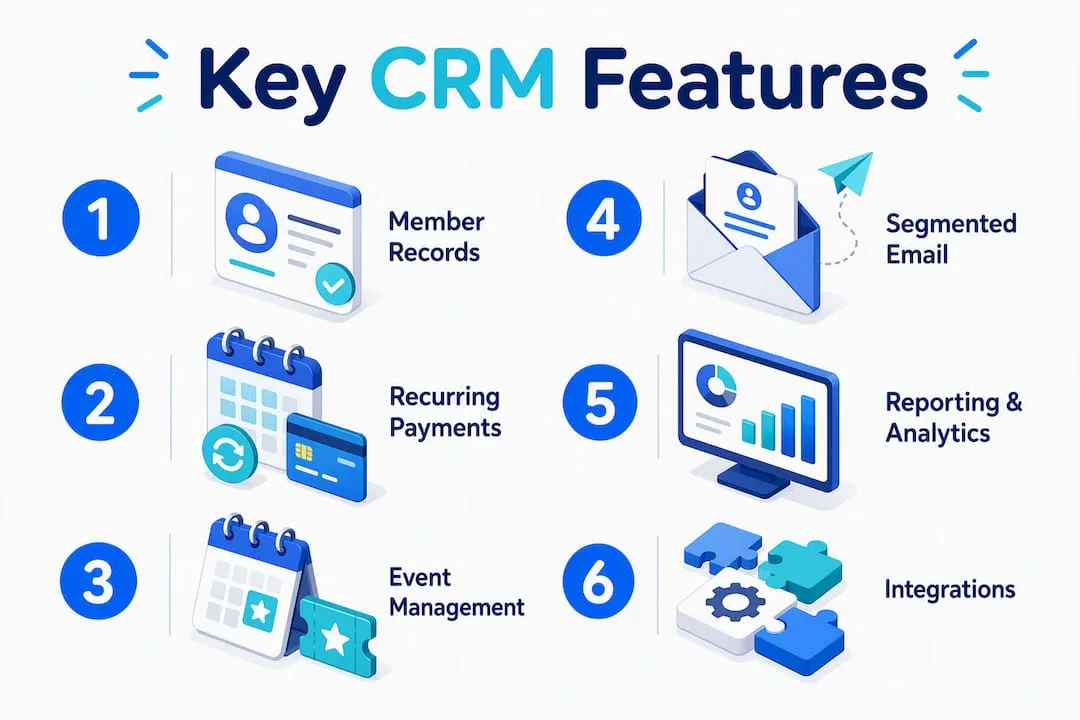
Integrations with payment gateways, accounting packages and email platforms reduce duplicate data entry and keep your finance team happy. Check whether integrations are native or API-dependent, and what the maintenance overhead looks like.
Pro Tip: Configure your renewal workflow to send a reminder sequence at 60, 30 and 7 days before expiry, with a final lapsed-member re-engagement email at 30 days post-expiry. Organisations that automate this sequence typically see measurable improvements in renewal rates without any additional staff effort.
Realistic timelines, costs and UK compliance checks
Setting honest expectations before you sign a contract saves significant pain later. Implementation and maintenance costs can exceed licence fees for enterprise-grade platforms, and this is consistently underestimated during procurement.
Typical implementation phases:
- Discovery and scoping (2–4 weeks): map your current data, workflows and integration requirements.
- Configuration and customisation (3–8 weeks): build membership categories, payment workflows, event templates and reporting dashboards.
- Data migration (1–3 weeks): clean, map and import member records from your existing system.
- Training and user acceptance testing (2–4 weeks): train staff and volunteers; run parallel testing before go-live.
- Go-live and hypercare (2–4 weeks): monitor closely, resolve issues quickly and gather early user feedback.
Cost bands to budget for:
| Configuration level | Typical setup scope | Ongoing considerations |
|---|---|---|
| Self-serve / out-of-the-box | Standard templates, minimal customisation | Low maintenance; limited bespoke workflows |
| Bespoke configuration | Custom fields, integrations, branded templates | Moderate; periodic updates and integration checks |
| Enterprise customisation | Complex chapter structures, API integrations, custom reporting | Higher; dedicated internal owner or support contract recommended |
UK compliance checklist:
- GDPR and UK data protection: confirm data residency (UK or EEA servers), lawful basis for processing member data, and the vendor’s data processing agreement.
- PCI DSS for payments: verify the payment gateway integration is PCI-compliant and that card data does not pass through your CRM directly.
- Charity Commission requirements: ensure your reporting data supports annual return obligations.
- Access controls: role-based permissions so volunteers see only what they need.
Change management is often the piece organisations skip. Involve your heaviest users in configuration decisions early, and consider personality and team assessment tools to understand how different staff members approach new systems, which helps you tailor training rather than deliver a one-size-fits-all session.
How to choose a CRM for nonprofits: evaluation checklist and red flags
Use this framework in vendor demos to cut through feature noise and focus on what actually matters.
Evaluation checklist:
- Does the platform’s core data model match your membership structure (tiers, chapters, renewal cycles)?
- Are recurring payments and automated renewals native, or do they require a third-party integration?
- Can you manage event registration, ticketing and post-event reporting within the same system?
- How does the mobile experience work for staff and volunteers working off-site?
- What does data migration look like, and who owns it?
- What are the SLAs for support, and what onboarding is included in the contract?
Questions to ask in a demo:
- Show me a complete membership renewal workflow, including a failed payment scenario.
- How do I create a custom field and segment a communication by membership tier?
- What does the API documentation look like, and which integrations are pre-built?
- What is the realistic go-live timeline for an organisation of our size?
Red flags to watch for:
- No native membership workflow; everything requires customisation before basic tasks work.
- Opaque pricing with large “implementation fees” disclosed only after a demo.
- Limited or undocumented integrations with UK payment gateways.
- A timeline that is entirely dependent on the vendor’s professional services team with no self-serve configuration path.
Cloud vs on-premises: for the vast majority of UK nonprofits and membership organisations, cloud-based CRM is the right choice. It removes infrastructure overhead, keeps software updated automatically and supports remote access for distributed teams and volunteers. On-premises deployments make sense only where data sovereignty requirements are unusually strict, which is rare for membership bodies operating under standard UK GDPR.
What does success look like after go-live?
Tracking the right metrics in the first 6–12 months tells you whether the platform is delivering value or just adding complexity.
- Membership renewal rate: your baseline before go-live is your benchmark; aim to improve it within the first full renewal cycle.
- Event uptake and conversion: track registrations per event against capacity, and monitor how many attendees are existing members versus prospects.
- Admin time per member record: measure how long routine tasks (renewals, communications, event registration) take before and after go-live.
- Payment failure rate: automated retry and notification workflows should reduce failed payments and the manual follow-up they generate.
- Email engagement rates: open and click rates by membership segment indicate whether your communications are reaching the right people with relevant content.
A realistic target for the first year is incremental improvement across all five metrics, not transformation. Organisations that pilot the platform with one team or one event cycle before full rollout consistently report smoother adoption and faster time-to-value.
Key takeaways
For UK membership organisations, the best CRM is the one built around member lifecycles, events and recurring payments, not retrofitted from a donor database or a generic sales tool.
| Point | Details |
|---|---|
| Match the data model first | Choose a platform whose core structure mirrors your membership tiers, renewal cycles and chapter setup. |
| Native payments and renewals matter | Platforms with built-in recurring payment and renewal workflows reduce admin time and payment failure rates. |
| Adoption beats feature counts | A simpler system your staff actually use delivers better outcomes than a complex platform that sits unused. |
| Budget for the full TCO | Implementation, data migration, training and ongoing maintenance often exceed the licence cost for enterprise platforms. |
| Colossus as your starting point | Colossus Systems offers membership management, events and CRM in one platform, with onboarding support and GDPR-compliant data handling for UK organisations. |
The feature list is not the decision
The most common mistake I see membership organisations make is treating CRM procurement as a feature-matching exercise. They build a spreadsheet, tick boxes, and pick the platform with the most ticks. Then, six months later, the system is barely used because nobody thought to ask whether the staff who would actually log in every day found it intuitive.
A platform that covers 80% of your requirements but that your team adopts fully will outperform a 100%-match system that collects dust. Start with one team or one event cycle. Get real usage data before you commit to a full rollout. Colossus Systems works with membership organisations at exactly this stage, which means the onboarding conversation is practical rather than theoretical.
Colossus Systems: built for membership organisations like yours
Colossus gives UK membership organisations a single platform for member management, event planning, payments and communications, without the integration overhead of assembling separate tools. Where many CRM solutions for nonprofits are adapted from donor databases or general sales platforms, Colossus is built around the membership lifecycle from the ground up.

Our membership management features cover member records, recurring subscriptions, automated renewals, event registration and email marketing in one place. Onboarding includes data migration support, workflow configuration and training for your team, with GDPR-compliant data handling and PCI-compliant payment integrations as standard. You can also explore our event management tools if events are a primary revenue or engagement channel for your organisation.
Request a demo to see a live membership renewal workflow, discuss your data migration requirements and confirm which integrations your organisation needs before you commit.
Useful sources and further reading
- ICO (Information Commissioner’s Office): ico.org.uk — the primary UK authority for GDPR and data protection guidance, including data processing agreements and lawful basis documentation.
- Charity Commission for England and Wales: gov.uk/government/organisations/charity-commission — procurement guidance, annual return requirements and trustee responsibilities.
- National Cyber Security Centre (NCSC): ncsc.gov.uk — practical security guidance for charities, including cloud service selection and access control recommendations.
- PCI Security Standards Council: pcisecuritystandards.org — verify your payment gateway’s PCI DSS compliance status.
- Volunteer management and adoption: the DISC framework offers practical guidance on using personality tools with volunteers to improve training outcomes and system adoption.
- Vendor demos and references: always request a live demo using your own data scenario, ask for references from organisations of a similar size and structure, and ask vendors to share their standard data processing agreement before you shortlist.