Best websites to set up an online store in 2026

TL;DR:
- Shopify is the top overall ecommerce platform for scalability and sales features, starting at $29 per month. Choosing the right platform depends on your business model, technical skills, and growth plans, with options like Wix, BigCommerce, and WooCommerce catering to different needs. Successful store launch requires careful planning, product preparation, and selecting a platform that can support your current and future growth.
The best website to set up an online store is Shopify, rated the top overall ecommerce platform for scalability and sales features, with pricing starting at $29 per month. That said, Shopify is not the right fit for every business. Wix suits beginners with its AI drag-and-drop builder at around $27 per month, BigCommerce targets high-volume and B2B sellers from $39 per month, and WooCommerce gives technically confident owners full control over their store and SEO. Choosing the right ecommerce platform, the standard industry term for these tools, depends on your business model, technical comfort, and growth ambitions.
What features should influence your online store platform choice?
The right platform choice comes down to five core criteria: usability, scalability, multi-channel selling, transaction fees, and design flexibility. Getting these wrong at the start costs time and money later.
Usability versus technical flexibility is the first trade-off to resolve. Platforms like Wix and Squarespace prioritise drag-and-drop simplicity, which means you can publish a store without writing a single line of code. WooCommerce and Magento sit at the opposite end. They offer deep customisation but require PHP knowledge or a developer budget.
Multi-channel selling is no longer optional. Ignoring multi-channel sales directly limits your audience reach, particularly as Instagram and Facebook shopping become primary discovery channels for product-based businesses. Shopify and BigCommerce both offer native integrations with social platforms and point-of-sale systems.
Transaction fees deserve close attention before you commit to any plan. Fees range from 0% to 2% depending on the platform and payment gateway you use. On a £10,000 monthly turnover, a 2% fee costs £200 per month more than a zero-fee plan. That difference compounds quickly.
Here are the key criteria to evaluate before choosing your platform:
- Usability: Can you build and manage the store without a developer?
- Scalability: Does the platform support your store at 10x its current size?
- Sales channels: Does it connect to Instagram, Facebook, Amazon, or in-person POS?
- Transaction fees: What percentage does the platform take per sale?
- Design options: Can you customise templates to match your brand identity?
- App ecosystem: Are the integrations you need available and affordable?
Pro Tip: Before signing up for any platform, list the three tools your business already uses, such as Mailchimp, Xero, or Google Analytics, and confirm native integrations exist. Missing integrations often require paid third-party apps that add to your monthly costs.
How do the top ecommerce platforms compare?
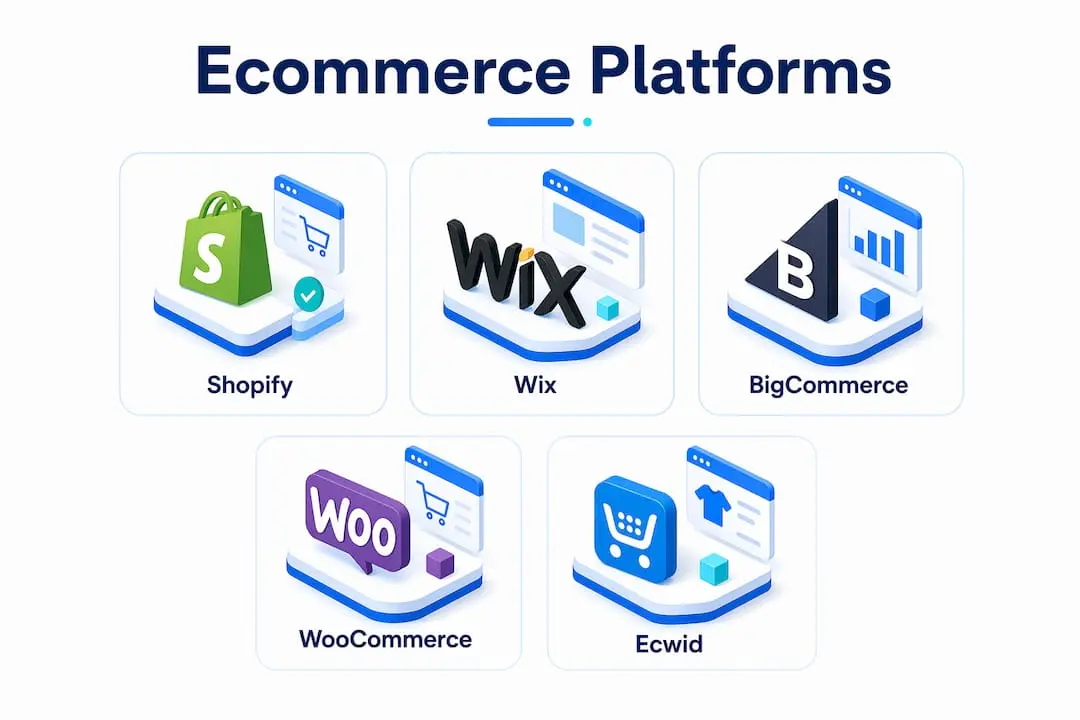
Platform choice is rarely about finding the “best” option in the abstract. It is about finding the best fit for your specific business size, catalogue, and technical confidence.

| Platform | Starting Price | Best For | Transaction Fees | Unlimited Products |
|---|---|---|---|---|
| Shopify | $29/month | Sales-first, scalable stores | 0% with Shopify Payments | Yes |
| Wix | ~$27/month | Beginners, small catalogues | 0% | Yes |
| BigCommerce | $39/month | B2B, high-volume sellers | 0% | Yes |
| WooCommerce | Free plugin | Tech-savvy, SEO-focused | Varies by gateway | Yes |
| Squarespace | ~$23/month | Design-led, creative brands | 0% on higher plans | Yes |
| Ecwid | Free tier | Adding a shop to existing sites | 0% on paid plans | Limited on free |
Shopify is the platform most small businesses graduate to once they are serious about growth. Shopify’s onboarding chatbot guides you through product addition, domain connection, and payment setup in minutes. Its app store contains over 8,000 integrations, covering everything from email marketing to advanced inventory management. The trade-off is cost: apps add up, and Shopify’s transaction fees apply if you use a third-party payment processor rather than Shopify Payments.
Wix is the lowest barrier to entry for most first-time store owners. Its AI website builder generates a starter layout based on your answers to a few questions, which removes the blank-canvas paralysis that stops many entrepreneurs from launching. Wix is less suited to stores with hundreds of product variants or complex B2B pricing structures.
BigCommerce is built for volume. It supports complex catalogues, wholesale pricing tiers, and multi-storefront management without requiring third-party apps for most features. The $39 per month starting price reflects that depth.
WooCommerce is a free WordPress plugin, which makes it attractive on paper. The real costs appear in hosting, security certificates, and developer time. For businesses that already run WordPress and have SEO as a core growth channel, WooCommerce is a strong choice.
Ecwid and Square Online serve a specific use case: adding ecommerce to an existing website or physical retail operation. Both offer free entry-level plans, making them genuinely affordable options for low-volume sellers testing the water.
Pro Tip: If you are launching your first store and expect fewer than 100 products, start with Wix or Squarespace. You can always migrate to Shopify or BigCommerce once your revenue justifies the upgrade. Starting with a user-friendly platform and migrating later is often more efficient than over-analysing before you have real sales data.
What steps and pitfalls should you know before launching?
Setting up an online store is typically an 8–10 step process, from business planning through to post-launch analytics. Platforms advertise 10-minute setups, but a professionally functional store with proper branding, SEO, and payment configuration takes considerably longer.
Here is the realistic launch sequence:
- Define your business model. Decide whether you are selling physical goods, digital downloads, or services. This determines which platform features you actually need.
- Register your business legally. Sort legal registration, VAT obligations, and supplier agreements before building anything. Skipping this step causes costly pivots after launch.
- Choose your platform. Use the criteria in the previous section to select the right fit.
- Register your domain. A branded domain is a one-time task that builds immediate credibility. Most platforms offer domain registration directly.
- Select and customise your theme. Choose a template that suits your brand, then adjust colours, fonts, and layout to match your identity.
- Add your products. Write optimised product descriptions, upload high-quality photography, and set accurate pricing and variants.
- Configure payments and shipping. Connect a payment gateway, set shipping zones, and define your returns policy.
- Install analytics. Set up Google Analytics 4 and the platform’s native reporting before launch, not after. Early data is irreplaceable.
- Test thoroughly. Place test orders, check mobile display, and verify checkout flows on multiple devices.
- Launch and market. Publish the store and activate your first marketing channel, whether that is email, social, or paid search.
The most common pitfall is underestimating product preparation. High-quality photography and optimised descriptions are prerequisites for effective conversion, yet many entrepreneurs treat them as an afterthought. Poor product images directly reduce conversion rates, regardless of how well-designed the store is.
A second pitfall is assuming “no-code” means no technical knowledge ever. Advanced customisation on most platforms eventually requires CSS, Liquid theme language, or third-party apps. Budget for this before you need it.
Pro Tip: Register your domain separately through a registrar like Namecheap or Google Domains rather than through your ecommerce platform. This gives you full ownership and makes future platform migrations far simpler.
Which platform fits your business model?
The right platform depends on whether your business is creative-first, sales-first, or scaling towards enterprise. These three categories map directly to different platform strengths.
Creative-first businesses prioritise visual presentation. Designers, photographers, artists, and boutique brands benefit most from Squarespace and Wix. Both platforms offer polished templates and strong image handling. Squarespace in particular is the preferred choice for portfolio-led businesses that also sell products. Creative-first owners should prioritise Squarespace for design, while sales-first merchants need utility-heavy platforms.
Sales-first businesses need inventory depth, multi-channel reach, and reliable checkout performance. Shopify is the clear leader here. Its native integrations with Instagram Shopping, Facebook Shops, Google Shopping, and Amazon make it possible to sell across every major channel from one dashboard. Long-term success depends more on multi-channel integration than on initial price or feature count alone.
Scaling enterprises and B2B sellers need features that most small business platforms do not offer natively: wholesale pricing, multi-storefront management, and advanced catalogue structures. BigCommerce handles these without requiring expensive app additions. For businesses already running on WordPress, WooCommerce with the right plugin stack delivers comparable power with greater SEO control.
Here is a quick-reference breakdown by business type:
- Handmade and craft sellers: Wix or Squarespace for visual appeal, with Etsy integration for additional reach.
- Fashion and apparel: Shopify for variant management, size guides, and returns automation.
- Digital products and courses: Squarespace or a platform with built-in digital delivery, such as Sellfy.
- B2B and wholesale: BigCommerce for tiered pricing and bulk order management.
- Nonprofits and membership organisations: Platforms with built-in CRM and member management, such as Colossus, which combines ecommerce with membership data in one place. You can explore how this works for membership-based online stores in more detail.
- Existing website owners: Ecwid or Square Online to add a shop without rebuilding from scratch.
Platform scalability directly affects customer retention and SEO rankings through mobile performance and page speed. Choosing a platform with a clear growth path from the start avoids the disruption and cost of migrating your entire store later.
Key takeaways
The best ecommerce platform is the one that matches your business model today and can scale with your growth tomorrow without forcing a costly migration.
| Point | Details |
|---|---|
| Shopify leads overall | Shopify suits most sales-first businesses with its app ecosystem and multi-channel integrations from $29 per month. |
| Wix is best for beginners | Wix offers the lowest barrier to entry with an AI builder and free plan for small catalogues. |
| Transaction fees matter | Fees ranging from 0% to 2% can cost hundreds of pounds monthly at scale, so compare plans carefully. |
| Preparation is underestimated | Product photography, legal setup, and SEO configuration take far longer than platform setup itself. |
| Match platform to business model | Creative brands suit Squarespace; B2B sellers suit BigCommerce; tech-savvy owners suit WooCommerce. |
Why i think most entrepreneurs choose the wrong platform first
After years of watching businesses launch and relaunch online stores, the pattern is consistent. Entrepreneurs spend weeks comparing platforms and then choose based on price rather than fit. They pick the cheapest option, outgrow it within 18 months, and then face the disruption of migrating their entire product catalogue, customer data, and SEO structure to a new platform. That migration costs far more than the money saved on the cheaper plan.
My honest view is this: start with Wix or Shopify and do not overthink it. Wix gets you live quickly. Shopify gives you room to grow. Both are forgiving for beginners and capable enough for serious businesses. The hidden value is not in the platform features themselves but in the built-in marketing tools, analytics dashboards, and payment integrations that save you from stitching together five separate subscriptions.
The entrepreneurs who succeed online are not the ones who chose the “perfect” platform. They are the ones who launched, gathered real customer data, and made decisions based on evidence rather than speculation. Pick a platform that feels manageable, get your store live, and optimise from there.
— Rob
How Colossus can support your growing online business
Running an online store is only part of the picture for membership organisations, associations, and nonprofits. Managing the customers and members behind those sales is where many organisations lose efficiency. Colossus brings together CRM software, event management, and ecommerce in one platform, so your sales data and member relationships stay connected rather than siloed across separate tools.

Whether you are selling event tickets, merchandise, or digital resources to your members, Colossus gives you the tools to manage it all without switching between systems. Our membership management features are built specifically for organisations that need to connect online sales with member engagement, analytics, and communication. If you are ready to see how it works for your organisation, explore the full feature set today.
FAQ
Which platform is easiest for beginners to set up?
Wix is the easiest platform for beginners, offering an AI builder and a free plan that lets you launch a basic store without any technical knowledge. Shopify is a close second with its guided onboarding process.
How much does it cost to start an online shop?
Costs start at around $27–$29 per month for Wix and Shopify respectively, though domain registration, premium themes, and apps can add to this figure. Free entry-level plans exist on Wix and Ecwid for very small operations.
Do i need coding skills to set up an ecommerce store?
Most platforms require no coding for basic setup, but advanced customisation often requires CSS or theme language knowledge. Budget for a developer if you need complex design changes beyond what templates offer.
What is the best platform for selling to other businesses?
BigCommerce is the strongest choice for B2B and high-volume sellers, offering native wholesale pricing, multi-storefront support, and complex catalogue management without relying on third-party apps.
How long does it actually take to launch an online store?
A basic store can go live in under an hour, but a professionally functional store with proper SEO, photography, and payment configuration typically requires 8–10 distinct steps and several days of preparation work.