What does CRM stand for in Salesforce?

TL;DR:
- Salesforce CRM is a cloud-based platform that centralizes customer data and automates sales workflows. Most users treat it as a contact list rather than a revenue management system, limiting its value. Proper setup and process design enable organizations to leverage its full potential for predictable revenue growth.
CRM in Salesforce stands for Customer Relationship Management, a cloud-based platform designed to centralise every customer interaction, automate sales workflows, and give teams a single, shared view of their business. Salesforce is the world’s leading CRM system, serving over 150,000 business customers globally, from early-stage startups to Fortune 500 companies. That scale reflects how broadly the platform applies across industries. Whether you work in sales, marketing, or member services, understanding what does CRM stand for in Salesforce is the first step to using it effectively. This article explains the meaning, the technology, and the real business outcomes the platform delivers.
How does Salesforce CRM centralise and manage customer information?
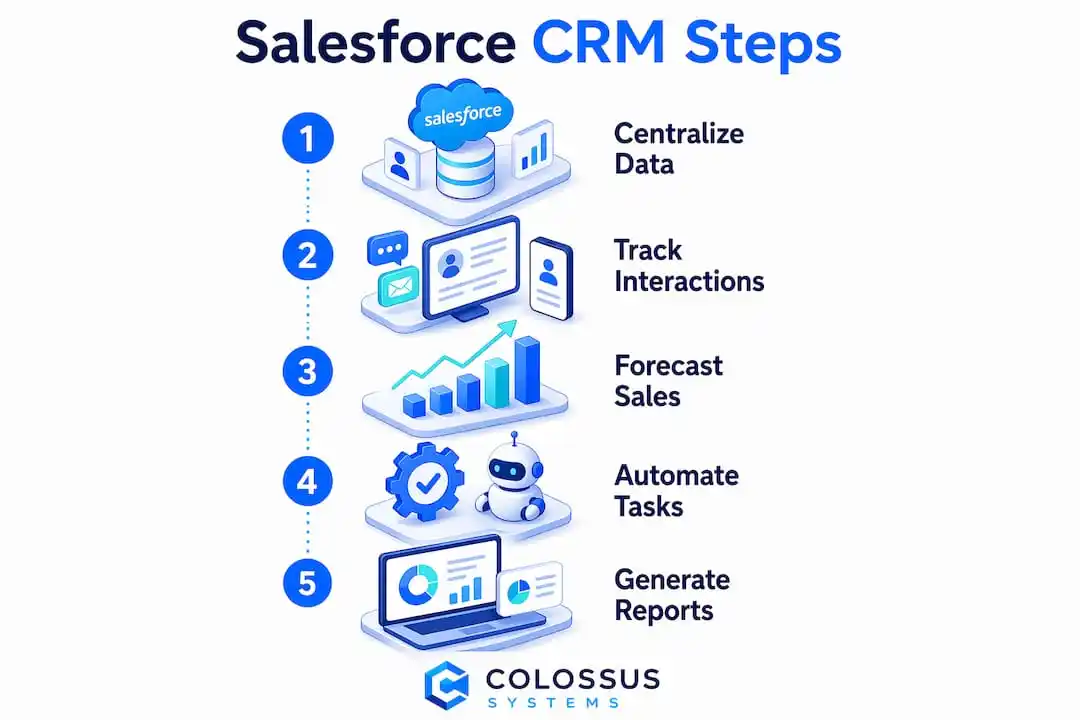
Salesforce CRM is defined as a system that tracks every customer touchpoint including emails, calls, meetings, purchases, and marketing responses, then stores them in one accessible record. That single record replaces the fragmented approach most organisations rely on before adopting a formal CRM. Spreadsheets, email threads, and sticky notes cannot scale. They create gaps in knowledge and cost teams revenue.

The practical result is a 360-degree customer view. Every person in your organisation, from a sales representative to a senior manager, sees the same history for any given contact or account. That shared visibility removes the “I thought you were handling it” problem that kills deals and damages relationships.
Here is what Salesforce CRM captures and centralises by default:
- Contact and account records with full interaction history
- Email and calendar activity synced directly from Gmail or Outlook
- Sales pipeline stages showing where each deal sits and what action is needed
- Support cases and service tickets linked to the customer record
- Marketing campaign responses showing which messages drove engagement
- Purchase history and contract data for account management teams
The platform is entirely cloud-based, meaning your team accesses it through a browser or mobile app without installing anything locally. A sales professional in Edinburgh and a service manager in Manchester work from the same live data simultaneously. That accessibility is not a minor convenience. It is the foundation of consistent, coordinated customer management.
Pro Tip: Before importing existing contacts into Salesforce, audit your data for duplicates and incomplete fields. Clean data at the point of entry prevents months of confusion later.
What technologies support Salesforce CRM’s cloud architecture?
Salesforce operates on a multi-tenant cloud model, meaning multiple organisations share the same underlying infrastructure while their data remains completely separate and secure. This architecture eliminates the need for on-premises servers, IT maintenance teams, and manual software updates. For most organisations, that represents a significant reduction in technical overhead.
The platform updates automatically several times per year. Your team always works on the current version without scheduling downtime or managing patches. Organisations transitioning from legacy systems often find this the most surprising benefit of the move.
The key architectural advantages for your organisation are:
- No server hardware to purchase or maintain. Salesforce manages all infrastructure, freeing your IT budget for other priorities.
- Automatic platform updates. New features and security patches deploy without any action from your team.
- Built-in data security and backups. The multi-tenant model includes enterprise-grade encryption and redundancy by default.
- Mobile access via the Salesforce app. Field teams and remote staff work from the same system as office-based colleagues.
- Elastic capacity. The platform scales as your organisation grows, with no migration or re-platforming required.
This cloud-native design is why Salesforce CRM technology suits organisations of every size. A ten-person membership association and a global enterprise run on the same platform architecture. The difference lies in configuration, not infrastructure.
How does Salesforce CRM transform sales and revenue operations?
The most common misconception about CRM tools is that they are glorified contact databases. A mature CRM implementation enforces structured, traceable, and repeatable processes across an organisation. That structure is what separates companies that scale revenue predictably from those that rely on individual heroics.
Salesforce CRM acts as both a system of record and a system of engagement, unifying customer information across marketing, sales, and service teams. That dual role matters because most revenue problems are coordination problems. Marketing generates leads that sales cannot find. Service resolves issues that sales never hears about. A unified CRM system closes those gaps.
The platform also generates real-time revenue forecasts. Managers see pipeline value, deal velocity, and conversion rates without waiting for end-of-month reports. That visibility allows coaching conversations to happen when they can still change an outcome, not after the quarter closes.
| Without Salesforce CRM | With Salesforce CRM |
|---|---|
| Contacts scattered across spreadsheets and inboxes | All contacts in one searchable, shared record |
| Sales stages defined differently by each rep | Consistent pipeline stages enforced across the team |
| Revenue forecasts based on gut feel | Real-time forecasts built from live pipeline data |
| Service issues invisible to sales teams | Support cases linked directly to account records |
| No visibility into deal bottlenecks | Deal health scores and activity alerts surface problems early |
Transitioning to Salesforce CRM moves organisations away from guessing about business health. Managers identify which deals are stalling, which reps need coaching, and which accounts are at risk, all from a single dashboard. That shift from reactive to proactive management is where the platform’s real value sits.
Pro Tip: Define your sales stages before you configure Salesforce. Stages that reflect how your buyers actually make decisions produce far more accurate forecasts than stages copied from a generic template.
What practical benefits does Salesforce CRM deliver for businesses?
The business outcomes of a well-implemented CRM system in business extend well beyond tidier contact records. Salesforce CRM replaces fragmented systems like spreadsheets and email threads with automated workflows that reduce manual effort and human error. That automation compounds over time. Tasks that once consumed hours each week happen in the background.
For membership organisations and associations, the benefits are particularly direct. Member engagement history, event attendance, renewal dates, and communication preferences all live in one place. Teams spend less time searching for information and more time acting on it. Organisations exploring how CRM supports membership growth consistently report stronger retention and more targeted outreach as early wins.
The practical benefits Salesforce CRM delivers include:
- Improved customer relationships. Every team member sees the full history before a call or meeting, making interactions feel informed and personal.
- Faster sales cycles. Real-time pipeline data surfaces bottlenecks early, so managers can intervene before deals go cold.
- Reduced administrative work. Automated task reminders, email logging, and follow-up sequences free teams from repetitive manual entry.
- Better forecasting accuracy. Live data replaces end-of-period guesswork, giving leadership reliable revenue projections.
- Cross-team coordination. Marketing, sales, and service teams share the same customer record, reducing duplicated effort and miscommunication.
- Scalability. The platform supports organisations from their first ten contacts to millions of records without requiring a system change.
Nonprofits and associations exploring CRM adoption in 2026 find that the platform’s flexibility allows them to configure pipelines, communication workflows, and reporting dashboards to match their specific operating model. The platform does not force your organisation into a generic sales process. You build the process, and Salesforce enforces it consistently. For organisations that want to understand why associations benefit from CRM, the answer almost always comes back to visibility and consistency.
Key takeaways
Salesforce CRM is defined as a cloud-based Customer Relationship Management platform that centralises customer data, enforces repeatable sales processes, and gives every team real-time visibility to grow revenue predictably.
| Point | Details |
|---|---|
| CRM stands for Customer Relationship Management | Salesforce CRM centralises contacts, interactions, and pipeline data in one cloud-based system. |
| Cloud architecture removes IT overhead | The multi-tenant model eliminates servers, manual updates, and on-premises maintenance. |
| CRM is a process engine, not a contact list | Structured sales stages and qualification criteria make revenue growth repeatable and measurable. |
| Real-time forecasting replaces guesswork | Live pipeline data gives managers the visibility to coach teams and close gaps before quarter end. |
| Scales from startups to enterprise | Salesforce serves over 150,000 businesses globally, adapting to organisations of every size and sector. |
Why most teams underuse Salesforce CRM
I have worked with enough organisations to say this plainly: the majority of Salesforce users treat the platform as a digital Rolodex. They log contacts, maybe track a few deals, and then wonder why their forecasts are still unreliable. The common mistake is viewing Salesforce only as a contact database rather than a revenue operations platform. That misunderstanding is expensive.
The organisations that get the most from Salesforce are the ones that define their sales stages before they configure anything. They agree on what “qualified” means. They build qualification criteria into the record layout so every rep answers the same questions at the same stage. That consistency is what makes forecasting accurate and coaching possible.
The other thing I have seen trip teams up is the assumption that Salesforce will fix a broken process automatically. It will not. The platform enforces whatever process you build into it. If your process is vague, Salesforce will enforce vagueness at scale. The businesses that scale without a proper CRM rely on scattered contacts and memory, and they miss revenue because of it. Salesforce removes that risk, but only if you invest in the setup.
My honest advice: treat your first Salesforce configuration as a process design exercise, not a software installation. Get your sales, marketing, and service leads in a room. Map the customer journey. Then build the system around that map. You will save months of rework and get to accurate forecasting far faster.
— Rob
CRM software built for membership organisations
Salesforce CRM gives organisations a powerful foundation, and Colossus builds on that foundation with tools designed specifically for membership bodies, associations, and nonprofits.
Our CRM software is built to manage member relationships, track engagement, and support targeted outreach from a single platform. You can configure sales pipelines, automate renewal communications, and report on member activity without switching between systems. Colossus also integrates event management, email marketing, and e-commerce into the same environment, so your team works from one consistent data set. For organisations ready to put CRM to work across every function, our full platform features show exactly what is possible.
FAQ
What does CRM stand for in Salesforce?
CRM stands for Customer Relationship Management. In Salesforce, it refers to the cloud-based platform that centralises customer data, automates sales and marketing workflows, and provides real-time pipeline visibility across an organisation.
What is Salesforce CRM used for?
Salesforce CRM is used to manage contacts, track sales pipelines, automate marketing campaigns, handle customer service cases, and generate revenue forecasts. It serves as a single system of record for marketing, sales, and service teams.
Is Salesforce CRM only for large businesses?
Salesforce serves over 150,000 businesses globally, including startups and small organisations. The platform scales with your organisation, so it suits teams of any size without requiring a system change as you grow.
What is the difference between a CRM system and a contact database?
A CRM system enforces structured, repeatable sales processes and provides real-time reporting, whereas a contact database simply stores names and details. Salesforce CRM tracks every interaction, automates follow-ups, and generates forecasts that a static database cannot produce.
How does Salesforce CRM analytics work?
Salesforce CRM analytics uses live pipeline data to generate dashboards and reports on sales performance, deal velocity, and revenue forecasts. Managers use these reports to identify bottlenecks, track team activity, and make decisions based on current data rather than end-of-period summaries.