Website Accessibility Guidelines: Complete Breakdown

More than one in five british adults live with a disability, yet countless websites still fail to accommodate their needs. Accessible design shapes the way everyone navigates and interacts with online information, making web accessibility not just a legal issue but a vital matter of fairness and usability. This guide gives you a clear understanding of what accessibility really means and reveals the key principles that make digital spaces easier for every user.
Table of Contents
- Defining Website Accessibility And Key Principles
- Types Of Accessibility Barriers And Users’ Needs
- Global Standards And Legal Compliance For Websites
- Practical Accessibility Strategies And Best Practices
- Common Pitfalls And How To Avoid Them
Key Takeaways
| Point | Details |
|---|---|
| Embrace the POUR principles | Design digital content to be Perceivable, Operable, Understandable, and Robust for all users, including those with disabilities. |
| Address accessibility barriers | Identify common obstacles such as image accessibility, navigation challenges, and multimedia barriers to improve user experience. |
| Follow global standards | Adhere to international guidelines and legal frameworks to ensure compliance and enhance digital inclusivity. |
| Proactive design approach | Incorporate accessibility into the design process from the outset and conduct regular audits and user testing to identify issues early. |
Defining Website Accessibility and Key Principles
Web accessibility represents a critical approach to digital design that ensures websites, applications, and online technologies can be effectively used by individuals with diverse abilities and disabilities. At its core, web accessibility encompasses creating digital environments that are navigable and comprehensible for people experiencing auditory, cognitive, neurological, physical, speech, and visual impairments.
The fundamental framework for achieving comprehensive web accessibility centres around four pivotal principles known as POUR: Perceivable, Operable, Understandable, and Robust. These principles provide a systematic approach to designing inclusive digital experiences. Each principle ensures that web content meets specific usability standards, addressing different aspects of user interaction and comprehension:
- Perceivable: Information must be presentable to users in ways they can discern, even if they rely on assistive technologies
- Operable: User interface components and navigation must be functional for all users, including those using alternative input methods
- Understandable: Content and interfaces should be clear, predictable, and easy to comprehend
- Robust: Digital content must be compatible with current and future assistive technologies
By embracing these accessibility principles, organisations can transform their digital platforms from potentially exclusionary spaces into welcoming, universally usable environments. The goal extends beyond mere compliance; it represents a commitment to digital inclusivity that recognises the diverse ways individuals interact with online content. This approach not only supports users with disabilities but frequently improves overall user experience for everyone, creating more intuitive, well-designed digital interfaces that are inherently more user-friendly.
Types of Accessibility Barriers and Users’ Needs
Understanding the diverse landscape of digital accessibility requires a nuanced examination of the specific barriers individuals with disabilities encounter online. These barriers span multiple domains of human experience, encompassing auditory, cognitive, neurological, physical, speech, and visual impairments that fundamentally impact digital interaction and engagement.
Technological obstacles can significantly impede user experience for people with disabilities. Common challenges include:
- Visual Impairments: Difficulties with websites lacking proper text alternatives for images, complex colour contrast, and non-adaptable text sizing
- Mobility Challenges: Interfaces requiring precise mouse movements or complex navigation sequences
- Hearing Impairments: Multimedia content without closed captions or transcripts
- Cognitive Disabilities: Websites with complex layouts, inconsistent navigation, or overwhelming information design
Assistive technologies play a crucial role in bridging these accessibility gaps. Screen readers, voice recognition software, alternative input devices, and adaptive interface tools help users navigate digital environments more effectively. By recognising that accessibility is not a one-size-fits-all solution, organisations can design more inclusive digital experiences that accommodate the rich diversity of human interaction and perception.

Global Standards and Legal Compliance for Websites
Website accessibility is governed by a complex landscape of international standards and legal frameworks designed to ensure digital inclusivity. The Web Accessibility Initiative – Accessible Rich Internet Applications (WAI-ARIA) represents a crucial W3C specification that establishes comprehensive guidelines for enhancing web accessibility, particularly for dynamic content and sophisticated user interface components developed using modern web technologies.
Legal requirements for digital accessibility vary across jurisdictions, with some regions mandating specific compliance standards. Key regulatory frameworks include:
- United States: Section 508 of the Rehabilitation Act requires federal agencies to provide accessible electronic information technologies
- European Union: Web Accessibility Directive mandating public sector websites meet accessibility standards
- United Kingdom: Equality Act 2010 requiring reasonable adjustments for digital platforms
- International: United Nations Convention on the Rights of Persons with Disabilities
Organisations must proactively approach accessibility not merely as a legal obligation, but as a fundamental commitment to digital inclusivity. Implementing the Web Accessibility Initiative’s guidelines ensures that digital platforms are designed with universal usability in mind, creating environments where technological barriers are systematically dismantled. This approach transcends compliance, representing a profound commitment to equal access and meaningful digital participation for individuals with diverse abilities.
Practical Accessibility Strategies and Best Practices
Implementing comprehensive web accessibility requires a systematic approach that addresses multiple dimensions of digital interaction. The core strategy involves meticulously applying the POUR principles: ensuring content is Perceivable, Operable, Understandable, and Robust across all digital platforms and user interfaces.
Practical implementation of accessibility guidelines involves several critical strategies:
- Text Alternatives: Provide descriptive alt text for images and multimedia content
- Keyboard Navigation: Ensure all website functions are fully operable via keyboard
- Colour Contrast: Maintain sufficient colour contrast for readability
- Clear Content Structure: Use semantic HTML and logical heading hierarchies
- Responsive Design: Create interfaces that adapt seamlessly to different devices and assistive technologies
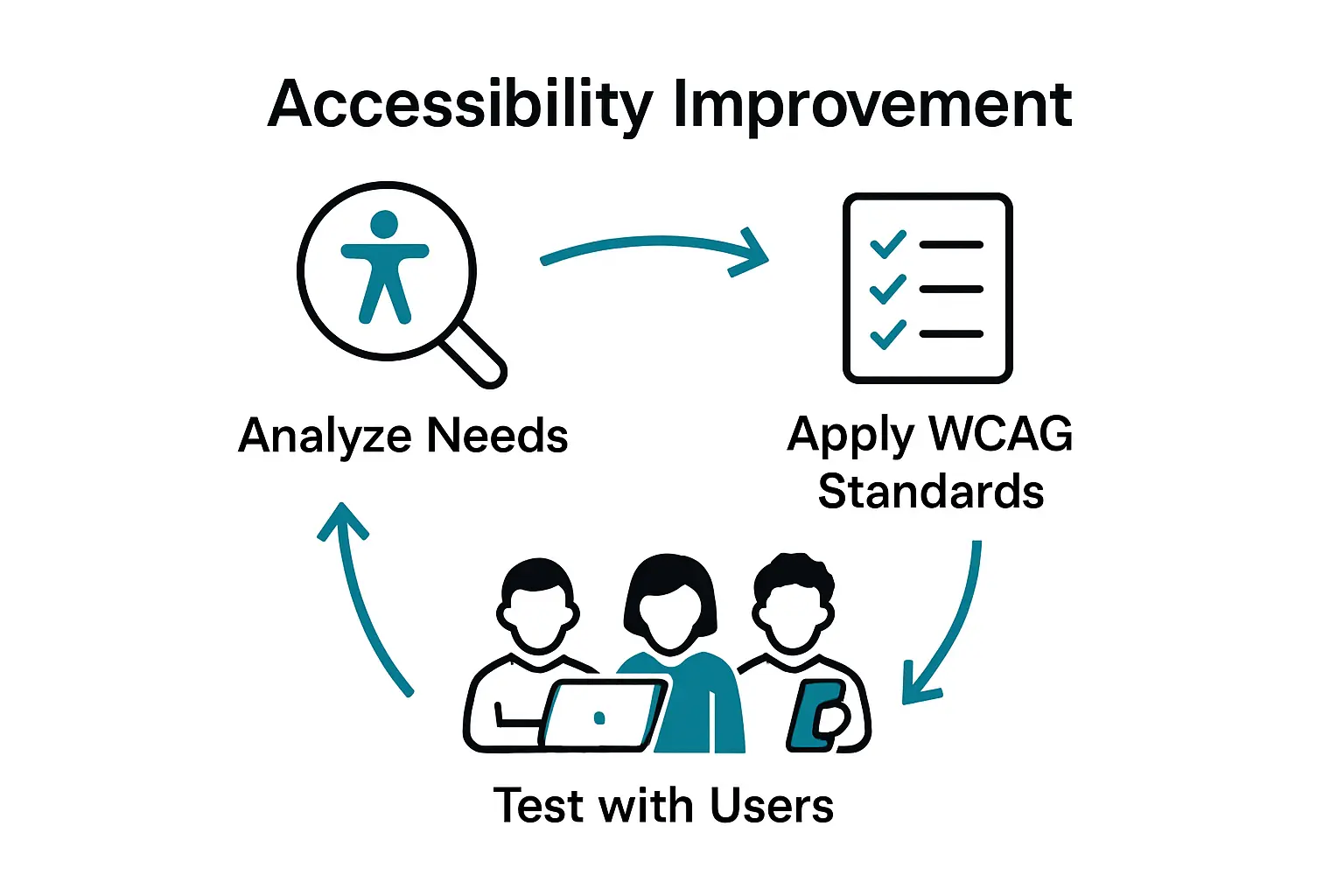
Organisations must adopt a proactive approach to digital inclusivity, treating accessibility not as a compliance checkbox but as a fundamental design principle. Regular content audits and user testing with individuals using assistive technologies can reveal nuanced accessibility challenges that automated tools might miss. By integrating accessibility into the core design process, digital platforms can create truly inclusive experiences that empower users with diverse abilities to navigate, understand, and interact with digital content effortlessly.
Common Pitfalls and How to Avoid Them
Digital accessibility requires vigilant attention to potential barriers that can unintentionally exclude users with diverse abilities. Many organisations inadvertently create digital environments that limit user experience through seemingly minor design decisions that have significant accessibility implications.
The most critical accessibility pitfalls include:
- Image Accessibility: Failing to provide descriptive alt text for images, which prevents screen reader users from understanding visual content
- Navigation Challenges: Designing interfaces that rely exclusively on mouse interactions, excluding keyboard-only users
- Colour Contrast Issues: Using colour combinations that make content difficult to read for users with visual impairments
- Complex Interface Design: Creating cluttered layouts that overwhelm users with cognitive disabilities
- Multimedia Barriers: Providing video or audio content without captions or transcripts
Comprehensive accessibility requires a proactive, holistic approach that anticipates and eliminates potential barriers before they impact user experience. Regular user testing with individuals using assistive technologies, coupled with ongoing design audits, can help organisations identify and address accessibility challenges systematically. By treating accessibility as an integral part of the design process rather than an afterthought, digital platforms can create truly inclusive experiences that welcome and support all users, regardless of their abilities.
Elevate Your Membership Engagement With Inclusive Digital Solutions
The challenge of creating fully accessible and engaging digital platforms is critical for membership organisations that aim to welcome all members equally. Issues like complex navigation, poor keyboard operability, and lack of multimedia accessibility not only affect compliance but also impact member satisfaction and retention. By focusing on the key principles of Web Accessibility such as being perceivable, operable, understandable, and robust, your organisation can ensure that every interaction feels seamless and inclusive.
Colossus Systems offers a unified platform tailored for membership-based organisations looking to simplify member management, event planning, and communications while embedding accessibility into their core operations. Integrate accessible event registration, clear communication channels, and responsive interfaces that accommodate diverse member needs. Our platform helps eliminate technological barriers so you can confidently grow your membership and deepen engagement.
Take the first step toward an inclusive and efficient digital transformation. Contact us today to discover how you can enhance accessibility while streamlining your operations. Explore how our customisable tools can bring your organisation closer to every member’s unique needs and foster meaningful connections now.
Learn more about how Colossus Systems can support accessibility and engagement
Start building a truly inclusive membership experience

Frequently Asked Questions
What are the key principles of web accessibility?
The key principles of web accessibility are represented by the acronym POUR: Perceivable, Operable, Understandable, and Robust. These principles help ensure that digital content is accessible to users with varying abilities and disabilities.
What common accessibility barriers do users face on websites?
Users may encounter several barriers, including inadequate text alternatives for visual content, interfaces that require precise mouse movements, lack of captions or transcripts for multimedia content, and complex layouts that overwhelm cognitive processing.
How can organisations implement effective web accessibility strategies?
Organisations can implement effective strategies by providing text alternatives for images, ensuring keyboard navigation, maintaining sufficient colour contrast, using a clear content structure, and adopting responsive design principles to accommodate all users.
Why is it important for websites to comply with accessibility standards?
Compliance with accessibility standards is vital not only for legal reasons but also for fostering digital inclusivity. By prioritising accessibility, organisations can create user-friendly environments that welcome individuals with diverse abilities, ultimately enhancing the overall user experience.