Set up online shop free for membership organisations

TL;DR:
- Launching a member-aware online shop without a license is possible but involves transaction fees and manual reconciliation.
- Embedding the shop within the member portal improves member engagement and simplifies operations.
Yes, you can launch a member-aware online shop with no monthly licence. The trade-off is real: you will pay per-transaction fees to your payment processor, accept some manual reconciliation, and hit a ceiling on advanced automation unless you invest in premium add-ons. For most small UK associations and nonprofits, that trade-off is workable at the start.
What “free” actually covers is the absence of a platform licence fee. What it does not cover:
- Payment processing fees from Stripe (UK) or PayPal (UK), typically charged per transaction
- Fulfilment costs for physical goods (postage, packaging, handling)
- VAT and accounting time when your shop crosses relevant thresholds or sells digital services
- Staff or volunteer hours for manual order reconciliation and member record updates
The strongest starting recommendation: choose a setup where the shop ties to a single member record. MemberWise guidance is clear that treating e-commerce as a bolt-on is a strategic error. When the shop and the membership portal share one login and one data record, repeat purchases rise and member engagement deepens.
Table of Contents
- What do you need to gather before building the shop?
- How to build an integrated membership shop step by step
- Why should the shop live inside the member portal?
- Payments, transaction fees, and UK compliance checkpoints
- What should you automate, and how does it connect to your CRM?
- What does a realistic launch timeline and cost look like?
- Pre-launch checklist: have you tested every flow?
- Key takeaways
- What a no-licence launch actually teaches you
- Colossus gives you the integrated path without the manual overhead
- Useful sources and further reading
What do you need to gather before building the shop?
Preparation prevents the most common blockers. Collect these before you touch any platform settings.
Member data: Export your current member list with unique member IDs, tier labels, renewal dates, and login credentials or email addresses. Without clean data, member-aware pricing and gating cannot work reliably.
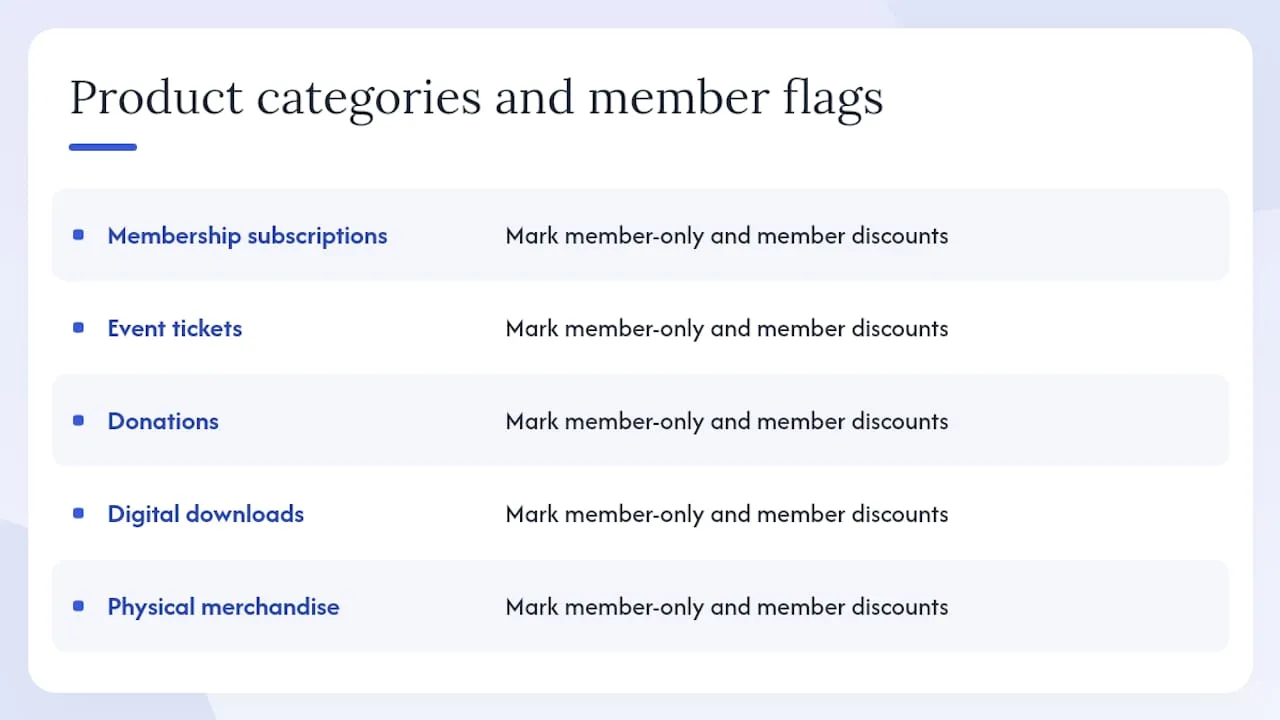
Product catalogue: List every SKU you plan to sell. Group them: membership subscriptions, event tickets, donations, digital downloads, and physical merchandise. Note which products are member-only and which carry a member discount.
Payment details: You will need a UK business bank account, your organisation’s registration number (Companies House or Charity Commission), and KYC documents for merchant onboarding with Stripe (UK) or PayPal (UK).
Domain and branding: Confirm you own or control the domain. Gather your logo, brand colours, and any photography you need for product listings.
Operational ownership: Decide now who handles orders day-to-day. A volunteer manager can run a simple shop, but assign the role explicitly so nothing falls between chairs.
Pro Tip: Map your fulfilment process on paper before you configure the platform. Knowing whether digital downloads deliver automatically or require manual dispatch changes which platform features you actually need.
How to build an integrated membership shop step by step
This sequence assumes you are using a freemium or no-licence platform that supports member records and a connected payment processor.
- Create a subdomain or white-label site. Point
shop.yourdomain.org.ukat your membership portal so members log in once and reach both their account and the shop without switching systems. - Define your product catalogue. Add each product, set its price, and flag member-only SKUs. For member-discounted products, create a member price tier that the system applies automatically when a logged-in member reaches checkout.
- Connect your payment processor. Stripe (UK) and PayPal (UK) both allow per-transaction billing with no monthly platform fee. Complete merchant verification: submit your business details, KYC documents, and UK bank account. Stripe typically activates within one to two business days; PayPal’s timeline varies.
- Implement member-aware checkout. Configure the checkout to read the member record on login. Logged-in members should see member pricing and gated products automatically. Expired members should see standard pricing or a prompt to renew.
- Set up transactional emails. Use your platform’s built-in mailer or an SMTP relay to send order confirmations, receipts with VAT line items, and digital download links. Test every template before launch.
- Run a full test cycle. Test as a guest, as an active member, and as an expired member. Test card payment, Apple Pay, Google Pay, a full refund, and a partial refund. Confirm that member entitlements provision correctly after purchase.
The trade-offs at this stage are predictable: limited native automation, manual reconciliation between orders and your CRM, and a likely dependency on paid add-ons if you need advanced reporting. ESco’s platform model illustrates what a purpose-built organisational e-commerce setup adds beyond basic retail, particularly for subscriptions and Direct Debits.
Why should the shop live inside the member portal?
Embedding the shop on the same domain, behind the same login, removes the single biggest friction point in membership e-commerce: the moment a member realises they are on a different site with a different basket.
MemberWise’s research shows that a unified shopping experience tied to the member portal increases repeat purchases and engagement. The mechanism is straightforward: when members see their benefits applied automatically at checkout, membership feels tangible rather than administrative.
Practical gating patterns that work well:
- Member-only SKUs: certain products simply do not appear in the catalogue for non-members or expired members.
- Priority ticket windows: members get access to event tickets 48 hours before the general public.
- Visible discounts for logged-in members: show the standard price crossed out alongside the member price so the saving is explicit.
Enforce gates at checkout by reading the membership tier from the member record, not by relying on discount codes. Codes leak. Tier-based rules do not.
Pro Tip: Enable persistent baskets for logged-in members. A member who adds a ticket on Tuesday and returns on Thursday should find it waiting. Losing basket contents is a disproportionately common reason members abandon purchases.
Payments, transaction fees, and UK compliance checkpoints
Stripe (UK) and PayPal (UK) are the two payment rails that work without a monthly platform licence. Both charge per-transaction fees; the exact rates are published on their respective UK pricing pages and vary by card type and volume.
Practical setup steps for either processor:
- Submit your organisation’s legal name, registered address, and Charity Commission or Companies House number
- Provide a UK bank account in the organisation’s name
- Complete identity verification for the account’s authorised signatory
- Set your payout schedule (weekly is typical for cash-flow planning)
VAT on membership goods and services is not straightforward. Membership subscriptions may be exempt, zero-rated, or standard-rated depending on what the membership confers. Digital services sold to UK consumers attract VAT at the standard rate. Event tickets can vary. Work with your accountant before you configure VAT line items in the shop, and check current HMRC guidance directly.
PCI responsibility: when you use Stripe’s hosted payment fields or PayPal’s redirect flow, the processor handles tokenisation and your PCI scope is reduced to SAQ A. If you build a custom payment form that touches raw card data, your scope expands significantly. Use hosted fields.
For charities and Gift Aid: if your shop accepts donations, capture a Gift Aid declaration at checkout and store it against the order record. Tools such as Seaty include Gift Aid handling and reporting in their feature set, which is worth noting if your organisation runs ticketed events alongside donations.
This article is general information, not legal, tax, or financial advice. Confirm VAT treatment and Gift Aid eligibility with HMRC or a qualified accountant.
What should you automate, and how does it connect to your CRM?
The automations that most directly improve member lifetime value are not complex, but they require e-commerce events to write back to the member record in real time.
The most effective retention trigger is an expiry warning that fires before a member loses access, not after. Automating that sequence removes the manual chase and keeps renewal rates higher than any post-lapse win-back campaign.
Map these e-commerce events to CRM fields from day one:
- Order completed → update purchase history and last-active date
- Ticket purchased → link to event attendance record
- Donation received → update giving history and Gift Aid status
- Membership purchased or renewed → update tier, expiry date, and access permissions
Once those fields are populated, you can segment members by behaviour: repeat buyers, high-value donors, members who attend events but have never bought merchandise. Colossus’s association management guidance covers how automation at checkout reduces manual tasks and makes those segments actionable for targeted communications.
Pro Tip: If your free setup lacks real-time sync between the shop and your CRM, schedule a nightly reconciliation job. A spreadsheet export matched against your member database at midnight is imperfect but far better than letting records drift for weeks.
What does a realistic launch timeline and cost look like?
| Phase | Small organisation (under 500 members) | Larger organisation (500+ members) |
|---|---|---|
| Data preparation | 1–3 days | 1–2 weeks |
| Platform configuration | 2–5 days | 1–2 weeks |
| Payment processor setup | 1–2 days | 1–2 days |
| Testing and QA | 1–2 days | 3–5 days |
| Total to launch | 1–2 weeks | 4–6 weeks |
Out-of-pocket costs to budget even on a no-licence route:
- Payment processing fees: per-transaction charges from Stripe (UK) or PayPal (UK) on every sale
- Fulfilment: postage, packaging, and handling for physical goods
- Photography: product images for merchandise listings
- VAT and accounting: additional accountant time if your shop crosses VAT thresholds or sells digital services
- Optional premium modules: advanced reporting, automated renewals, or API integrations typically sit behind a paid tier
SportMember’s free webshop model illustrates the pattern clearly: no monthly fee, but transaction fees apply and admin roles are suited to volunteer managers rather than automated workflows. That is a reasonable starting point for a small club. For a larger association with complex entitlements, the manual overhead accumulates quickly and the case for a paid integrated platform strengthens.
Pre-launch checklist: have you tested every flow?
Before opening sales, run through each of these:
- Guest checkout: confirm a non-member can purchase public products and receives a receipt
- Member checkout: confirm member pricing applies automatically and the order writes to the member record
- Expired member: confirm gated products are hidden or blocked and a renewal prompt appears
- Refund flow: process a full refund and a partial refund; confirm the amount returns to the original payment method
- Ticket allocation: purchase the last available ticket and confirm the event shows as sold out
- Receipt emails: check VAT line items, order reference, and download links for digital products
- Fulfilment addresses: verify shipping address capture and confirm the fulfilment team receives order notifications
- Analytics: confirm orders and revenue events fire in your analytics platform and CRM
Pro Tip: Assign one person to act as a confused first-time buyer during testing. They will find the friction points your internal team has stopped seeing.
Customer service readiness matters as much as the technical checks. Publish your returns policy and refund process before launch, assign a named contact for order queries, and confirm who has permission to issue refunds in the payment processor dashboard.
Key takeaways
A free-licence membership shop is achievable for UK organisations, but the real cost is operational time; the point at which a paid integrated platform pays for itself is earlier than most organisations expect.
| Point | Details |
|---|---|
| Free means no licence, not no cost | Budget for payment processing fees, fulfilment, and accountant time from day one. |
| Single member record is non-negotiable | Embed the shop in the member portal so orders, tiers, and renewals share one data record. |
| Automate expiry triggers first | A pre-expiry renewal sequence delivers more retention value than any post-lapse campaign. |
| Test all three member states | Run checkout tests as a guest, active member, and expired member before opening sales. |
| Colossus for a faster path | Colossus unifies membership, events, and e-commerce on one platform, removing manual reconciliation. |
What a no-licence launch actually teaches you
The most striking lesson from a no-licence implementation is not technical. It is that the manual work you accept at launch compounds. Reconciling orders against member records by hand is manageable at 50 transactions a month. At 500, it consumes a part-time role.
Where volunteers consistently struggle is at the intersection of payment disputes and member access: a failed renewal payment that should have triggered an access downgrade but did not, because the sync between the payment processor and the member record is manual. That gap erodes trust faster than almost any other operational failure.
Colossus addresses this directly. Its unified member records and integrated checkout mean that a renewal payment, a ticket purchase, and a donation all write to the same profile in real time, with no manual step between the transaction and the entitlement. For organisations where volunteer capacity is finite, that automation is where the investment repays itself.
The free path is a legitimate starting point, not a permanent destination. Use it to validate your product catalogue and member appetite. When reconciliation time starts to outweigh the licence saving, that is the signal to move.
Colossus gives you the integrated path without the manual overhead
Most organisations that set up an online shop free discover the same thing six months in: the platform cost was never the real constraint. The constraint was the time spent keeping member records, orders, and entitlements in sync across separate tools.

Colossus brings membership management, e-commerce, event ticketing, CRM, and automated renewals onto a single platform. Member pricing applies at checkout automatically. Ticket gating reads from the membership tier. Renewal reminders fire without manual intervention. There is no separate basket, no separate login, and no nightly reconciliation job. For UK associations and nonprofits that want the benefits of an integrated shop without building one from disconnected parts, Colossus is the direct alternative to the DIY route this guide describes. Explore the full feature set or book a demo to see how it fits your organisation’s specific membership structure.
Useful sources and further reading
- Ecommerce for associations: rethinking your online approach — MemberWise guidance on embedding e-commerce in the member experience
- Membership Management Software — Renewals, Access, Loyalty | ApexGo — practical notes on member-aware checkout and auto-renewal patterns
- Setting up online stores for membership organisations | Colossus Systems — implementation guidance aligned with this guide’s audience
- Membership Management Software Features | Colossus Systems — product feature reference for unified records, gating, and integrated payments
- Membership Software for Non-Profits and Charities | Colossus Systems — guidance on when to move from a free to a paid integrated platform