What is Salesforce CRM used for in 2026?

TL;DR:
- Salesforce CRM is a cloud platform that centralizes customer data and automates business processes across sales, marketing, support, and commerce. Its modular design allows organizations to start with key modules like Sales Cloud or Service Cloud and expand over time, improving real-time collaboration and productivity. Proper implementation, clear process mapping, and dedicated administration are crucial for maximizing its value.
Salesforce CRM is defined as a cloud-based customer relationship management platform that centralises customer data and automates business processes across sales, marketing, service, and commerce. CRM stands for Customer Relationship Management, and Salesforce is the world’s most widely adopted platform in that category. What is Salesforce CRM used for, practically speaking? It gives your teams a single source of truth about every customer, contact, and transaction. Rather than scattering data across spreadsheets, inboxes, and disconnected tools, Salesforce pulls everything into one place. Organisations that adopt it gain visibility into their pipelines, their customers’ histories, and their operational performance, all in real time.
What are the key modules of Salesforce CRM and their roles?
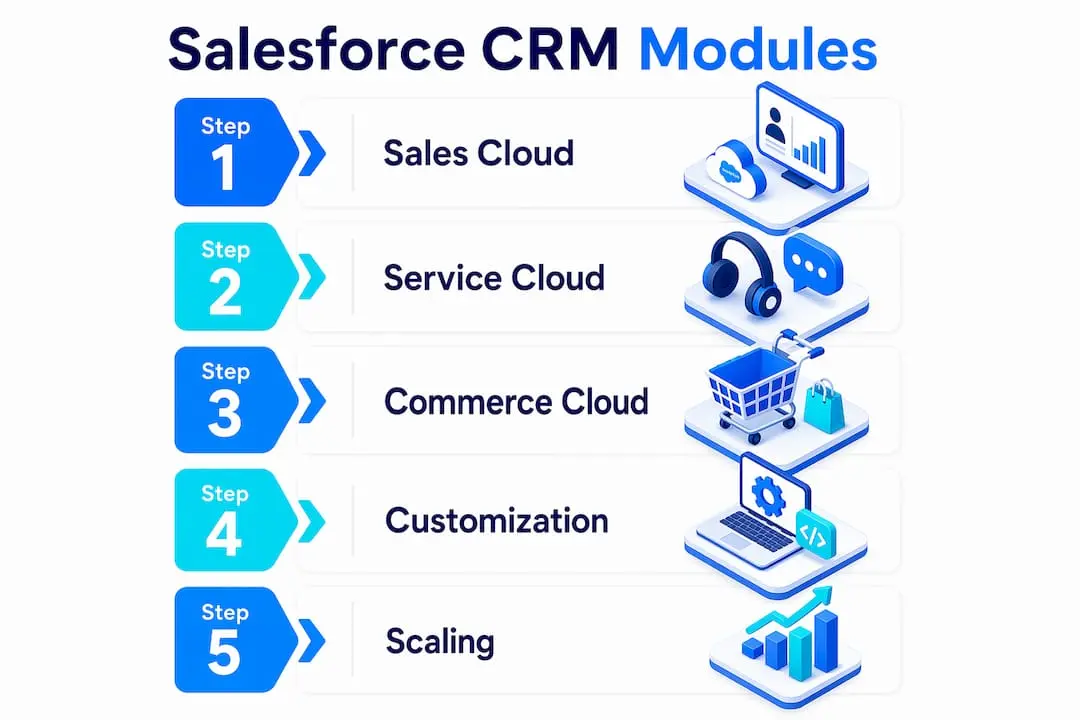
Salesforce is structured into modular clouds: Sales Cloud, Service Cloud, and Commerce Cloud, each designed for a specific business function. This architecture means your organisation does not need to adopt the entire platform at once. You can start with the module that addresses your most pressing need and expand from there.
Sales Cloud is the core module most organisations adopt first. It manages your sales pipeline, tracks leads from first contact through to closed deal, and gives sales managers a live view of team performance. Forecasting, opportunity management, and contact tracking all live here.
Service Cloud handles customer support. It routes incoming cases to the right agents, tracks resolution times, and gives support teams a full view of each customer’s history before they pick up the phone. This context reduces handling time and improves first-contact resolution rates.
Commerce Cloud powers e-commerce and personalised shopping experiences. It connects product catalogues, customer purchase histories, and marketing data to deliver tailored recommendations at scale. For organisations selling products or services online, this module closes the gap between marketing intent and purchase behaviour.
| Module | Primary function | Best suited for |
|---|---|---|
| Sales Cloud | Pipeline and lead management | Sales teams and revenue operations |
| Service Cloud | Case management and support | Customer service departments |
| Commerce Cloud | E-commerce and personalisation | Online retail and digital commerce |
Salesforce’s modular design enables businesses to start small and add specialised modules as they grow. This prevents the complexity overload that often derails large platform rollouts.
Pro Tip: Begin your Salesforce adoption with the single module that solves your biggest current problem. Trying to deploy all three clouds simultaneously is the most common reason implementations stall.
How does Salesforce CRM improve business productivity and customer engagement?
Automating repetitive tasks with Salesforce reduces manual errors and frees your teams to focus on work that requires human judgement. Data entry, follow-up reminders, lead assignment, and case routing can all run automatically once you configure the rules. That shift from manual to automated work compounds quickly across a team of any size.
Salesforce CRM centralises all customer data, enabling sales, marketing, and service teams to work collaboratively with real-time information. When a service agent can see a customer’s full purchase history and open support cases before a call, the conversation changes. The customer does not have to repeat themselves, and the agent can resolve issues faster.

The platform’s AI tools add another layer of value. Einstein and Lightning help teams make better decisions by surfacing insights from data that would otherwise go unread. Einstein can score leads by likelihood to convert, flag at-risk accounts, and recommend the next best action for a sales rep. Lightning provides a configurable interface that surfaces the right information at the right moment.
Key productivity gains organisations report from Salesforce CRM include:
- Automated lead assignment based on territory, product line, or deal size
- Real-time dashboards that replace weekly manual reporting
- Workflow rules that trigger follow-up tasks without human input
- Shared customer records that eliminate duplicated effort between departments
- AI-driven opportunity scoring that helps sales teams prioritise their time
Salesforce caters to sales teams managing pipelines, marketing teams tracking campaigns, service teams handling support, and executives requiring dashboards. That breadth is what separates a true CRM platform from a point solution. Every department works from the same data, which means fewer misunderstandings and faster decisions.
What makes Salesforce CRM scalable and customisable for different business needs?
Salesforce CRM adapts to organisations of almost any size or industry because its architecture separates core functionality from specialised configuration. A small sales team can use Sales Cloud with minimal setup. A large enterprise can layer in custom objects, automated workflows, and third-party integrations without rebuilding from scratch.
The customisation depth is genuinely significant. You can build custom fields, create bespoke objects that reflect your specific business data, and write automation logic that mirrors your exact processes. This flexibility is what makes Salesforce applicable across sectors as different as financial services, healthcare, retail, and membership organisations.
Here is a practical sequence for scaling Salesforce CRM effectively:
- Map your current processes first. Businesses should prioritise planning their unique business processes and data structure before implementation begins. Skipping this step leads to a system that reflects how the software works rather than how your organisation works.
- Deploy core CRM functions before adding modules. Get your team comfortable with contact management, pipeline tracking, and basic reporting before introducing Service Cloud or Commerce Cloud.
- Automate incrementally. Build one workflow at a time, test it thoroughly, and confirm adoption before adding the next layer of automation.
- Assign a dedicated administrator. The complexity of custom workflows often requires dedicated administrators or specialised consultants for best results. This is not a platform you configure once and forget.
- Review and refine quarterly. Business processes change. Your Salesforce configuration should change with them.
Pro Tip: Document every custom field, workflow, and automation rule as you build it. Organisations that skip documentation spend enormous time reverse-engineering their own system when staff change or processes evolve.
How can businesses implement and integrate Salesforce CRM effectively?
Practical implementation starts well before you log into the platform. Salesforce CRM creates a 360-degree customer view, bridging marketing, IT, service, and commerce departments. Achieving that view requires deliberate data planning, not just software configuration.
The most effective implementations share several characteristics:
- Clean data migration. Importing messy, duplicate, or incomplete data from legacy systems undermines every report and dashboard from day one. Audit and clean your data before migration.
- Cross-department alignment. Sales, marketing, and service teams need to agree on shared definitions. What counts as a qualified lead? When does a prospect become a customer? These decisions shape your data model.
- Integration with existing tools. Salesforce connects with email platforms, accounting software, marketing automation tools, and e-commerce systems. For organisations managing website and CRM integration, connecting your web presence to your CRM unlocks behavioural data that improves both marketing and service.
- Training before go-live. User adoption is the single most common failure point in CRM implementations. Teams that receive structured training before launch use the system correctly from the start.
- Phased rollout by department. Starting with one team, refining the configuration based on real usage, and then expanding to the next department reduces risk significantly.
| Implementation phase | Key activity | Common pitfall |
|---|---|---|
| Planning | Map business processes and data structure | Skipping process documentation |
| Data preparation | Audit, clean, and deduplicate records | Migrating legacy data without review |
| Configuration | Build fields, workflows, and dashboards | Over-customising before user testing |
| Training | Structured onboarding for all users | Assuming the system is self-explanatory |
| Review | Quarterly optimisation and refinement | Treating implementation as a one-time event |
For organisations with email marketing programmes, connecting those campaigns to Salesforce CRM data means you can segment audiences by purchase history, support interactions, or engagement level rather than relying on broad demographic filters alone. The result is more relevant communication and measurably better response rates. Organisations exploring Commerce Cloud SEO automation alongside their CRM deployment can also align search visibility with customer data for a more unified digital presence.
Key takeaways
Salesforce CRM delivers its greatest value when deployed in phases, configured against clearly mapped business processes, and supported by dedicated administration and ongoing training.
| Point | Details |
|---|---|
| Modular architecture | Start with Sales Cloud, Service Cloud, or Commerce Cloud and add modules as your organisation grows. |
| Data centralisation | A unified customer record gives every department the same real-time information, reducing errors and duplication. |
| AI-driven productivity | Einstein and Lightning automate lead scoring, surface insights, and reduce time spent on manual reporting. |
| Process planning first | Map your workflows before configuration begins to avoid building a system that fits the software rather than your business. |
| Dedicated administration | Custom workflows require ongoing management by a trained administrator or consultant for sustained performance. |
Rob’s take on getting Salesforce CRM right
The most persistent mistake I see organisations make with Salesforce is treating it as a technology project rather than a business process project. They spend months on configuration and almost no time on the question that actually determines success: do your teams understand why the system is built the way it is?
I have worked with organisations that had beautifully configured Salesforce instances that nobody used correctly. The dashboards were impressive. The automation was clever. But the sales team still kept their own spreadsheets because nobody had explained how the pipeline stages mapped to their actual sales process. That is a training and change management failure, not a technology failure.
The second thing I would say is that the modular approach is genuinely underused. Organisations feel pressure to justify the investment by deploying everything at once. Resist that pressure. A well-adopted Sales Cloud that your team uses every day is worth ten times more than a full platform deployment that generates resistance and workarounds. Start narrow, prove the value, and expand from a position of confidence rather than obligation.
Finally, do not underestimate the administration requirement. Salesforce rewards organisations that invest in someone who knows the platform deeply. That person does not need to be a developer, but they do need dedicated time and ongoing training. Treating Salesforce administration as a part-time responsibility on top of someone’s existing role is a reliable path to a system that drifts out of alignment with your actual business.
— Rob
Colossus and CRM: tools built for membership organisations
For membership organisations, associations, and nonprofits, CRM needs go beyond standard sales pipelines. Managing member records, tracking engagement, running events, and communicating with segmented audiences requires a platform built with those workflows in mind.

Colossus offers CRM software designed specifically for membership-based organisations, with tools for contact management, member engagement tracking, and targeted communication built into a single platform. Our membership management features cover everything from event registration and payment processing to analytics and email marketing, giving your team a unified view of every member relationship. If you would like to understand how Colossus can complement or replace your current CRM setup, contact us for a tailored conversation about your organisation’s needs.
FAQ
What does CRM stand for in Salesforce?
CRM stands for Customer Relationship Management. In Salesforce, it refers to the platform’s core function of centralising customer data and managing interactions across sales, marketing, and service teams.
What is Salesforce CRM primarily used for?
Salesforce CRM is used to manage customer relationships, track sales pipelines, automate business processes, and give teams a unified view of customer data across departments.
How does Salesforce CRM work across departments?
Salesforce CRM centralises customer records so that sales, marketing, and service teams all work from the same real-time data. Each department accesses the information relevant to their function through dedicated modules like Sales Cloud and Service Cloud.
Is Salesforce CRM suitable for small businesses?
Salesforce CRM is modular, so smaller organisations can adopt only the features they need and expand as they grow. Starting with Sales Cloud alone is a common and cost-effective entry point.
What is the difference between Sales Cloud and Service Cloud?
Sales Cloud manages leads, opportunities, and sales pipelines. Service Cloud handles customer support cases, agent workflows, and resolution tracking. Both share the same underlying customer data, which is what makes cross-department collaboration effective.