What is CRM in a call center: a 2026 guide

TL;DR:
- A call center CRM centralizes customer data, interaction history, and communication channels into a single platform. It automates data capture, improves agent efficiency, and enhances customer personalization and satisfaction. Challenges include agent resistance and poor data hygiene, which can be mitigated through automation and structured training.
A call center CRM is defined as an integrated software system that centralises customer data, interaction history, and communication channels into a single platform so agents can deliver faster, more personalised support. The industry term is “contact center CRM,” though “call center CRM” remains the widely used shorthand. Understanding what CRM does in a call center is the first step toward improving both customer satisfaction and operational performance. Research confirms that 88% of customers are more likely to return when their service expectations are met. That figure alone makes the case for CRM investment before any other operational change.
What is CRM in a call center and what does it do?
A call center CRM is software that gives every agent a complete view of the customer before the conversation begins. It pulls together purchase history, previous interactions, open tickets, and contact preferences into one screen. Without it, agents switch between multiple tools, customers repeat themselves, and average handle time climbs. Siloed systems are the largest contributors to customer frustration and increased handle time. A CRM removes that friction by acting as the single record of every customer relationship.
The core functions of CRM software for call centers fall into three categories. First, it captures and stores customer data automatically, removing the need for manual note-taking after every call. Second, it tracks every interaction across channels so the next agent picks up exactly where the last one left off. Third, it provides workflow tools that guide agents through resolution steps, escalation paths, and follow-up tasks. Together, these functions make the CRM the operational backbone of any well-run contact centre.
What are the essential features of CRM software used in call centers?
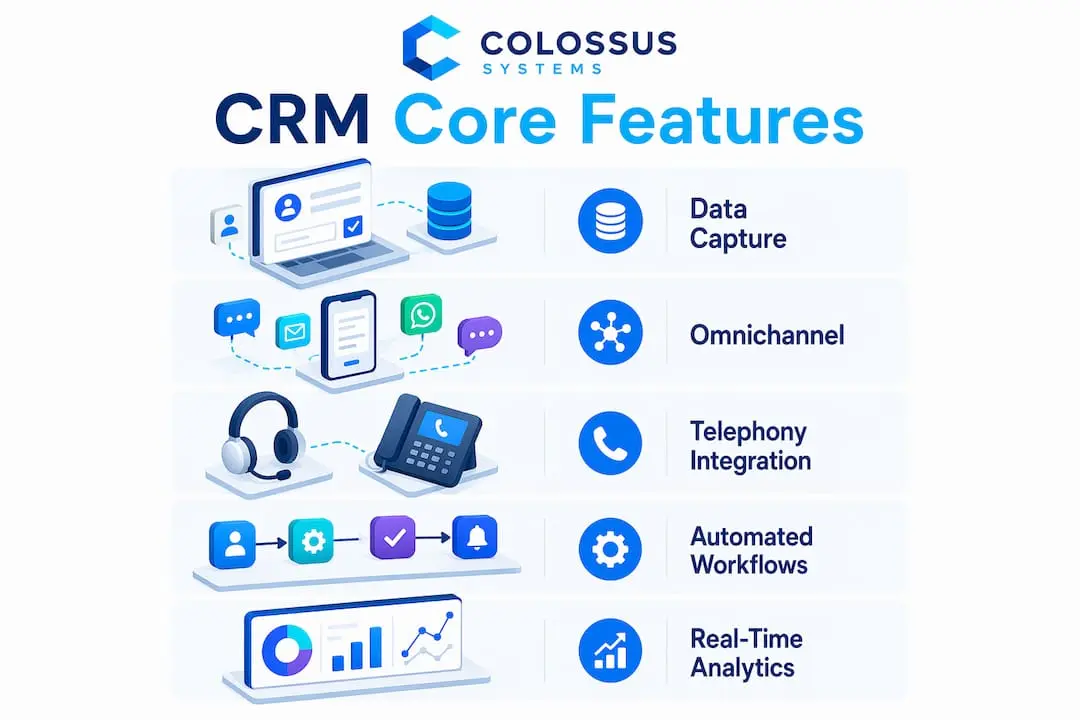
Standard call center CRM toolkits in 2026 include omnichannel integration, workflow automation, AI call summaries, and real-time performance analytics. Each feature addresses a specific operational gap. Here is what a well-specified CRM platform delivers:
- Omnichannel integration: Connects voice, email, live chat, and SMS into one unified inbox so agents never lose context when a customer switches channels.
- Workflow automation and call routing: Directs incoming contacts to the right agent or team based on skill, language, or customer tier, reducing transfer rates.
- AI-powered call summaries: Automatically generates post-call notes and tags interactions with disposition codes, removing the manual logging burden from agents.
- Ticketing and case management: Creates, tracks, and escalates support cases with full audit trails, so nothing falls through the gaps between shifts.
- Security and permission controls: Restricts access to sensitive customer data by role, meeting compliance requirements such as GDPR and PCI DSS.
- Real-time analytics dashboards: Surface live queue data, agent performance metrics, and customer satisfaction scores so managers can act immediately.
Pro Tip: When evaluating CRM software for call centers, prioritise platforms that offer native telephony integration rather than third-party connectors. Native integration reduces latency and eliminates the data gaps that occur when two separate systems sync on a delay.
The omnichannel capability deserves particular attention. Customers today move between phone, chat, and email within a single issue. A CRM that treats each channel as a separate record forces agents to piece together the story manually. A unified record means the agent already knows the full picture. That single change reduces both handle time and customer effort significantly.
How does CRM improve efficiency and customer experience in call centers?
CRM integration produces measurable gains across four operational areas. The improvements compound over time as the data set grows and agents become more confident using the system.
-
Faster resolution through complete customer profiles. Agents see the full interaction history the moment a call connects. They do not ask customers to repeat account numbers or explain previous complaints. Resolution happens in one interaction rather than two or three.
-
Reduced manual work through automation. CRM integration eliminates manual data transfers that agents previously performed between systems every week. That time goes back into handling more contacts or improving call quality.
-
Personalised interactions that build loyalty. When an agent knows a customer’s preferred contact method, recent purchase, and open complaint, the conversation feels personal rather than transactional. 88% of customers are more likely to return after a service experience that meets their expectations. CRM-driven personalisation is the mechanism that delivers that experience consistently.
-
Analytics-led staffing decisions. CRM analytics reveal peak contact volumes, common query types, and individual agent performance gaps. Managers use this data to schedule correctly, target coaching, and reduce unnecessary overtime.
-
Revenue generation beyond cost control. Transforming contact centers from cost centres to revenue drivers becomes achievable when CRM data shows agents which customers are ready for an upsell conversation. The CRM shifts the agent’s role from query handler to relationship builder.
The efficiency gains are not theoretical. They show up in first call resolution rates, customer satisfaction scores, and agent retention. Agents who spend less time on administrative tasks report higher job satisfaction, which reduces the costly cycle of recruitment and retraining.
What are common challenges in implementing a CRM in call centers?
CRM implementation fails most often because of people, not technology. Most organisations treat CRM integration as a technical project and overlook the change management required to bring agents along. Agents who see CRM as extra work will find ways to skip logging, which corrupts the data and undermines the entire investment.
The most common implementation obstacles are:
- Agent resistance to data entry: Agents already handle high call volumes. Adding manual logging feels punitive. The solution is automation. AI-powered note-taking and automated call disposition codes remove the burden before resistance builds.
- Poor data hygiene from the start: Agents skipping logging or leaving incomplete notes is the most cited failure point in CRM deployments. Standardising disposition codes and automating note capture addresses this directly.
- Integration complexity with legacy systems: Older telephony infrastructure often lacks the APIs needed for clean CRM integration. Audit your existing stack before selecting a platform.
- Insufficient training and ongoing support: A one-day onboarding session is not enough. Agents need structured training, refresher sessions, and a clear escalation path when the system behaves unexpectedly.
Pro Tip: Run a 30-day pilot with a small team before full deployment. Use that period to identify logging gaps, test integrations, and refine disposition code categories. The data from the pilot will be far more useful than any vendor demo.
Balancing technology with agent workflow is the real art of CRM implementation. The system should fit around how agents already work, not force them to change every habit simultaneously. Incremental rollout with clear feedback loops produces better adoption than a hard cutover.
How does a CRM system integrate with other call center technologies?
A CRM does not operate in isolation. Its value multiplies when it connects with the other systems your contact centre already uses. The table below shows the key integration categories and what each connection delivers.

| Integration type | Connected system | Operational benefit |
|---|---|---|
| Telephony and IVR | Phone system, interactive voice response | Screen pops customer record on call connect; routes calls by CRM data |
| Workforce management | Scheduling and forecasting tools | Aligns staffing levels with CRM-derived contact volume predictions |
| Analytics platforms | Business intelligence dashboards | Combines CRM interaction data with operational metrics for unified reporting |
| Communication channels | Email, chat, SMS gateways | Logs all channel interactions into one customer record automatically |
| Ticketing and escalation | IT service management tools | Transfers open cases between teams with full context intact |
Real-time data synchronisation is the feature that makes these integrations work for remote and hybrid teams. An agent working from home sees the same customer record as a colleague in the office. Ticket escalations carry the full interaction history rather than a brief handover note. That continuity is what a unified CRM interface delivers: no repeated explanations, no lost context, and no frustrated customers.
For organisations exploring how CRM tools enhance engagement across multiple channels, the integration architecture is the foundation. Get the connections right and every downstream process improves.
What trends and innovations in 2026 are shaping call center CRM software?
The CRM market is moving quickly. The features that were optional in 2024 are now standard expectations. Call center managers who do not account for these shifts will find their platforms falling behind within 18 months.
- AI-driven automation as the baseline. AI-driven automation is now essential for accurate CRM data capture. It removes manual burdens and enables consistent customer experiences across every agent and every shift.
- Real-time call summarisation. AI generates structured call summaries during the conversation, not after it. Agents review and confirm rather than write from scratch. This cuts after-call work time significantly.
- CRM as a revenue tool. Contact centres are repositioning from cost centres to profit contributors. CRM analytics identify upsell moments, renewal risks, and high-value customer segments. Agents act on that intelligence in real time.
- Omnichannel as the standard, not the premium. Customers expect a single conversation thread regardless of channel. CRM platforms that cannot unify voice, chat, and email into one record are no longer competitive.
- Specialised CRM configurations for crisis environments. In emergency call centres, CRM acts as a safety-oriented dispatch memory, prioritising precise real-time data access over sales goals. This specialised use case is expanding as crisis-line operators recognise the value of structured interaction records.
Organisations evaluating CRM options for nonprofits and associations will find that many of these trends apply equally outside the commercial call center context. The underlying need for unified data and automated workflows is universal.
Key takeaways
A call center CRM is the single most effective tool for reducing handle time, improving first call resolution, and converting contact centres from cost centres into revenue contributors.
| Point | Details |
|---|---|
| CRM definition | A call center CRM centralises customer data, interaction history, and communication channels into one platform. |
| Core features | Omnichannel integration, AI call summaries, workflow automation, and real-time analytics define the 2026 standard. |
| Efficiency gains | CRM eliminates manual data transfers and gives agents complete customer profiles before the conversation begins. |
| Implementation risk | Agent resistance and poor data hygiene are the top failure points; automation and structured training resolve both. |
| Revenue potential | CRM analytics enable agents to identify upsell and retention opportunities, shifting the centre’s commercial role. |
Why data hygiene is the real measure of CRM success
Most articles on call center CRM focus on features and integrations. The harder truth is that a CRM is only as good as the data inside it. I have seen well-funded CRM deployments collapse within six months because agents were skipping call disposition codes and leaving notes blank. The platform was excellent. The data was not.
The fix is not stricter enforcement. It is removing the friction that causes agents to skip logging in the first place. Automated note capture and pre-set disposition codes take the decision out of the agent’s hands. The system logs the interaction correctly whether the agent remembers to or not. That is the design principle that separates a CRM that works from one that looks good in a demo.
The long-term payoff goes well beyond cost reduction. When your CRM holds clean, consistent data across thousands of interactions, it becomes a genuine single source of truth for your entire customer relationship strategy. Managers can forecast accurately, coaches can target training precisely, and leadership can make product decisions based on real customer feedback rather than anecdote.
My recommendation for any call center manager selecting a CRM is to spend as much time evaluating the data capture workflow as the feature list. Ask the vendor how the system handles a call where the agent forgets to log. If the answer is “it doesn’t,” keep looking.
— Rob
Colossus CRM: built for teams that manage relationships at scale
Call center managers who need a CRM that handles omnichannel engagement, automated workflows, and real-time analytics in one place will find Colossus worth a close look.

Colossus brings together CRM software features including contact management, interaction tracking, and pipeline customisation into a single platform designed for organisations that rely on relationship-driven operations. The automation tools reduce manual data entry, and the analytics layer gives managers the visibility they need to act on performance data quickly. For teams managing high volumes of member or customer interactions, the full feature set covers the core requirements without the complexity of stitching together separate tools.
FAQ
What is a CRM system in a call center?
A call center CRM is software that centralises customer data, interaction history, and communication channels so agents can resolve queries faster and more accurately. It acts as the single record of every customer relationship across the contact centre.
What does CRM do in a call center?
CRM automates data capture, routes contacts to the right agent, surfaces complete customer profiles on call connect, and generates post-call summaries. It removes manual administrative work and gives managers real-time performance data.
What are the main benefits of CRM in call centers?
The primary benefits are faster first call resolution, reduced handle time, personalised customer interactions, and improved agent efficiency. CRM-driven personalisation directly supports customer retention, with research showing 88% of customers are more likely to return when their service expectations are met.
How does CRM improve call center efficiency?
CRM eliminates the manual data transfers agents perform between siloed systems, gives agents complete customer context before the call begins, and uses analytics to inform staffing and coaching decisions. Each of these changes reduces wasted time and improves resolution rates.
What is the biggest challenge when implementing a CRM in a call center?
Change management is the largest implementation challenge. Agents who resist additional data entry will skip logging, which degrades data quality. Automated note capture and standardised disposition codes resolve this before it becomes a systemic problem.