What is a CRM integration? A guide for businesses

TL;DR:
- CRM integration connects business applications to share data automatically, reducing manual entry and silos.
- Implementation involves establishing secure connections, data mapping, and ongoing maintenance to ensure accuracy and control.
CRM integration is defined as the automated connection between a CRM platform and other business applications, enabling data to synchronise across systems without manual input. The industry term for this process is CRM system integration, and it covers connections to tools across marketing, sales, finance, and customer support. The average business used 110 distinct software applications in 2021, which illustrates exactly why integration has become a necessity rather than a luxury. Without it, customer data sits in isolated pockets across your organisation, and your teams spend hours re-entering the same information into different systems. CRM integration solves that problem by creating a single source of truth that every department can rely on.
What is a CRM integration and what types are available?
CRM integration connects your CRM with business applications such as ERP systems, marketing automation platforms, and accounting tools to automate data exchange. The goal is to eliminate the gaps between systems so that a contact record updated in your CRM is immediately reflected in your billing software, your email marketing tool, and your support desk. Four primary methods exist for achieving this, each suited to different business sizes and technical capabilities.

| Method | Best for | Ease of setup | Flexibility |
|---|---|---|---|
| Native/pre-built connectors | Small to mid-sized businesses | High | Low |
| Third-party connectors (e.g. Zapier) | Non-technical teams | High | Medium |
| Custom API integrations | Enterprises with specific needs | Low | Very high |
| iPaaS middleware (e.g. MuleSoft) | Complex, multi-system environments | Medium | Very high |
Four main CRM integration methods are recognised across the industry: native connectors, third-party tools, custom APIs, and iPaaS middleware. Each represents a different trade-off between speed of deployment and long-term control.
- Native connectors are built directly into the CRM and require no coding. They work well for common pairings, such as connecting Salesforce to Mailchimp, but offer limited customisation.
- Third-party connectors like Zapier or Make sit between two platforms and pass data via pre-built triggers. They are fast to configure but can introduce latency and data caps.
- Custom API integrations give your developers full control over what data moves, when, and how. They require technical resource but produce the most reliable and tailored results.
- iPaaS middleware platforms such as MuleSoft or Boomi manage multiple integrations from a central hub. They suit organisations running ten or more connected systems.
Pro Tip: If your organisation runs fewer than five core systems, a native or third-party connector is almost always the fastest path to value. Reserve custom API builds for situations where data volume or security requirements exceed what off-the-shelf tools can handle.
How does CRM integration work technically?
CRM integration works by establishing a secure, rules-based connection between two or more platforms so that data flows in the right direction at the right time. The process is more involved than simply flipping a switch, and understanding the steps helps you avoid the most common failures.
- Establish the connection. Your CRM and the target application communicate via APIs or pre-built connectors. Authentication credentials, such as OAuth tokens or API keys, are exchanged to authorise the data transfer.
- Map your data fields. Every system labels data differently. Your CRM may store a contact’s phone number as “Phone,” while your accounting tool calls it “Contact Number.” Data mapping aligns these fields so information lands in the correct place.
- Configure automation rules. You define the triggers and conditions that govern when data moves. For example: when a deal is marked “Closed Won” in your CRM, automatically create an invoice in your accounting software.
- Enable bidirectional data flow. Bidirectional integration supports consistent customer experiences by allowing updates in either connected system to propagate across all linked platforms. A billing update in your finance tool reflects in the CRM without any manual action.
- Test thoroughly before going live. Run end-to-end tests using real data samples. Verify that edge cases, such as duplicate records or missing fields, are handled gracefully rather than silently corrupted.
Data mapping challenges can silently break integrations when fields are mismatched, causing data corruption that is difficult to trace and labour-intensive to fix. A mismatched date format between two systems, for instance, can cause records to fail validation without triggering any visible error.
Pro Tip: Always test with a subset of live data rather than dummy records. Real data exposes format inconsistencies, encoding issues, and edge cases that clean test data never will.
What are the benefits of CRM integration for your organisation?
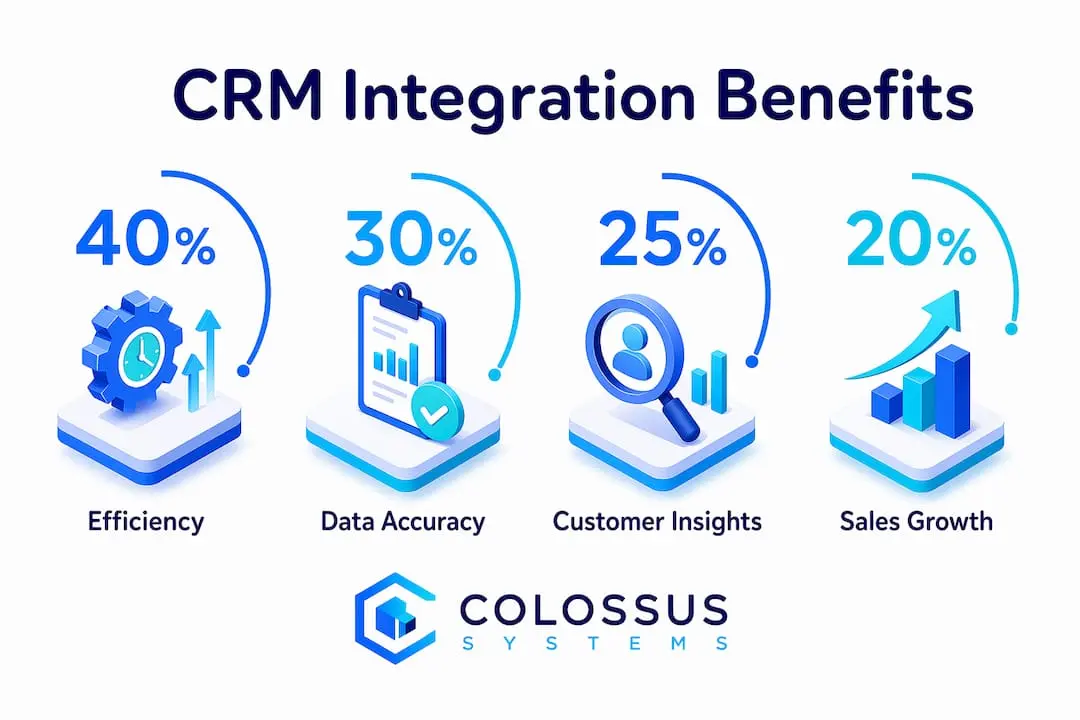
CRM integration delivers measurable improvements across every department that touches customer data. The benefits are not limited to IT teams. They extend to sales, marketing, finance, and customer service.
- Reduced manual data entry. Integration removes “swivel-chair” processes where employees copy data between systems by hand. This cuts errors and frees staff to focus on customer interactions.
- A unified, real-time customer view. Every team sees the same contact record, updated in real time. A support agent can see the customer’s purchase history from the finance system without leaving the CRM.
- Improved employee productivity. When your team is not re-keying data, they spend that time on work that generates value. The productivity gain compounds across departments.
- AI and automation readiness. Integration is a prerequisite for AI deployment in business. Without connected data, AI agents cannot operate autonomously because they lack a complete picture of the customer.
- Better customer experience. When your billing, marketing, and support systems share data, customers receive consistent, informed communication at every touchpoint.
“Integration’s primary goal is to remove employee friction by automating data synchronisation, letting teams focus on value-added customer interactions.” — Salesforce
The operational efficiency gains from CRM system integration are significant. Organisations that connect their CRM to their donor management and member data systems, for example, report faster response times and fewer data discrepancies across teams.
How should businesses implement CRM integration effectively?
Effective CRM integration requires planning before any technical work begins. Organisations that skip the planning phase typically encounter data conflicts, looping errors, and failed syncs within weeks of going live.
- Conduct a data flow audit. A data flow audit before integration maps every data source and destination across your organisation. This prevents sync conflicts and identifies which systems should be the authoritative source for each data type.
- Prioritise your integrations. Not every system needs to connect on day one. Start with the highest-impact pairing, typically your CRM and your email marketing or finance tool, and expand from there.
- Standardise your data formats. Agree on a single format for dates, phone numbers, and addresses before you build. This prevents the silent failures that mismatched formats cause.
- Test in a staging environment. Never push an untested integration directly to your live systems. A staging environment lets you catch errors without affecting real customer records.
- Allocate ongoing maintenance resource. SaaS APIs frequently update, and those updates can break existing integrations without warning. Successful organisations treat integration as a continuous product, not a one-off project, and dedicate operational time to monitoring and fixing issues as they arise.
Pro Tip: Assign a named integration owner within your organisation. This person is responsible for monitoring sync logs, responding to failures, and liaising with vendors when API changes occur. Without clear ownership, broken integrations go unnoticed for weeks.
The implementation phase is also the right time to review your email marketing integrations alongside your CRM setup. Connecting these two systems early delivers immediate value through automated, data-driven communications.
Key takeaways
CRM integration is the foundational process that connects your CRM to every other business system, and without it, data silos, manual errors, and missed AI opportunities are inevitable.
| Point | Details |
|---|---|
| Definition is clear | CRM integration automates data exchange between your CRM and other business applications. |
| Four methods exist | Native connectors, third-party tools, custom APIs, and iPaaS middleware each suit different business needs. |
| Data mapping is critical | Mismatched fields cause silent failures; standardise formats before building any integration. |
| Benefits span all departments | Reduced manual entry, real-time data, and AI readiness improve operations across sales, marketing, and support. |
| Integration needs ongoing care | SaaS API updates break connections; treat integration as a continuous product with dedicated maintenance resource. |
Why I think most businesses underestimate CRM integration
Most organisations treat CRM integration as an IT task to be completed once and forgotten. That is the wrong framing, and it leads to broken syncs, corrupted records, and frustrated teams within months of launch.
What I have observed is that the businesses which get the most from their CRM are the ones that treat integration as a strategic priority at board level, not a technical checkbox for the IT department. When a sales director owns the outcome of the integration, the data quality is consistently higher. When it is delegated entirely to a developer, it gets built but never properly maintained.
The other misconception I see regularly is that integration is only relevant for large enterprises. A membership organisation running 500 members on a CRM that does not connect to its event management or payment system is losing data accuracy every single day. The scale does not matter. The principle does.
The most underappreciated benefit is AI readiness. Businesses are investing heavily in AI tools right now, but those tools are only as good as the data they can access. An organisation with siloed systems cannot deploy AI effectively, regardless of how much it spends on the technology. Integration is the prerequisite that most AI vendors quietly assume you have already sorted.
— Rob
How Colossus supports your CRM integration needs
Colossus is built for membership organisations that need their CRM to work in concert with every other part of their operations.

Our CRM software connects member records, event registrations, payment data, and email marketing within a single platform, removing the need to manually reconcile data across separate tools. The result is a real-time member view that your entire team can act on. Explore the full range of membership management features to see how Colossus connects your data and supports the kind of integrated operations that modern organisations require.
FAQ
What is a CRM integration in simple terms?
CRM integration is the automatic connection between your CRM and other business tools, such as email marketing, accounting, or support software, so that data updates in one system are reflected across all connected platforms without manual input.
What are the main types of CRM integrations?
The four main types are native connectors, third-party connectors, custom API integrations, and iPaaS middleware. Each offers a different balance of ease, flexibility, and control depending on your organisation’s size and technical capability.
Why is CRM system integration important for businesses?
CRM system integration eliminates manual data entry, creates a unified customer view across departments, and is a prerequisite for deploying AI tools effectively. Without it, data silos reduce accuracy and slow down every team that relies on customer information.
How long does a CRM integration take to implement?
Implementation time varies significantly by method and complexity. A native or third-party connector can be live within hours, while a custom API integration for a large organisation may take several weeks of development and testing.
Does CRM integration require ongoing maintenance?
Yes. SaaS platforms update their APIs regularly, and those changes can break existing integrations without warning. Organisations should allocate dedicated operational time to monitor sync logs and address failures as part of their standard technology management.