CRM for UK membership organisations: a practical guide

A membership CRM is a centralised software platform that manages your member records, events, payments, communications, and renewals in one place. If your organisation still relies on spreadsheets, disconnected email tools, or legacy databases, this guide will help you understand what a modern membership management system does, what to look for under UK law, and how to build a credible business case for trustees.
TL;DR: UK membership organisations, associations, and nonprofits should consider a CRM when manual processes are causing data errors, renewals are slipping, or GDPR compliance is difficult to evidence. Colossus Systems is one platform built specifically for this audience.
Key takeaways
A membership CRM delivers the most value when clean data, GDPR compliance, and a phased implementation plan are in place before go-live.
| Point | Details |
|---|---|
| Start with a needs score | Rate pain across member records, events, payments, communications, and integrations before approaching vendors. |
| GDPR is a baseline requirement | Any platform must support lawful basis records, consent capture, data subject access, and configurable retention policies. |
| Budget for total cost of ownership | Licence fees are one line; add implementation, integrations, training, and support to get the real figure. |
| Expect 18–24 months to strategic ROI | Trustees should plan for measurable benefits within this window, with quick wins in the first 90 days. |
| Colossus covers the full feature set | Colossus Systems provides member management, events, payments, and integrations in one GDPR-aware SaaS platform for UK organisations. |
Table of Contents
- What is a CRM system for membership organisations?
- Core features your membership CRM should provide
- Why membership organisations gain real value from a CRM
- UK compliance and security requirements you must check
- How to choose the right CRM for your organisation
- Implementation steps, migration checklist, and cost factors
- What good CRM adoption actually looks like in year one
- Colossus Systems: a practical fit for UK membership organisations
- Sources
What is a CRM system for membership organisations?
The term “CRM” stands for Customer Relationship Management, but in the membership sector the more accurate label is member relationship management software. Where a sales-focused CRM tracks leads and deals, a membership CRM tracks contacts, organisations, subscriptions, event attendance, CPD records, and communications history. The goal is a single source of truth for every relationship your organisation holds, replacing fragmented spreadsheets with centralised, auditable records that support Gift Aid claims and trustee reporting.
Sector-specific platforms go further. A suite such as smartmembership illustrates how membership workflows — CPD tracking, event registration, finance integrations — can be pre-built rather than customised from scratch, which materially reduces implementation time and cost.
Core features your membership CRM should provide
A well-specified membership CRM covers six functional areas. Map each one against your current pain points before you speak to any vendor.
- Member database: Individual and organisational records with relationship links, communication history, and custom fields for membership grades or categories.
- Events and ticketing: Online registration, capacity management, delegate communications, and CPD or qualification tracking tied directly to the member record.
- Payments and renewals: Recurring billing, card payments, direct debit, automated renewal reminders, and Gift Aid capture for eligible organisations.
- Communications: Segmented email, SMS, and automated workflows triggered by membership status, event sign-up, or renewal date.
- Self-service portals: Member login areas where individuals update their own profiles, access exclusive content, and view their CPD history without staff intervention.
- Integrations: Connections to your CMS (such as Umbraco), accounting software, payment gateways, and marketing tools so data flows without manual re-entry.
Sector-specific CRM suites deliver these as pre-built modules, which means your team spends less time on configuration and more time on member engagement.
Why membership organisations gain real value from a CRM
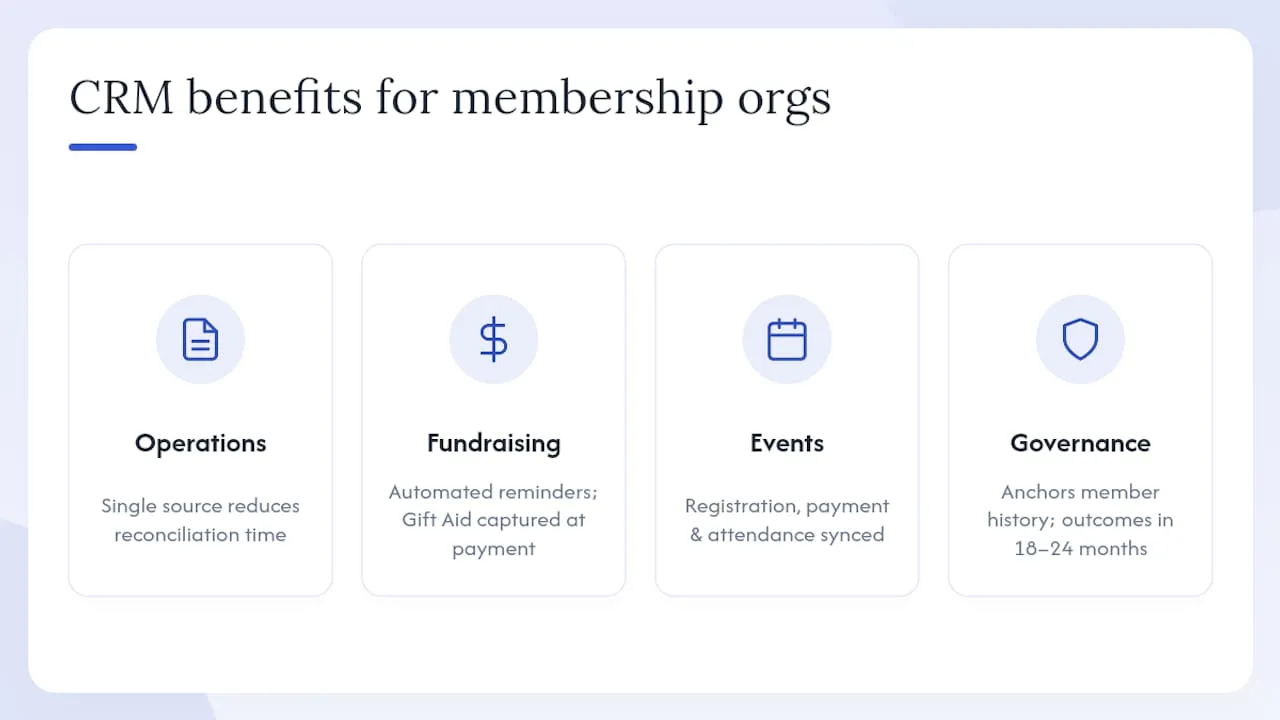
The operational case is straightforward. A CRM gives your team one place to look, which cuts the time spent reconciling data across tools and reduces the risk of contacting a lapsed member as though they are active. Smaller organisations in particular can realise meaningful time savings and improved member stewardship with even modest adoption, and many vendors offer charity-friendly pricing to reduce the financial barrier.
Renewals and fundraising improve because automated reminders go out at the right moment, Gift Aid records are captured at the point of payment, and lifetime value becomes visible across the member record. Events run more smoothly when registration, payment, and attendance data feed back into the same system that drives your communications.
There is also a governance argument that trustees often overlook. When a long-serving membership manager leaves, their knowledge of member relationships and engagement history leaves with them unless it is recorded centrally. A CRM anchors that institutional knowledge so the organisation retains it regardless of staff changes. Trustees should treat CRM investment as strategic, with a realistic implementation plan and measurable outcomes expected over an 18–24 month window.
UK compliance and security requirements you must check
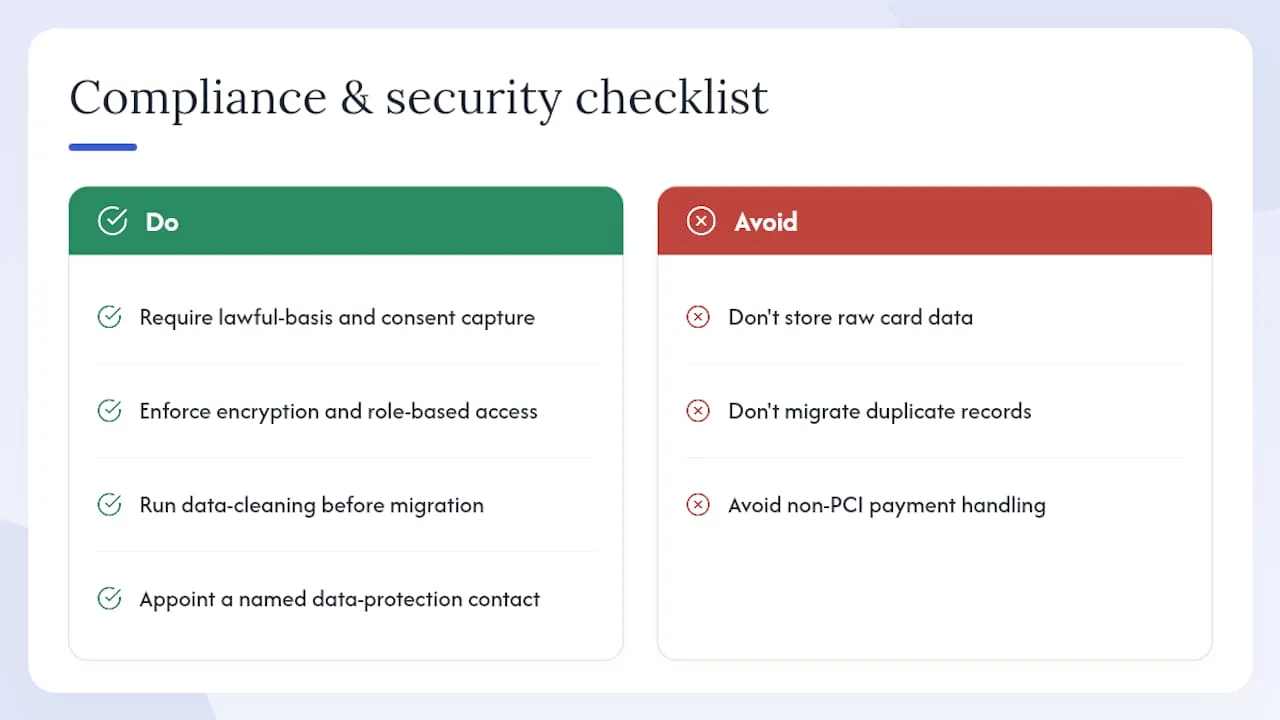
GDPR compliance and secure data handling are not optional extras — they are baseline selection criteria for any UK membership organisation. Your CRM must support lawful basis records, data subject access requests, consent capture, and configurable retention policies. Without these, your organisation cannot demonstrate compliance to the Information Commissioner’s Office.
On the security side, look for encryption at rest and in transit, role-based access controls, audit logs, automated backups, and evidence of recognised security standards such as ISO 27001 or equivalent. Payment handling must use PCI-DSS-compliant gateways or validated direct-debit integrations; never store raw card data on a platform that cannot evidence its payment security posture.
Operational controls matter too. Admin segregation, trustee-level reporting access, and a clear audit trail protect the organisation if a data incident occurs or a regulator asks questions.
Pro Tip: Before you begin procurement, appoint a named data protection contact internally and run a data-cleaning exercise on your existing records. Migrating duplicate or consent-ambiguous records into a new system compounds compliance risk rather than resolving it.
A supplier-cited sector survey reported that 82% of charities saw time savings and income improvement after adopting a CRM, but those gains depend on clean data going in. Compliance and data quality are the foundation, not an afterthought.
How to choose the right CRM for your organisation
Work through the following steps before you issue an invitation to tender or book a demo.
- Score your core needs. Rate your current pain across five areas: member records, events, payments, communications, and integrations. The areas with the highest pain scores should drive your must-have feature list.
- Ask vendors the hard questions. Who owns the data? What is the export format and portability guarantee? What are the SLA response times for critical issues? How is GDPR support documented and evidenced?
- Check UK client references. Ask for case studies from UK membership bodies of a similar size and sector. A vendor with no UK charity or association references carries higher implementation risk.
- Identify red flags. No published pricing, no data-export guarantee, vague SLA language, and no named implementation methodology are all signals to probe further.
- Calculate total cost of ownership. Licence fees are only one line. Add implementation and consultancy, integration development, training, ongoing support, and any hosting or customisation costs. Trustees should require a full TCO figure and a payback assumption in the business case.
- Run a procurement checklist. The board paper should include: data migration plan, training plan, GDPR evidence, integration list, SLA document, and a named implementation contact.
When comparing platform categories, entry-level tools suit organisations with fewer than 500 members and simple renewal workflows. Sector-specific platforms cover complex CPD, multi-tier membership, and event management out of the box. Enterprise platforms add custom development, advanced analytics, and multi-entity support, but carry higher cost and longer implementation timelines. Match the category to your actual complexity, not your aspirational one. For a detailed selection checklist, the best CRM for membership organisations guide covers current market criteria in depth.
Implementation steps, migration checklist, and cost factors
A typical membership CRM project runs through six phases: discovery and requirements, platform configuration, data migration, user acceptance testing, training, and go-live. For most small-to-mid-size organisations, expect several months from contract signature to live operation, though complex integrations or large data sets extend that window.
Data migration checklist:
- Define canonical fields (membership number, contact type, grade, status) before any data is extracted.
- Remove duplicates and merge records before migration, not after.
- Map GDPR consent records explicitly — do not assume historical data carries valid consent.
- Migrate historical event and payment records only if they are clean and auditable.
- Test a sample cohort in the new system before full migration.
Cost drivers beyond the licence fee include implementation consultancy, custom integration development, staff training, and ongoing support contracts. Vendor-provided charity pricing and partner implementation support can materially reduce total cost of ownership for smaller organisations, so always ask whether a charity or nonprofit rate applies.
Pro Tip: Start with core records, basic renewal automations, and one communication workflow. Resist the urge to configure every feature on day one. A phased approach lets your team build confidence before adding complexity, and it surfaces data quality issues early when they are still cheap to fix. Understanding why automating tasks in stages improves adoption is worth reading before you plan your rollout.
What good CRM adoption actually looks like in year one
Most organisations that adopt a membership CRM arrive with the same presenting problem: too many spreadsheets, renewal reminders sent manually, and no reliable picture of member engagement. The first 90 days are rarely about advanced analytics. They are about getting clean records into the system and automating the two or three workflows that consume the most staff time.
The quick wins that deliver the fastest return are automated renewal reminders, self-service profile updates, and event registration tied directly to the member record. These three changes alone typically free up several hours of admin time per week and reduce the number of lapsed members who slip through unnoticed.
What separates a successful implementation from a difficult one is rarely the platform. It is whether the organisation invested in data cleaning before go-live, assigned a clear internal owner, and resisted adding complexity before the basics were stable. Colossus Systems supports UK membership bodies through this process with an integrated platform covering member management, events, payments, and communications, backed by specialist guides and practical sector content.
Colossus Systems: a practical fit for UK membership organisations
Colossus delivers the full capability set this guide has described: member management, events, payments, and integrations in a single SaaS platform built for membership organisations, associations, and nonprofits. The platform supports GDPR-compliant data handling, integrates with CMS platforms including Umbraco, connects to secure payment gateways, and provides the self-service portals and email marketing tools your members expect.

For organisations comparing options, Colossus offers a concrete alternative to stitching together separate tools — one platform, one data set, one support relationship. The CRM software product page sets out the member management and communications functionality in detail, and the specialist blog content demonstrates the sector knowledge behind the product. To see how Colossus maps to your specific requirements, book a demo via the contact page.
Sources
- CRM for the UK Charity Sector | OpenCRM
- EXCLUSIVE CRM series: Benefits of a CRM system to small charities - Eyes Down Digital
- smartmembership: CRM, websites, and portals for membership organisations - Digital Marketplace
- Benefits of a CRM for charities and not-for-profits | The Access Group