Nonprofit email marketing tips that actually work

TL;DR:
- Effective nonprofit email marketing centers on relationship building, strategic timing, and personalized messaging, leading to increased donations. Segmentation, automation, and precise measurement of conversion and revenue metrics outperform generic campaigns and foster supporter engagement year-round. Proper technical setup and consistent communication nurture trust, optimize deliverability, and drive sustained fundraising success.
Most nonprofit communicators assume that sending more emails means raising more money. The data tells a different story. Effective nonprofit email marketing tips are grounded in relationship building, strategic timing, and meaningful personalisation. Send the right message to the right supporter at the right moment, and you will see donations increase without exhausting your list. This guide walks you through the segmentation, sequencing, deliverability, and measurement strategies that consistently outperform generic broadcast campaigns.
Table of Contents
- Key takeaways
- Nonprofit email marketing tips: build a strong foundation
- Structuring your welcome and donor journey sequences
- Deliverability and send timing
- Measuring what actually matters
- Planning a year-round fundraising calendar
- My honest take on what actually moves the needle
- How Colossus helps nonprofits send smarter emails
- FAQ
Key takeaways
| Point | Details |
|---|---|
| Segment before you send | Divide your list into lifecycle stages to send relevant messages that convert better than mass broadcasts. |
| Delay the first fundraising ask | A four-email welcome series with the first ask on Day 14 produces up to 5x better first-gift conversion rates. |
| Prioritise conversion over opens | Track revenue per 1,000 emails and conversion rate rather than relying on open rates alone. |
| Maintain a 2:1 content ratio | Send two cultivation emails for every solicitation to strengthen donor retention significantly. |
| Automate for consistency | Triggered sequences sent immediately after signup outperform manual batch sends in both opens and click-throughs. |
Nonprofit email marketing tips: build a strong foundation
Before any campaign lands in a supporter’s inbox, you need a clean, segmented list and a clear purpose for every message. This is where most organisations leave significant revenue on the table.
Segmentation that actually matters
Generic blasts to your entire database treat a first-time volunteer the same as a major donor who has given for five years. That is a missed opportunity every time. Divide your list into at least four core segments: new subscribers who have not yet donated, active donors who give regularly, lapsed donors who have gone quiet, and major givers who warrant a more personalised approach.
Segmented automation workflows can boost fundraising revenue by up to 760%, precisely because sequences reach donors at the optimal moment in their relationship with your organisation. The effort involved in setting up these segments pays back quickly.
Pro Tip: When building segments, treat new subscribers and first-time donors as entirely separate lifecycle stages. Mixing them muddies your performance data and dilutes the tailored messaging that makes each group convert.
Personalisation and calls to action
Personalised subject lines improve open rates, but real personalisation goes much further than inserting a first name. Reference the supporter’s history, their previous campaign involvement, or the specific programme they funded. That context signals you know who they are, not just what their name is.
Every email should contain one campaign-specific call to action. Offering multiple options creates choice paralysis and reduces the likelihood that a reader will do anything at all. Place your call to action once in the main body and once near the end, so skimmers and thorough readers both encounter it. Keep the button text short and direct: “Give today” outperforms “Click here to learn more about how you can support our cause.”
- Limit each email to a single, clear ask
- Place the call to action in the body and again near the email footer
- Use segment-specific language (“As a returning supporter…” versus “Welcome to our community…”)
- A/B test subject lines within segments before rolling out to the full group
Structuring your welcome and donor journey sequences
The first email a new supporter receives is the most-read message you will ever send them. Most organisations waste it with a generic thank-you. A structured sequence does considerably more.

The four-email welcome series
A proven framework delays the fundraising ask while building genuine trust:
- Day 0. Immediate welcome. Send this automatically the moment someone signs up or makes a first donation. Confirm their action, introduce your mission in one sentence, and set expectations for what they will hear from you. Automated immediate sends consistently outperform batch sends because they arrive when the subscriber’s interest is highest.
- Day 3. Impact story. Share a single, specific story about one person or one outcome your organisation influenced. Avoid statistics at this stage; a name and a face do more work than a percentage.
- Day 7. Involvement options. Offer ways to engage that do not require a financial commitment: volunteering, sharing on social media, attending a free event. This deepens the relationship before any ask appears.
- Day 14. First fundraising ask. By this point you have delivered genuine value. The first-gift conversion rate for this approach runs three to five times higher than sending a donation request in the first email.
Pro Tip: First-time donors deserve a separate welcome sequence from new subscribers. A donor already trusts you enough to give. Their journey should acknowledge that act immediately and focus on reinforcing the impact of their specific gift rather than re-introducing your organisation.
The case for automation here is not about convenience. Manual batch sending means a supporter who signs up on a Sunday afternoon might not receive their welcome email until Monday or Tuesday. That delay loses the engagement window entirely.
Deliverability and send timing
Your emails cannot perform if they do not reach the inbox. Many nonprofits focus entirely on content and ignore the technical hygiene that determines whether messages land in primary inboxes or spam folders.
Technical authentication
Implementing SPF, DKIM, and DMARC is the baseline for inbox placement with major email providers. Think of these three protocols as your sending identity credentials. Without them, providers have no way to verify that your messages are legitimate, and they will treat them with suspicion accordingly.
Moving your DMARC policy gradually from “none” to “quarantine” to “reject” gives you time to identify any legitimate sending sources you might inadvertently block. Most organisations can complete this process within six to eight weeks.
List hygiene and compliance
- Remove hard bounces immediately after they occur; accumulated bounces damage your sender reputation directly
- Suppress unengaged subscribers (no opens or clicks in 12 months) before major campaigns, then run a targeted re-engagement sequence for that group
- Visible opt-out options are a legal requirement under CAN-SPAM, with penalties exceeding $51,000 per violation for non-compliance
- Clean your list of invalid addresses at least quarterly using an email verification tool
Pro Tip: Never buy email lists. Beyond the deliverability damage, you will be emailing people who have no prior relationship with your organisation, which produces negligible conversion and often triggers spam complaints that hurt all your future sends.
Finding the right send time
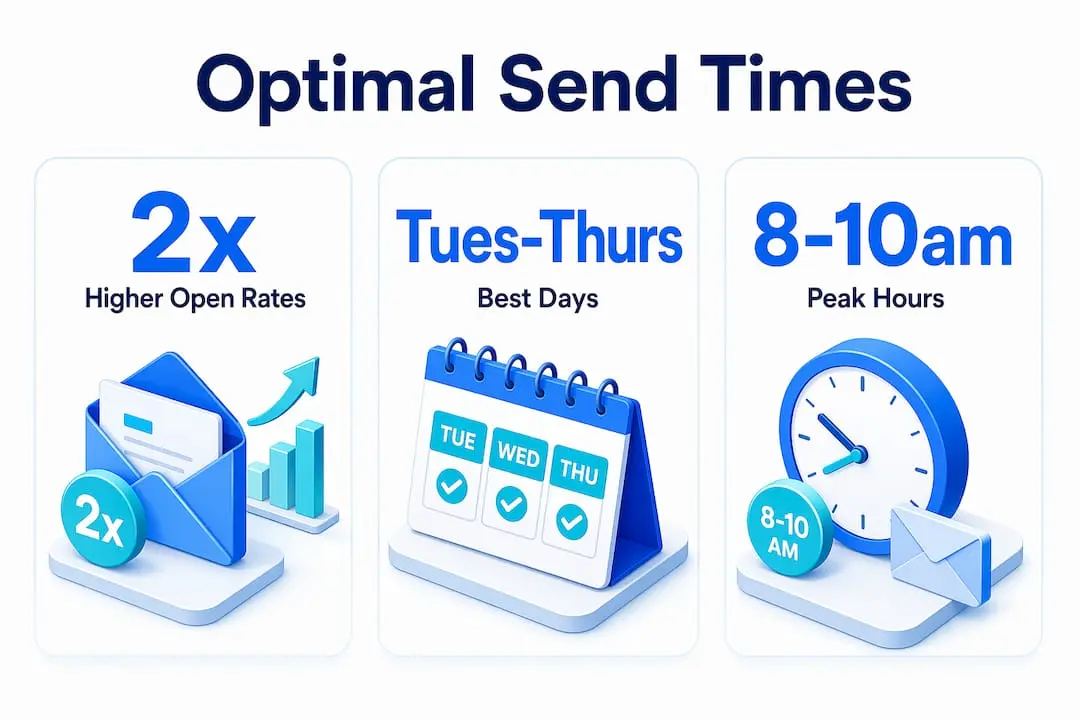
Tuesday through Thursday mornings tend to perform well across the sector, but your audience may behave differently. Use A/B testing to split your list and send at two different times. After three or four tests, patterns will emerge. Let your own data guide scheduling rather than generic sector averages.
Measuring what actually matters
Open rates feel like a useful number until you understand their limitations. Many email clients pre-load images regardless of whether a recipient actually opened the message, inflating open rate figures. Building your strategy around open rates alone is like judging a fundraising event by the number of people who walked past the door.
A better set of metrics
| Metric | What it measures | Why it matters more than opens |
|---|---|---|
| Conversion rate | Percentage of recipients who completed a donation | Directly ties email performance to revenue |
| Revenue per 1,000 emails | Total income divided by emails delivered (×1,000) | Enables fair comparison across campaigns of different sizes |
| Gift per click | Donation revenue divided by total clicks | Reveals which messages attract donors with higher giving intent |
| Unsubscribe rate | Percentage opting out per send | A rising rate signals content or frequency problems early |
Tracking UTM parameters on every link in your emails allows you to see exactly which messages and which specific links are driving traffic and conversions in your donation platform. Without UTM codes, you know that email drove traffic but not which email or which call to action performed best.
Segment your reporting as well. Overall campaign averages hide important differences. A monthly giving upgrade email might show a lower open rate than your newsletter but produce five times the revenue per recipient. Reviewing performance by segment and campaign type reveals those differences and guides your next decision.
Planning a year-round fundraising calendar
Most nonprofits concentrate their email fundraising into the final quarter of the year and then go quiet. That pattern trains supporters to expect asks only in November and December, which weakens the relationship and makes lapsed donor recovery much harder.
Regular non-ask communications improve donor retention by 40% compared with emailing only when seeking funds. The practical application of that finding is a simple ratio: two cultivation emails for every solicitation.
Cultivation emails include impact updates, stories about programme participants, volunteer spotlights, and expressions of genuine gratitude. They cost nothing beyond time and reinforce the reason a supporter chose your organisation in the first place.
- Map four to six major fundraising moments across the year, not just December
- Schedule monthly donor upgrade asks once per quarter, separately from acquisition campaigns
- Build a lapsed donor re-engagement sequence triggered at the 90-day mark after a supporter’s last gift
- Time urgent appeals around matching gift opportunities or programme milestones, not only calendar events
Pro Tip: Impact milestone campaigns, built around specific programme achievements rather than traditional calendar events, tend to outperform seasonal asks because they feel newsworthy and specific rather than routine.
Use fundraising engagement tactics such as challenge campaigns and impact countdowns to create natural urgency without relying on artificial deadlines. Supporters respond to genuine momentum.
My honest take on what actually moves the needle
I have reviewed email programmes across dozens of nonprofits, and the pattern I keep seeing is this: organisations spend enormous energy on subject line testing and design tweaks while their core messaging remains vague. Mission clarity drives stronger donor response than any copy tweak at the surface level. If your organisation cannot articulate in one sentence what changes because of a donation, no amount of personalisation will compensate for that gap.
I also think automation adoption is much slower than it should be in the sector. I regularly see communications teams manually sending individual emails that a well-configured trigger sequence could handle, consistently, at the optimal moment, without the risk of a delayed Sunday send. The reluctance usually comes from the initial setup effort feeling daunting. But a four-email welcome series, once built correctly, works for every new subscriber from that day forward.
The other thing I would push back on is the tendency to equate frequency with commitment. Sending more emails does not demonstrate how much you care about your mission. Sending better emails does. If you are not sure whether a message adds genuine value for the recipient, it probably does not. Start there, and the metrics will follow.
— Rob
How Colossus helps nonprofits send smarter emails

Putting these strategies into practice requires the right infrastructure behind them. Colossus brings together CRM software, donor segmentation, and email campaign automation within a single platform, so your welcome sequences, re-engagement triggers, and cultivation emails all run from the same place. Our membership management features let you tag and track supporters across their entire lifecycle, from first signup through to major donor status, giving your communications team the data they need to send the right message at the right time. Our event management tools integrate directly with your email campaigns so event-driven outreach becomes part of a connected fundraising strategy rather than a separate effort.
FAQ
What is the best email frequency for nonprofits?
Most nonprofits perform well with two to four emails per month, maintaining a ratio of two cultivation messages for every one fundraising ask. Consistency matters more than volume.
How do I improve my nonprofit email open rates?
Use segment-specific subject lines and send immediately after a supporter takes an action. Beyond opens, focus on conversion rate and revenue per 1,000 emails as more reliable performance indicators.
When should nonprofits send the first fundraising ask?
Delaying the first fundraising ask until Day 14 of a welcome sequence, after delivering impact content and involvement options, produces a first-gift conversion rate three to five times higher than asking immediately.
What email metrics should nonprofits track?
Track conversion rate, revenue per 1,000 emails delivered, and gift per click. UTM parameter tracking on all links gives you the granular data needed to identify which specific emails and calls to action are driving donations.
Do nonprofits need email authentication protocols?
Yes. SPF, DKIM, and DMARC authentication are essential for inbox placement. Without them, major email providers cannot verify your sending identity, which significantly reduces deliverability and can send legitimate messages to spam folders.