How to Set Up Webinars for Membership Organisations

Every british membership organisation faces the pressure to deliver flawless webinars that genuinely engage their members. With over eighty percent of professionals now preferring digital events over traditional ones, getting your webinar strategy right is more important than ever. Clear objectives and the right tools can mean the difference between a forgettable event and a standout experience for your entire community. Discover key steps to maximise the value of your next virtual session.
Table of Contents
- Step 1: Define Your Webinar Objectives And Audience
- Step 2: Select The Ideal Webinar Platform And Tools
- Step 3: Configure Registration And Integration Settings
- Step 4: Design Engaging Content And Interactive Elements
- Step 5: Test The Setup And Run A Rehearsal
- Step 6: Launch Your Webinar And Monitor Performance
Quick Summary
| Key Point | Explanation |
|---|---|
| 1. Define Objectives Clearly | Specify measurable goals to guide your content strategy and ensure relevancy to your audience’s needs. |
| 2. Choose the Right Platform | Evaluate webinar platforms for features like HD video and participant engagement tools to enhance the attendee experience. |
| 3. Streamline Registration Process | Create an intuitive registration workflow that collects essential information and automates participant communications. |
| 4. Incorporate Interactive Elements | Use tools like polls and breakout rooms to engage participants actively and enrich the learning experience. |
| 5. Conduct a Full Rehearsal | Test all technical aspects and ensure presenters are comfortable with the platform to avoid issues during the live event. |
Step 1: Define your webinar objectives and audience
Defining clear objectives and understanding your target audience are foundational steps in creating a successful webinar for membership organisations. This initial planning phase determines the strategic direction and potential impact of your virtual event.
Start by articulating specific, measurable goals for your webinar. Are you aiming to educate members about a new industry trend, introduce a skills workshop, or showcase research findings? Each objective will shape your content strategy. Professional associations often seek to enhance member knowledge through targeted webinars, which requires precise learning outcomes.
Next, develop a detailed profile of your audience. Consider demographics like career stage, professional interests, and skill levels within your membership. A webinar targeting early career professionals will differ significantly from one designed for senior executives. Analyse previous event attendance data, membership surveys, and engagement metrics to understand participant preferences. This audience insight allows you to craft content that resonates deeply and provides genuine value.
A crucial tip is to align your webinar objectives with your broader organisational mission. Your virtual event should not exist in isolation but contribute to your membership organisation’s strategic goals of professional development, networking, or knowledge sharing. By maintaining this alignment, you create webinars that feel meaningful and purposeful to your members.
Step 2: Select the ideal webinar platform and tools
Choosing the right webinar platform is crucial for delivering a seamless and professional virtual event. This step requires careful evaluation of features, technical capabilities, and alignment with your membership organisation’s specific communication needs.

Begin by assessing platforms that offer robust features for professional training and engagement. Comprehensive webinar platforms provide key functionalities like HD video, meeting recording, and screen sharing, which are essential for delivering high quality content. Consider platforms that support integration with your existing membership management systems, enabling smooth participant tracking and engagement monitoring.
When evaluating platforms, prioritise scalability and security. Advanced webinar tools now offer sophisticated features such as real-time translation and AI noise cancellation, which can significantly enhance participant experience. Look for platforms that can accommodate your expected audience size and provide flexible participation options like breakout rooms, live polling, and interactive Q&A sessions.
A critical tip is to request demo access or free trials from potential platforms. This allows you to test user experience, technical compatibility, and alignment with your organisation’s workflow before making a final commitment. By thoroughly investigating platform capabilities, you ensure a professional and engaging webinar experience for your members.
Step 3: Configure registration and integration settings
Configuring seamless registration and integration settings is a critical step in creating a professional webinar experience for your membership organisation. This process involves designing an intuitive registration workflow and connecting your webinar platform with existing membership management systems.
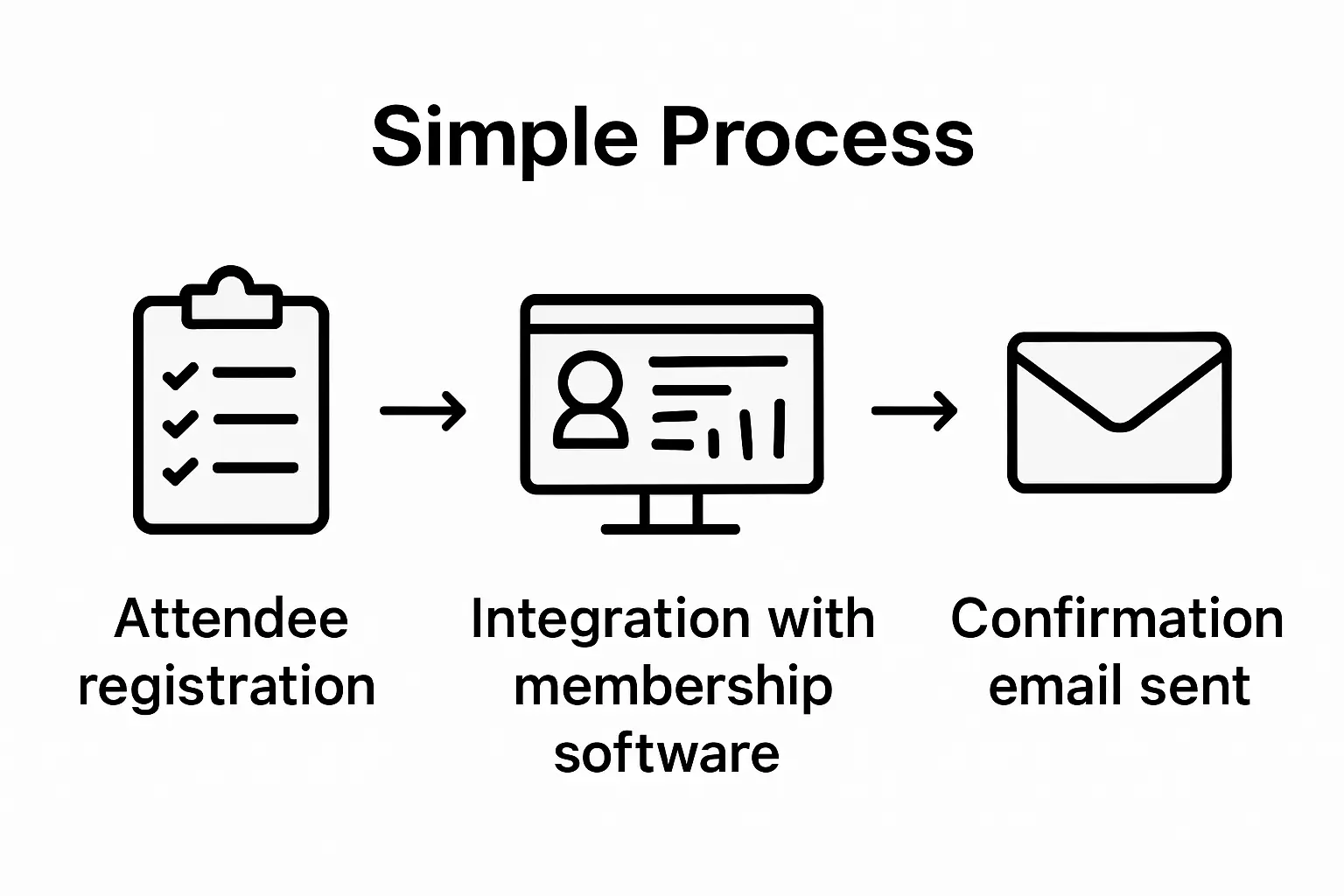
Streamlining the registration process enhances the overall attendee experience by setting clear communication expectations. Begin by creating a registration form that captures essential participant information while remaining concise. Include fields for name, email, professional role, and any specific membership details relevant to your organisation. Consider implementing conditional logic that allows you to collect targeted information based on participant demographics or interests.
Optimising pre event communication involves aligning webinar content with organisational learning goals and diversifying content delivery formats. Ensure your registration system automatically sends confirmation emails, calendar invites, and preparatory materials. Configure automated reminder sequences that provide participants with login details, agenda previews, and recommended pre webinar resources. By creating a comprehensive communication strategy, you increase attendee engagement and demonstrate professional commitment to your members’ continuous learning journey.
Step 4: Design engaging content and interactive elements
Designing compelling content and interactive elements is crucial for maintaining participant attention and creating a meaningful learning experience in your membership organisation’s webinar. This step transforms your virtual event from a passive presentation into an dynamic, participatory session.
Creating engaging interactive content involves strategically incorporating tools like polls, breakout rooms, and live chat to maximise participant involvement. Structure your webinar with clear learning objectives, alternating between presentation segments and interactive moments. Consider implementing live polls to gauge audience understanding, pose thought-provoking questions that encourage real-time discussion, and design breakout rooms where participants can collaborate on specific challenges or case studies relevant to your membership group.
When developing content, focus on practical, actionable insights that directly address your members’ professional needs. Include multimedia elements such as short video clips, infographics, and expert interview segments to break up traditional presentation formats. A critical tip is to prepare interactive elements in advance and train your presenters on seamlessly integrating these engagement techniques. By creating a multi dimensional learning experience, you transform your webinar from a standard lecture into an immersive professional development opportunity that members will genuinely appreciate.
Step 5: Test the setup and run a rehearsal
Testing your webinar setup and conducting a comprehensive rehearsal are essential steps to ensure a professional and seamless virtual event. This critical phase helps identify and resolve potential technical challenges before your actual presentation.
Mastering the technology and developing robust backup plans are crucial for maintaining professionalism during high stakes webinars. Schedule a full technical rehearsal with all presenters and technical support staff at least 48 hours before the event. During this rehearsal, systematically test audio quality, screen sharing capabilities, interactive features, and login processes. Ensure each presenter is comfortable with the platform interface and understands how to manage potential technical interruptions.
Conducting thorough setup tests and familiarising yourself with platform functionalities guarantees technical reliability and smooth session execution. Create a detailed checklist covering equipment verification, internet connection stability, lighting conditions, and backup communication channels. Have alternative devices and internet connections ready as contingency measures. By meticulously preparing and rehearsing, you demonstrate professionalism and build confidence among your membership organisation’s participants.
Step 6: Launch your webinar and monitor performance
Launching your webinar represents the culmination of careful preparation and strategic planning. This final stage requires vigilant execution and real-time engagement to ensure a successful virtual event for your membership organisation.
Launching a webinar demands prioritising attendee experience from initial discovery through comprehensive follow-up. Begin by performing a final technical check moments before starting, confirming audio clarity, screen sharing functionality, and interactive features. During the webinar, actively monitor participant engagement through chat functions, live polling responses, and real-time participant interactions. Assign a dedicated team member to manage technical aspects and audience interaction, allowing presenters to focus on delivering high quality content.
Monitoring webinar performance involves systematically tracking participant engagement and gathering actionable feedback. Utilise built-in analytics tools to track metrics such as attendee participation rates, average viewing duration, and interactive element usage. Immediately after the session, distribute a comprehensive feedback survey to understand participants experiences, identifying strengths and potential areas for improvement. By treating each webinar as a learning opportunity, you continually refine your approach and deliver increasingly valuable experiences for your membership organisation.
Elevate Your Membership Webinars with Seamless Engagement and Management
Planning and executing impactful webinars for your membership organisation demands more than just good content and technology. You need a unified solution that streamlines registration, engagement, and follow-up while aligning perfectly with your strategic goals. Whether you are defining clear objectives, selecting the optimal webinar platform, or managing registration workflows, integrating a platform that handles all these critical steps will transform your virtual events into powerful member experiences.
Colossus Systems offers a comprehensive SaaS platform designed specifically for membership organisations like yours. Our tools simplify event planning and virtual training, enhance member engagement through customised communication channels, and provide robust analytics to monitor performance. By consolidating your member management and webinar hosting needs, you gain the freedom to focus on delivering meaningful content and growing your community. Discover how to streamline your webinar processes and boost member satisfaction by contacting us today.
Discover how Colossus Systems can empower your membership organisation
Explore professional event management solutions
Get personalised support and start your growth journey

Ready to transform your webinars into engaging professional development opportunities that truly connect with your members Act now to streamline your webinar setup and enhance member engagement with Colossus Systems by visiting our contact page and scheduling a consultation today
Frequently Asked Questions
What are the key objectives for setting up webinars in membership organisations?
To set up effective webinars, define specific objectives such as educating members about industry trends, promoting skills workshops, or showcasing research findings. Begin by identifying measurable goals that align with your organisation’s professional development aims.
How can I determine the right audience for my webinar?
Understand your target audience by analysing demographic data, career stages, and professional interests within your membership. Use previous attendance data and surveys to create detailed audience profiles, ensuring the content resonates with their needs.
What features should I look for in a webinar platform?
Select a webinar platform that offers essential features like HD video, meeting recording, and integration with your membership management systems. Prioritise scalability and security to accommodate your anticipated audience size and enhance participant engagement with interactive tools.
How do I create a seamless registration process for my webinar?
Design a straightforward registration form that captures necessary participant information and communicates expectations clearly. Automate confirmation emails and reminder sequences to keep attendees informed and prepared, which can improve engagement rates.
What types of interactive elements can I include in my webinar?
Incorporate tools such as live polls, breakout rooms, and Q&A sessions to foster participant engagement. Design your content to alternate between presentations and these interactive moments, allowing members to contribute actively during the session.
How should I test my setup before launching the webinar?
Conduct a full technical rehearsal at least 48 hours prior to the event, testing audio quality, screen sharing, and other interactive features. Create a checklist to ensure everything is functioning properly, including backup plans for any potential technical challenges.