Course Development Software: Boosting Member Training

Choosing course development software need not feel overwhelming for busy membership managers. When the pressure to modernise training meets the need for measurable results, finding a tool that marries flexibility with simplicity matters more than ever. This article untangles the myths and essentials behind course authoring software, giving you a clear path to more consistent, accessible member learning without the headaches of technical jargon or bloated solutions.
Table of Contents
- Course Development Software Defined And Debunked
- Types And Delivery Modes Explained
- Essential Features For Membership Groups
- Integration With Membership Systems
- Risks, Costs, And Implementation Pitfalls
Key Takeaways
| Point | Details |
|---|---|
| Course Development Software Simplifies Training Creation | Allows membership organisations to create structured courses without technical skills, enabling efficient training delivery. |
| Integration Is Key for Effective Management | Proper integration with membership systems ensures seamless access and accurate tracking of training progress. |
| Varied Delivery Modes Enhance Member Engagement | Offering synchronous, asynchronous, and blended learning options caters to different learning preferences and schedules. |
| Planning Is Crucial for Successful Implementation | Understanding potential costs and user engagement challenges can prevent common pitfalls during software rollout. |
Course Development Software Defined And Debunked
Course development software isn’t some mysterious black box. It’s a practical tool designed to help membership organisations create, structure, and deliver training without requiring coding skills or expensive consultants.
At its core, course authoring software enables creators to design structured learning experiences that guide members from introduction to mastery. These platforms handle the technical heavy lifting, transforming raw content into polished, interactive courses that work across different devices and learning management systems.
What Course Development Software Actually Does
Think of it as your digital course production studio. You provide the knowledge and subject matter. The software handles everything else.
Course development platforms let you:
- Build interactive lessons without touching code or complex design software
- Add quizzes, assignments, and assessments to measure member progress
- Create branching paths so learners can follow personalised learning journeys
- Embed videos, PDFs, and multimedia content seamlessly
- Generate reports showing which members completed training and how they performed
- Publish courses that work on phones, tablets, and desktops automatically
The software creates standards-compliant courses that integrate directly with your existing member portal or learning management system, meaning no duplicate data entry or complicated manual uploads.
The Myths That Need Debunking
Myth 1: You need to be technical. False. Modern course development software uses drag-and-drop interfaces. If you can arrange text and images in a Word document, you can build a course.
Myth 2: It replaces subject matter experts. Not even close. The software organises and delivers what experts create. Your board members, instructors, and experienced staff still provide the actual knowledge.
Myth 3: Courses take months to build. Not necessarily. Simple courses can launch in weeks using pre-built templates and structured workflows. eLearning authoring tools support interactive components that streamline course creation, allowing faster development without sacrificing quality.
Myth 4: It’s only for large organisations. Smaller membership groups use this software successfully. Pricing scales with organisational size, and many platforms offer templates that accelerate initial course development.
The real value isn’t the software itself—it’s the consistency, accessibility, and measurability your member training gains.
What Course Development Software Actually Delivers
When membership managers choose the right course development software, they typically see measurable results. Members complete training on their own schedules rather than sitting through scheduled sessions. Organisations track engagement and completion rates through built-in analytics instead of manual attendance sheets. Content stays current because updates distribute instantly to all learners.

The software also creates an auditable record of who completed what training and when, which matters for compliance, certification, and member accountability.
Pro tip: Start with one foundational course before attempting to migrate your entire training library. This approach lets your team learn the platform properly whilst members provide feedback on what works best for your organisation.
Types And Delivery Modes Explained
Not every member learns the same way. Some prefer live interaction with instructors. Others want to study at midnight in their pyjamas. Course development software handles both—and everything in between.
Understanding the different delivery modes helps you choose what works best for your membership base and training goals. Each mode offers distinct advantages depending on your content, audience, and resources.
Synchronous Learning: Live And Interactive
Synchronous delivery means everyone joins at the same time. Think live virtual classrooms where members attend scheduled sessions with an instructor.
This approach works well for:
- Interactive Q&A sessions where members ask questions in real-time
- Complex topics requiring immediate feedback and clarification
- Networking opportunities where members meet peers and instructors
- Accountability—scheduled sessions create structure and commitment
The downside? Members must fit your schedule. Someone in a different time zone or working evening shifts may struggle. Recording sessions helps, but it’s not quite the same as live participation.
Asynchronous Learning: Self-Paced Freedom
Asynchronous delivery lets members complete training whenever suits them. They watch videos, read materials, and complete assessments on their own timeline—no instructor waiting.
This mode excels when you need:
- Maximum accessibility across different schedules and time zones
- Members to progress at their own pace through complex material
- Cost-effective delivery without scheduling instructor time repeatedly
- Scalability for large membership populations
The trade-off? Members can procrastinate. Some need that live accountability push. You also miss real-time interaction unless you add discussion forums or office hours.
Blended Learning: Getting The Best Of Both
Blended delivery combines synchronous and asynchronous components to create flexibility with structure. Perhaps members watch pre-recorded lessons asynchronously, then join live sessions to discuss applications and complete group projects.
This hybrid approach balances:
- Self-paced learning with structured live engagement
- Flexibility with accountability
- Cost efficiency with interactive support
Most membership organisations find blended learning maximises engagement whilst respecting members’ varying availability.
Mobile And Microlearning: Learning On The Go
Modern course software supports learning on mobile devices and through microlearning—bite-sized lessons under five minutes. Members complete short modules between work commitments.
This works brilliantly for:
- Compliance training that needs frequent reinforcement
- Skill refreshers that don’t require deep dives
- Members with limited time availability
- Building habits through consistent, small exposures
Online course delivery modes increasingly include mobile-optimised formats to meet how modern learners actually consume content.
Pro tip: Start by surveying your membership about their preferred learning times and devices. This insight guides whether you should prioritise synchronous sessions, asynchronous modules, or a blended mix that fits your audience’s actual behaviour.
Here is a comparison of course delivery modes to help you decide what best fits your members:
| Delivery Mode | Ideal For | Key Benefit | Main Drawback |
|---|---|---|---|
| Synchronous | Live discussions, instant feedback | Real-time interaction | Requires fixed scheduling |
| Asynchronous | Learners with varying schedules | Flexible and accessible anytime | Less immediate engagement |
| Blended | Mixed learner needs, large groups | Combines structure and flexibility | Can increase design complexity |
| Mobile/Microlearning | Busy professionals, on-the-go | Short, focused activities | May lack in-depth coverage |
Essential Features For Membership Groups
Not all course development software serves membership organisations equally. You need specific capabilities that address how your members learn, how your organisation operates, and what keeps your training relevant over time.
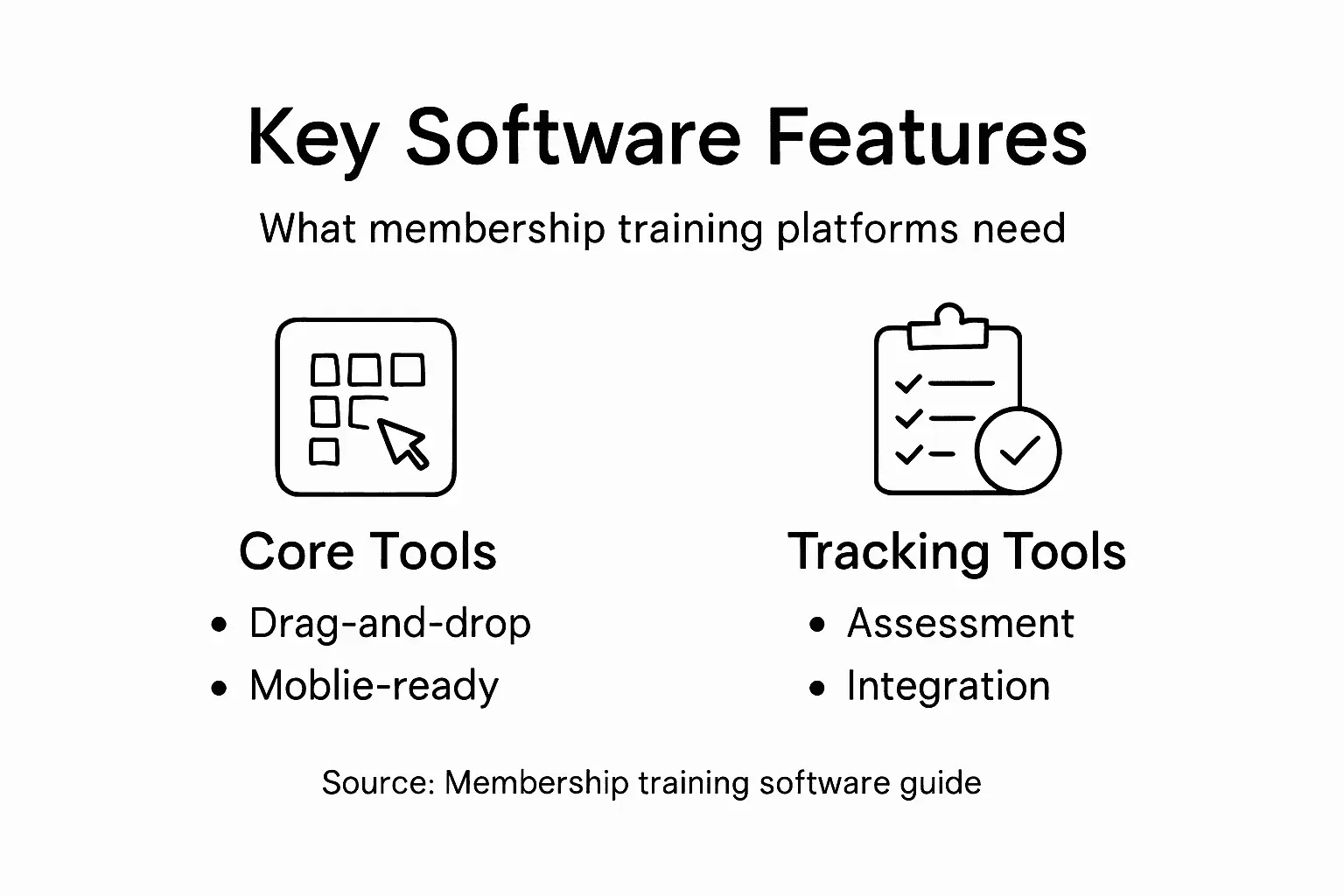
Choosing software with the right feature set separates tools that create occasional courses from platforms that transform member engagement.
Content Management That Evolves
Your training shouldn’t become obsolete the moment you publish it. Easy content updates let you refresh courses without rebuilding them entirely.
Look for software offering:
- One-click updates to existing lessons without republishing entire courses
- Version control so you can track changes and revert if needed
- Permission systems that let different staff members edit specific sections
- Scheduled content updates that go live automatically on set dates
When regulations change or best practices shift, you need to adapt quickly. Clunky editing processes mean your members learn outdated information.
Mobile-First Design Matters
Your members access courses on phones, tablets, and desktops. Software that treats mobile as an afterthought creates frustrating experiences.
Mobile-friendliness isn’t optional. Members expect to start a lesson on their commute, pause, and resume on a desktop at home. The software must handle this seamlessly without formatting breaking apart or progress resetting.
Assessment And Tracking Capabilities
You need to know who completed what and whether they actually learned it. Robust assessment tools allow you to measure learning outcomes through quizzes, assignments, and practical exercises.
Essential assessment features include:
- Multiple question types: multiple choice, drag-and-drop, essay responses
- Automatic scoring so you don’t manually grade everything
- Detailed progress reports showing completion rates and quiz performance
- Certificates or badges that recognise achievement
Without visibility into what members learned and retained, you’re creating training content blind.
Standards Compliance And Integrations
Your course development software should work smoothly with your existing systems. SCORM and xAPI compliance ensures courses integrate with your member portal or learning management system without manual workarounds.
This means:
- Courses launch directly from your member dashboard
- Completion data syncs automatically to your records
- No duplicate data entry across multiple platforms
- Future flexibility if you change systems
Learner-Generated Content
Modern training isn’t one-way broadcasts. Members benefit from peer learning and collaborative projects. Software supporting learner-generated content capabilities enables discussion forums, peer reviews, and group assignments.
This turns passive viewers into active participants.
Pro tip: _Before selecting software, map out your five most critical training needs—compliance requirements, member skill gaps, reporting demands, integration needs, and device access patterns. Then verify each potential platform addresses all five.*
To inform your software selection, here is a summary of critical features for membership-based organisations:
| Essential Feature | Why It Matters | Potential Impact |
|---|---|---|
| Easy Content Updates | Keeps training current | Reduces risk of outdated info |
| Mobile-First Design | Supports any device | Maximises learner accessibility |
| Assessment & Tracking | Measures learning progress | Demonstrates value to leadership |
| Integration Capabilities | Smooths user experience | Streamlines data management |
| Learner Collaboration | Fosters active participation | Builds member community |
Integration With Membership Systems
Course development software sitting isolated from your membership platform creates friction. Your members need seamless access without managing multiple logins or tracking progress across disconnected systems.
Proper integration transforms training from an add-on into a core membership benefit that feels native to your organisation’s experience.
Why Integration Matters
Without integration, your team manages training separately from membership data. Someone completes a course, but that completion doesn’t appear in your member records. Staff manually enter certification dates. Progress data lives in one system whilst member information lives elsewhere.
Integration solves this by connecting everything. Single sign-on capabilities allow members to access courses directly through their membership portal without additional passwords or logins.
Automated Enrolment And Assignment
Your course software should automatically assign training based on membership level, role, or organisational rules.
For example:
- New members automatically receive onboarding courses
- Compliance training assigns to all members in specific departments
- Advanced courses unlock only after prerequisite training completes
- Renewals trigger required recertification coursework
This removes manual assignment work. Members discover relevant courses without staff intervention. Compliance requirements activate automatically rather than requiring annual reminders.
Data Synchronisation That Works Both Ways
Linking course creation platforms with membership systems enables automated member registration and certification tracking, creating cohesive management of training and membership data.
When integrated properly:
- Completion records sync automatically to member profiles
- Certificate dates update without manual entry
- Progress data feeds into your reporting and analytics
- Member demographic changes propagate to course assignments
- Expired certifications trigger retraining alerts
You gain single-source truth rather than reconciling conflicting data across platforms.
Personalised Learning Paths
Integration enables sophisticated personalisation. Your platform understands each member’s role, tenure, skill level, and previous courses.
The system delivers customised learning sequences:
- Members at different career stages access appropriate content
- Membership roles determine which courses members can access, aligning training with responsibilities
- Prerequisite tracking prevents members from skipping foundational material
- Skill-based recommendations suggest relevant next courses
Integrated systems transform training from one-size-fits-all broadcasts into meaningful, role-aligned learning experiences.
Measuring Training Impact On Membership
Integration reveals how training affects member engagement and retention. You see correlations between course completion and renewal rates, participation increases, or upgrade decisions.
This data justifies training investments and guides future course development priorities.
Pro tip: During platform selection, request a data integration audit with your vendor. Ask them to map exactly which fields sync bidirectionally, what happens when data conflicts, and how often synchronisation occurs. Missing clarity here creates problems later.
Risks, Costs, And Implementation Pitfalls
Course development software promises efficiency and engagement. But implementation without proper planning turns promising projects into expensive failures. Understanding common pitfalls helps you avoid costly mistakes.
Many organisations underestimate what it takes to succeed. Budget overruns, poor adoption, and wasted resources follow poor planning.
Cost Escalation Beyond Initial Quotes
The software licence fee is just the beginning. Real costs multiply quickly once implementation starts.
Budgets typically grow because of:
- Customisation and integration work with existing systems
- Content creation and course design services
- Staff training on the new platform
- Ongoing maintenance, hosting, and support fees
- Unexpected technical requirements during setup
Organisations often allocate 30 percent of their budget for software licensing but need 70 percent for everything else. Getting this balance wrong creates budget crises mid-project.
Change Resistance From Staff And Members
Your team may resist adopting new software. Instructors worry about losing control over content. Staff fear additional workload. Members expect courses delivered the old way.
Poor project planning and resistance to change create implementation challenges that derail rollouts. Without early stakeholder involvement, adoption stalls.
Data And Integration Complexities
Connecting course software to your membership system sounds straightforward until you start. Data mapping errors, field mismatches, and synchronisation failures create silent problems.
Common integration issues include:
- Member data not syncing correctly to course assignments
- Certification dates updating incorrectly in membership records
- Duplicate member records breaking automated enrolment
- API authentication failures blocking data flow
- Performance slowdowns when syncing large member databases
Data privacy concerns and scalability issues compound integration challenges, requiring technical expertise many organisations lack.
Low User Engagement And Adoption
Launching a course platform doesn’t guarantee usage. Members ignore poorly designed courses. Staff skip training they see as irrelevant.
Failures happen when organisations:
- Don’t align course content with actual member needs
- Insufficient testing reveals bugs and poor user experience only after launch
- Skip communication about why training matters
- Create courses that feel disconnected from member roles
Implementation success depends less on software features and more on thoughtful planning, clear communication, and realistic timelines.
Timeline And Resource Underestimation
Most organisations underestimate how long implementation takes. Course creation requires subject matter expert involvement, instructional design, content review cycles, and testing.
Realistic timelines account for:
- Initial platform setup and customisation
- Content development for each course
- Staff training and onboarding
- Pilot testing with real members
- Feedback integration and fixes
- Full rollout and support ramp-up
Rushing this timeline creates quality problems that damage member experience.
Pro tip: Before signing contracts, require vendors to detail integration complexity, provide implementation timelines broken into realistic phases, and share case studies from similar-sized organisations. Request a pilot programme with 10-20 members before full rollout to catch problems early.
Unlock Seamless Member Training with Colossus Systems
The article highlights the challenges membership organisations face when developing and delivering engaging, accessible courses that integrate smoothly with existing systems. You need easy content updates, mobile-first design, comprehensive assessment tracking, and personalised learning paths for your members. More importantly, overcoming integration complexities and boosting member engagement often seem daunting.
Colossus Systems offers a unified SaaS platform tailored to these precise needs. Our solution streamlines member management and virtual training within a single intuitive interface. Say goodbye to fragmented systems and manual data entry with features like automated enrolment, single sign-on access, and real-time progress tracking. Boost member satisfaction and retention while simplifying your administrative workload.

Ready to transform your member training experience and scale your organisation efficiently Start a conversation with our team today and explore how Colossus Systems can tailor a solution for your unique needs. Reach out now via our Contact Us page to schedule a demo or discuss your challenges. Discover the power of integrated training and engagement tools that grow with your membership base.
Frequently Asked Questions
What is course development software?
Course development software is a tool designed to help organisations create, structure, and deliver training without needing coding skills. It allows authors to design interactive courses that guide learners through content from introduction to mastery.
Do I need technical skills to use course development software?
No, modern course development software typically features user-friendly drag-and-drop interfaces, meaning you can create courses without any technical background or complex design software skills.
How long does it take to build courses with this software?
The time to build courses can vary. Simple courses can often be launched within weeks using pre-built templates and workflows, allowing for quicker development than traditional methods.
What delivery modes does course development software support?
Course development software supports various delivery modes, including synchronous (live instructor-led sessions), asynchronous (self-paced learning), blended (a mix of both), and mobile/microlearning formats, allowing flexibility to meet different learner preferences.